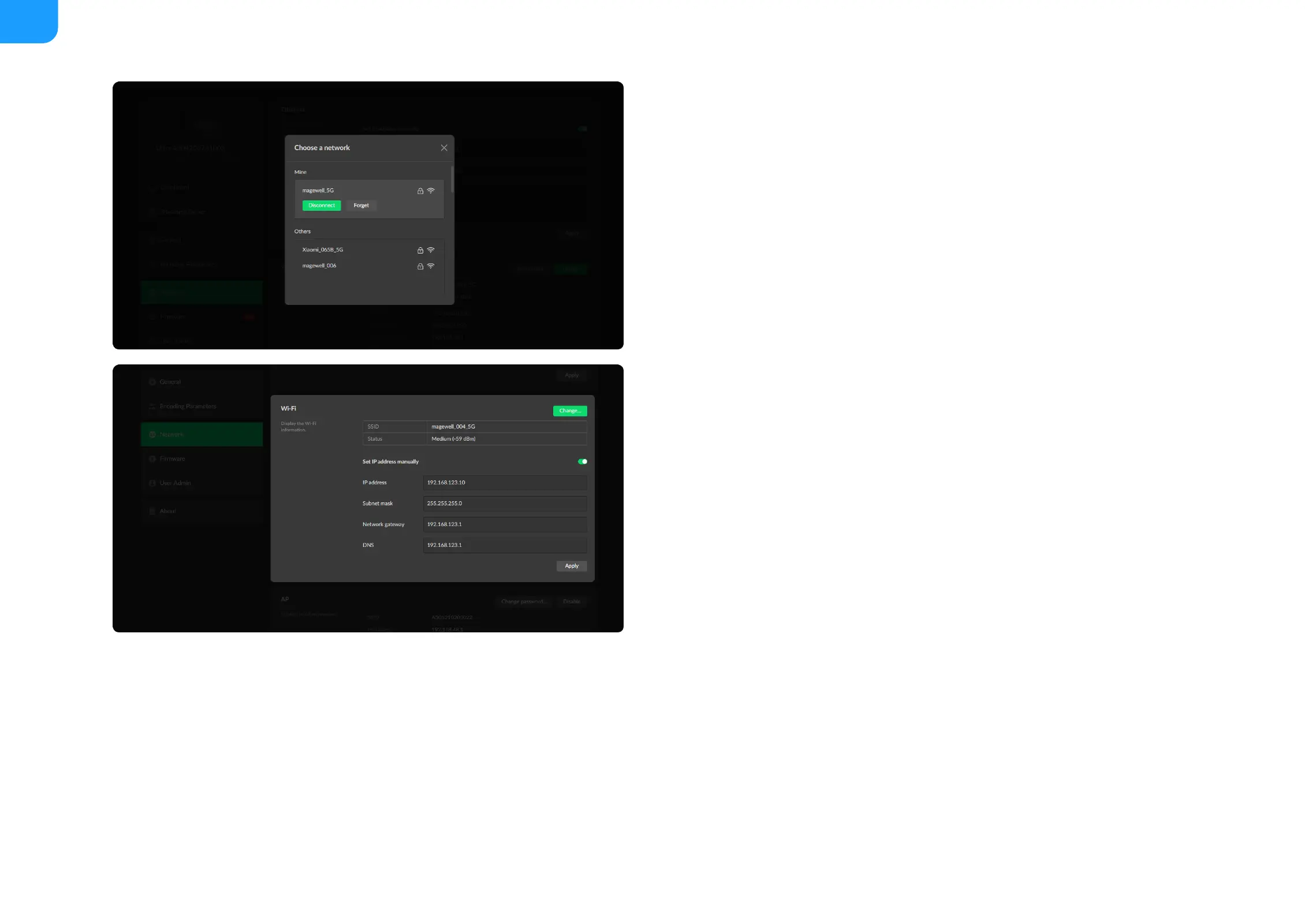
Set Wi-Fi
16 Wi-Fi network information can be saved for auto-detection.
Modify Wi-Fi
Set Wi-Fi manually
Disconnect: click to cut off current Wi-Fi network.
■
Change... click to choose a different WLAN to connect to.
■
SSID: named after device serial number.
■
Status: Wi-Fi signal strength.
■
IP address: WLAN IP address.
■
Subnet mask: WLAN subnet mask.
■
Network gateway: WLAN gateway.
■
DNS: WLAN DNS server IP address.
■
Set IP address manually: turn on the switch to modify current network
setting or when being connected to a non-DHCP network.
■
IP address: device IP address.
■
Subnet mask: device subnet mask.
■
Network gateway: device gateway.
■
DNS: DNS server IP address.
■
Apply: make current configuration effective. When prompted, click Yes.
■
Verify: input new IP address to open the Web UI.
■



 To Next Page