7. MAINTENANCE, INSPECTION
7.1 SAFETY CHECK
Check the points listed before operating the machine. These checks are nessessary for safe machine
operation:
1. Try to run the game before operation each day.
2. Conduct monthly routine checks of game components to ensure good working condition
3. Check the machine regularly for dust and clean when nesessary.
Note : Parts and components require preventative maintenance to be kept running smoothly
8. TROUBLESHOOTING
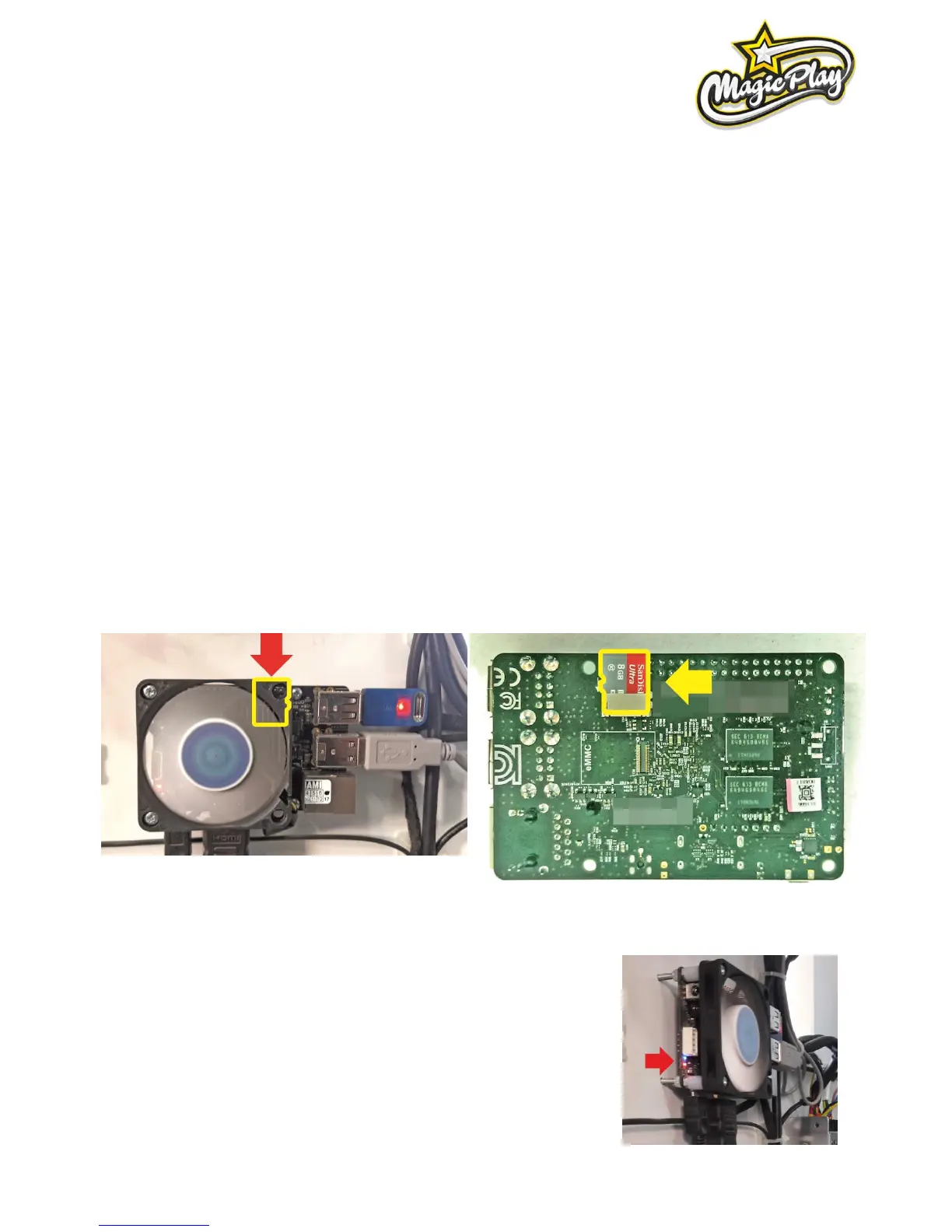
8.1 SYSTEM MICROSD CARD LOCATION
The MicroSD card is located at back of CPU board, near top-right installation screw. It is possible to pull it
without CPU board disassembly. See picture.
8.2 „NO SIGNAL” ALERT ON SCREEN
1. Observe CPU board placed behind bottom rear service door when
machine is plugged in.
RED LED light:
Solid: 5V power is on: OK
Blinking: Problems with power supply, check power supply (2nd point)
or wiring connections or CPU board failure atleast.



 To Next Page