FLY O’CLOCK - USER’S MANUAL
www.magicplay.eu
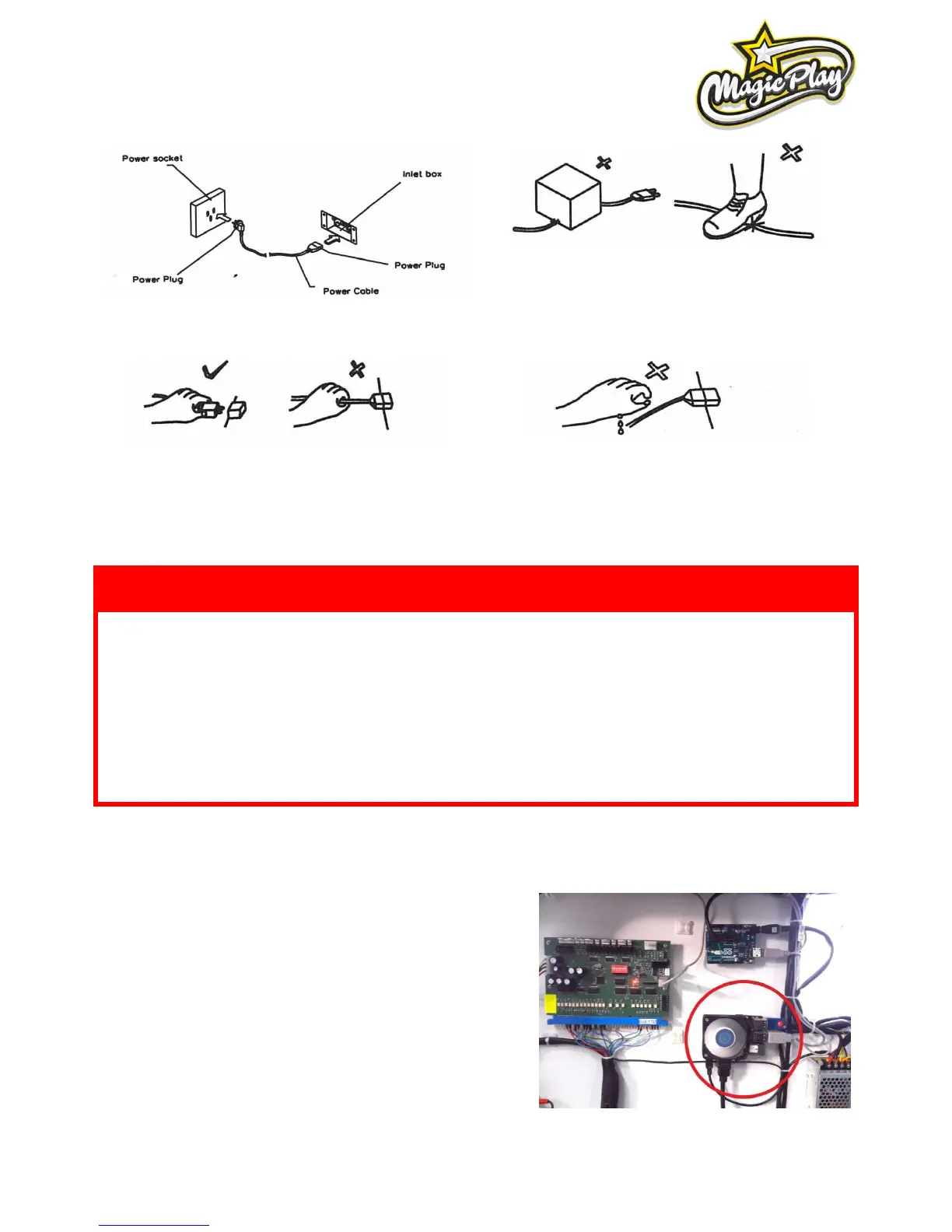
Connect the grounding conductor to the earth terminal
(GND):
Ensure that nothing rests on the power cord and that it
is not located where it can be stepped on or tripped
over.
To disconnect the game, grip the plug and pul lit from
the wall outlet. Never pull by the cord.
To prevent electric shock, do not touch the power plug
when hand is wet.
4. ACTIVATION, UPDATE AND GAMEPLAY
DEVICE SOFTWARE IS COPYRIGHT PROTECTED. COPYING AND DISTRIBUTION IS
STRICTLY PROHIBITED. IT IS ALSO FORBIDDEN TO INTERFERE IN THE INTEGRITY OF
SOFTWARE THROUGH MODIFICATION OR IMPLEMENTATION OF ANY CHANGES
WITHOUT APPROVAL OF THE MANUFACTURER. ANY ATTEMPTS OF SOFTWARE
CHANGES, OTHER THAN THOSE SPECIFIED BY THE MANUFACTURER MAY RESULT IN
WARRANTY LOSS.
To carry out software upgrade memory stick and USB computer
mouse is required.
1. Download .apk file provided by manufacturer/distributor and
save it to a memory stick.
2. Open the lower rear service door and locate the CPU board
(see picture)
3. Connect the memory stick and a computer mouse in free USB
ports. Disconnect one of USB plugs if not enought USB ports are
available. Remember to plug it back after update process!
4. Leave the Fly O’Clock application by clicking the right mouse
button. Tip: Game will propably exit after disconnecting one of
USB plugs in 3rd step.



 To Next Page