8.6 BUTTONS/COINS MECH NOT WORKING
1. Check wiring connections to I/O board
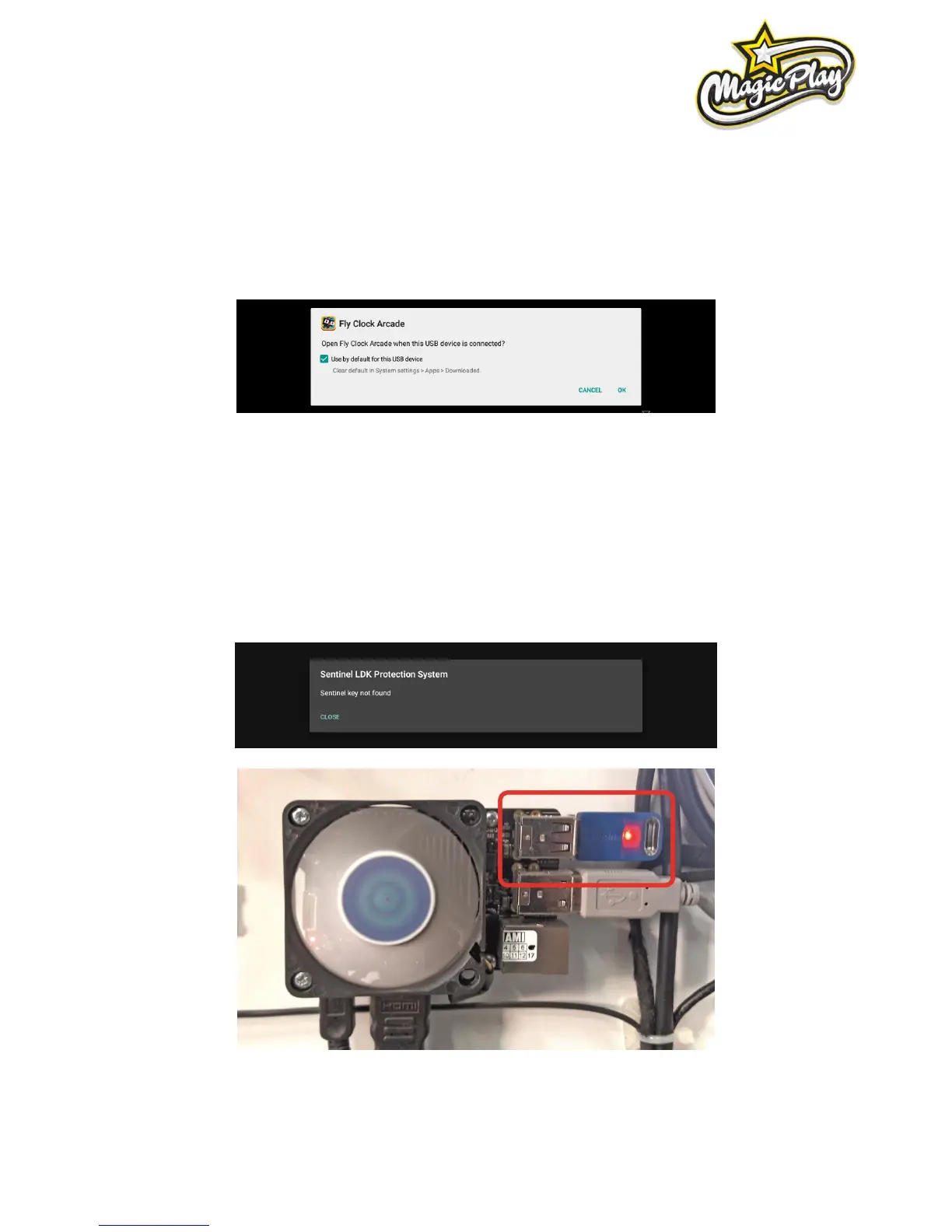
2. If new CPU board, I/O board or LED driver connected you will be asked to confirm USB Access
permission to USB device. Check everything as described on picture below. Check use by default → click
OK. Often three times this pop-up occur.
3. If You accidently press CANCEL after selecting checkbox for „Use default...“ follow steps from (Problems
with ticket dispensing, game crashing/freezing, settings are not saved) and addicionally click CLEAR
DEFAULTS at step 10! Run Fly O’ Clock from desktop and follow step 2 from this section.
8.7 GAME EXITING AFTER SPLASHSCREEN WITHOUT ERROR OR „SENTINEL KEY NOT
FOUND” ALERT
1. Check your USB Dongle licence key!



 To Next Page