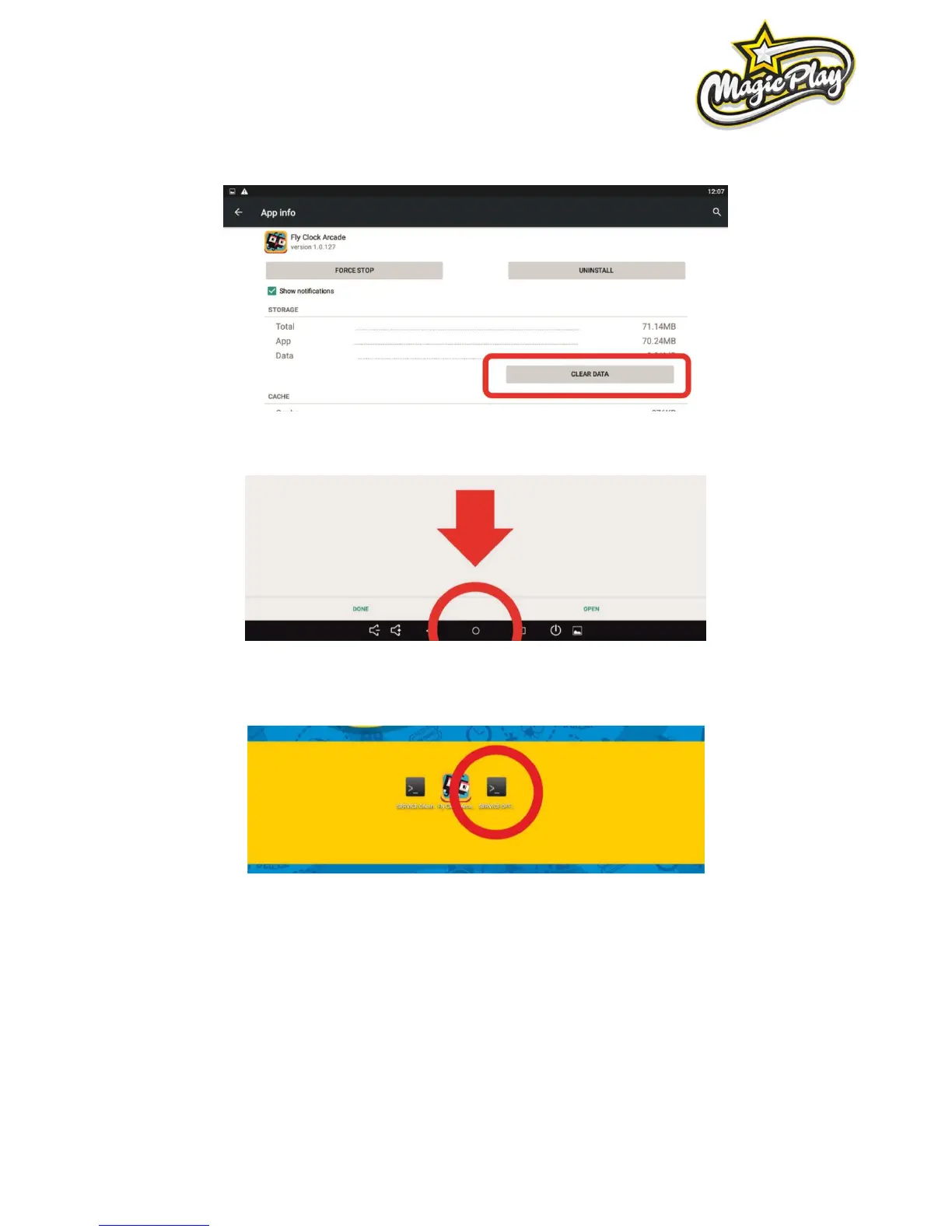
10. Click „CLEAR DATA“
11. App refreshed, click on the circle at the bottom of the screen to back to machine desktop.
12. Run SERVICE_OFF app, confirm by clicking Execute on pop-up to leave Service Mode. Machine will
reboot. Meanwhile disconnect USB mouse. Game need to be configured.
8.5 PROBLEMS WITH COIN ACCEPTORS/BILL ACCEPTORS
1. Possible problems with acceptors firmware
2. Check wirings for acceptors
3. Not accepted permission to acces USB device for I/O board (see „Buttons/coins not working”)



 To Next Page