ID Card Printer – User Manual
ID Card Printer – User Manual
- 7 -
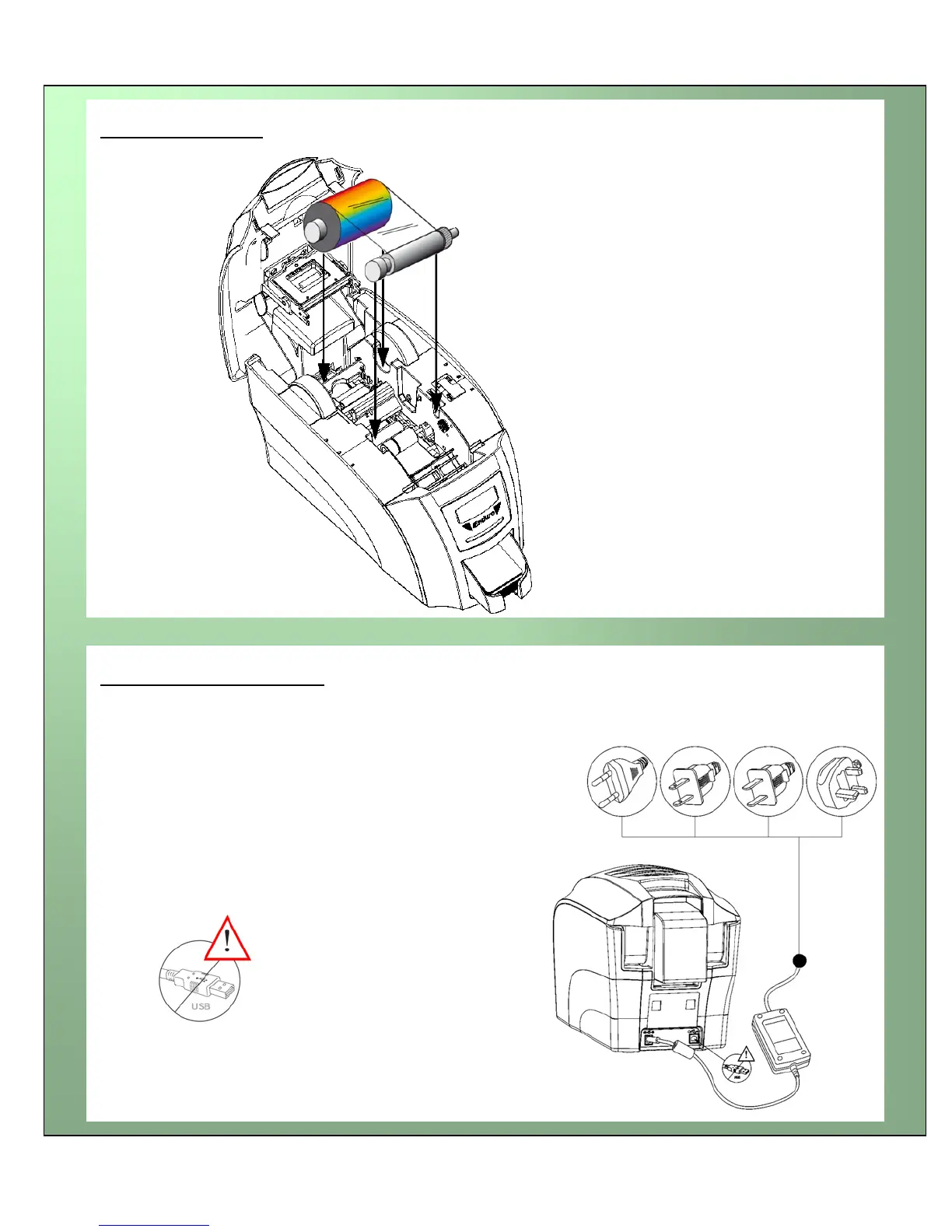
Install the dye film
• Remove the dye film its packaging.
• Place the loaded spool into the rear slots and
the take-up spool into the front slots.
• Close the printer.
Connect the power supply
Select
the connector for your region and connect to power supply unit.
Plug in and connect to printer which will automatically switch on.
Display should show the model and “Soft button” options.
IM
PORTANT: Please do not connect the USB until
the CDROM has been installed.














 To Next Page