Functions & Settings
-
Chapter.04
Chapter.04
-
Functions &
Settings
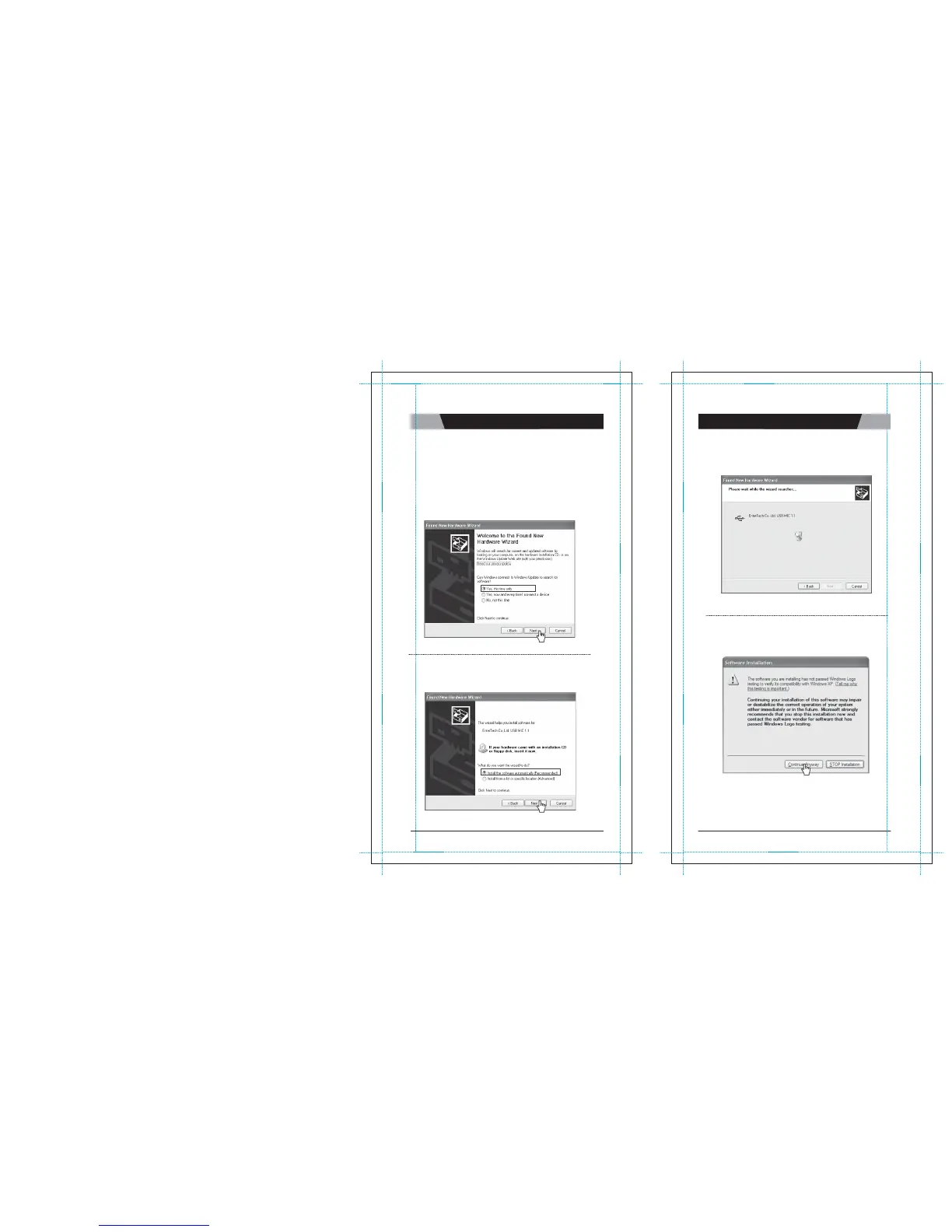
4. When you connect MagicSing t o a PC for t he f irst time, the
“
F
o
und
N
e
w
Hardware
W
i
z
a
r
d
”
window below will show up as
it
will try to
s
ea
r
c
h
the USB driver in your PC
sys
t
e
m.
(In order to operate
“
E
T
m
a
n
a
g
e
r
”
,
the following steps should
b
e
c
o
m
p
l
e
t
e
d
.
)
a) Click “Yes, this time only” and “Next” to continue.
c) Click “Continue anyway” to proceed.
b) Click “Install the software automatically (Recommended)” and
“Next” to continue.
CHAPTER.
04
|
20
VER.100
21
|
CHAPTER.
04
VER.100


 To Next Page