M
Michael CharlesAug 23, 2025
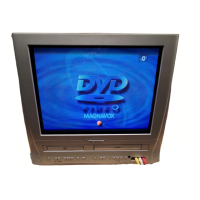
What to do if my Magnavox TV DVD Combo has no power?
- MMark SmithAug 23, 2025
First, ensure the power plug is securely connected to an AC outlet. If there's a power failure, check the breaker.

 To Next PageTo Next Page
What to do if my Magnavox TV DVD Combo has no power?
First, ensure the power plug is securely connected to an AC outlet. If there's a power failure, check the breaker.
 General
| Brand | Magnavox |
|---|---|
| Model | MWC20T6 |
| Category | TV DVD Combo |
| Language | English |
Instructions for connecting the unit to TV signals via antenna or cable.
Guide for connecting audio/video sources to the unit's front input jacks.
Instructions for connecting digital audio sources to the unit's rear audio inputs.
Identifies and explains the buttons and indicators on the unit's front panel.
Details the functions of each button on the remote control for operating the unit.
Steps for tuning into and viewing television channels.
How to set the sleep timer and adjust picture settings like brightness and contrast.
Instructions for setting the unit's clock manually or automatically.
Guide to enabling and configuring closed caption display for TV programs.
How to set parental controls and ratings to block inappropriate content.
Steps for scanning and managing TV channels for optimal reception.
Procedures for basic playback, tracking adjustment, still pictures, and slow motion.
Tools for easily locating specific points on a tape, like zero return or index search.
Guide to scheduling recordings for specific days, daily, or weekly.
Setting parental controls and passwords to restrict disc playback based on ratings.
Resetting all DVD setup options to their factory default values.