EasyManua.ls Logo

Magnetrol Thermatel TD1 - User Manual

Magnetrol Thermatel TD1
32 pages
Print Icon
To Next Page IconTo Next Page
Loading...
Thermal Dispersion
Flow/Level/Interface
Switch
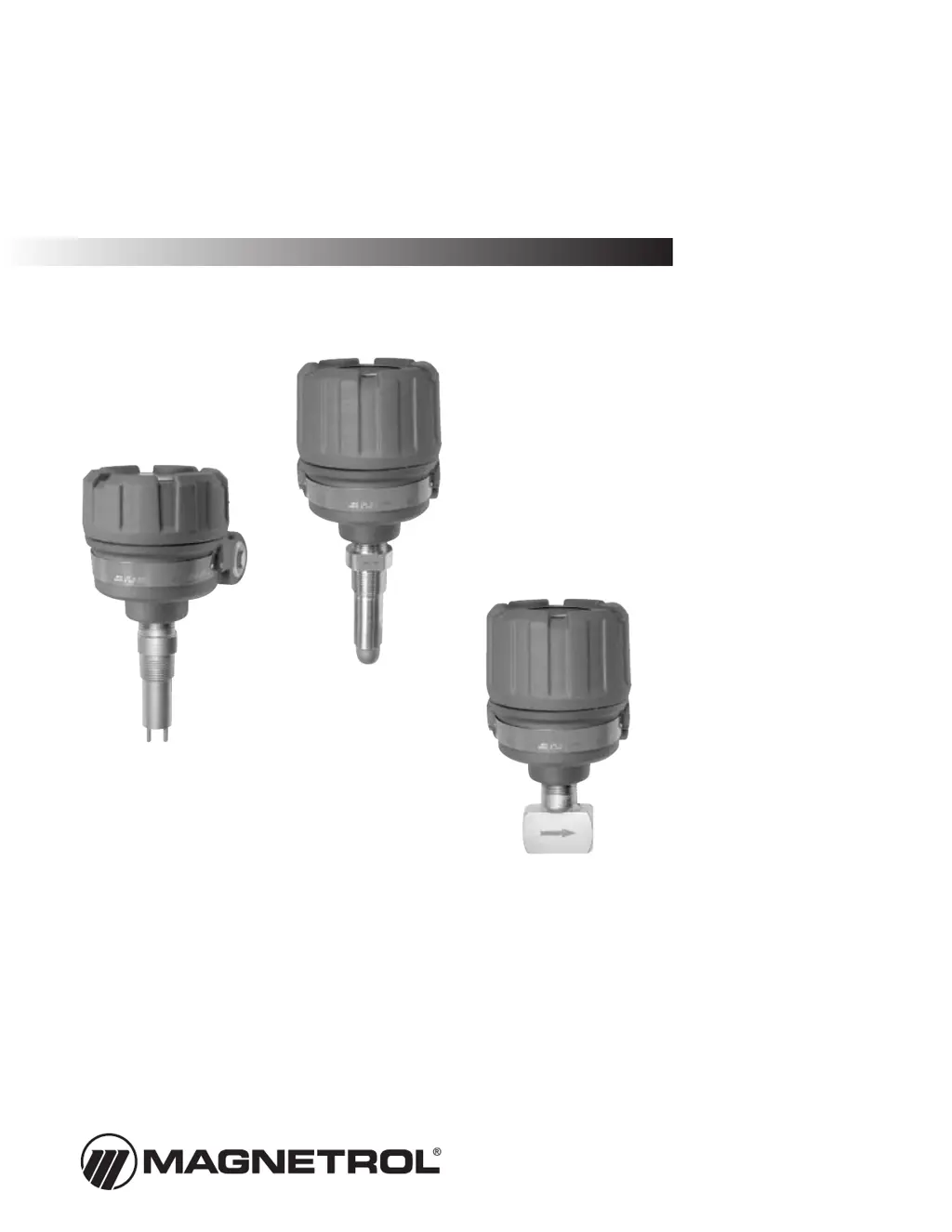
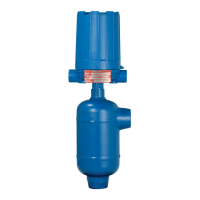
Model TD2
with low flow body
Model TD2
with spherical probe
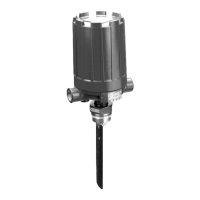
Model TD1
with twin-tip probe
Thermatel
®
Model TD1/TD2
Installation and Operating Manual

Questions and Answers

  • T
    thomascynthiaAug 5, 2025
    What to do if the Green LED is OFF (TD1) or all LEDs are OFF (TD2) on my Magnetrol Thermatel TD1 Switch?
    • C
      Crystal WolfAug 5, 2025
      If the green LED is off (TD1) or all LEDs are off (TD2) on your Magnetrol switch, it could be due to a lack of power. First, verify the power supply. Then, check the wiring at the wiring terminals to ensure everything is properly connected.
  • P
    Penny HolderAug 13, 2025
    Why is the Red LED blinking and showing ?3,6 mA or ?22 mA (TD2) on my Magnetrol Thermatel TD1 Switch?
    • J
      julia79Aug 13, 2025
      A blinking red LED accompanied by a reading of ?3,6 mA or ?22 mA (TD2) on your Magnetrol switch indicates that an instrument error has been registered. Try changing the switch settings, as this may return the unit to normal operation. If the problem persists, you should consult the factory.
  • J
    Joshua MyersAug 20, 2025
    How to fix a Magnetrol Thermatel TD1 when the Red LED does not turn ON?
    • W
      William PonceAug 21, 2025
      If the red LED on your Magnetrol switch isn't turning on, it's possible that the switch point cannot be established for air flow detection. Ensure that the probe is extended into the flow. You might also need to change the Heater setting to “-”.
  • C
    Courtney ReyesNov 26, 2025
    What to do if the Magnetrol Switch indicates a fault and the red LED is blinking?
    • J
      jeffreybensonNov 26, 2025
      If the red LED on your Magnetrol Switch is blinking, indicating a fault, the solution depends on the cause: * **Liquid Level – Sensor Wet:** First, verify that HEATER (TD1) / HTR (TD2) is set to “–”. Then, change HEATER/HTR to “+”. If the light goes off, operate in this mode. If the light stays on, check resistance to determine if a problem exists with the probe or electronics; the probe and/or electronics may need to be replaced. * **Liquid Level – Sensor Dry:** Verify that HEATER (TD1) / HTR (TD2) is set to “–”. Turn off FAULT (TD1) / FLT (TD2). If the light goes off, operate in this mode. If the light stays on, check resistance to determine if a problem exists with the probe or electronics; the probe and/or electronics may need to be replaced. * **Liquid Flow – Sensor Dry or No A...

Summary

1.0 Quick Start

2.0 Installation

2.2 Electrostatic Discharge (ESD) Handling Procedure

Guidelines for safely handling electronic components to prevent static damage.

2.3 Mounting

2.4 Wiring

2.4.1 Relay Connections

Explains how to connect the relay terminals for different operational modes.

2.4.2 Remote Electronics Wiring (TD2 only)

Wiring instructions for connecting remote electronics for the TD2 model.

2.5 Setup

2.5.1 Switch Settings

Guide to setting internal switches for application-specific configurations.

2.6 Calibration

2.6.1 Adjustment Procedure for LEVEL Applications

Steps for calibrating the switch for high or low level detection.

2.6.2 Adjustment Procedure LOW FLOW;NO FLOW

Steps to calibrate the switch for low flow or no flow detection.

2.6.3 Adjustment Procedure - HIGH FLOW Detection

Steps to calibrate the switch for high flow detection.

3.0 Reference Information

3.3 Fault Detection

How the switch performs self-diagnostics and indicates faults.

3.5 Troubleshooting

3.6 Maintenance

3.6.2 Probe Replacement

Instructions for removing and replacing the switch probe.

3.8 Replacement Parts

3.9 Specifications

Magnetrol Thermatel TD1 Specifications

General IconGeneral
BrandMagnetrol
ModelThermatel TD1
CategorySwitch
LanguageEnglish

Related product manuals