3 - Operation
tDynamo| Three-way Secure Card Reader Authenticator | Installation and Operation Manual
Page 26 of 39 (D998200257-20)
3.2 About the Status LEDs
tDynamo’s General Status LED (LED 4) and Status LEDs 3, 2, and 1 provide feedback to the operator
and cardholder about the internal state of the device (see section 1.8 About tDynamo Components).
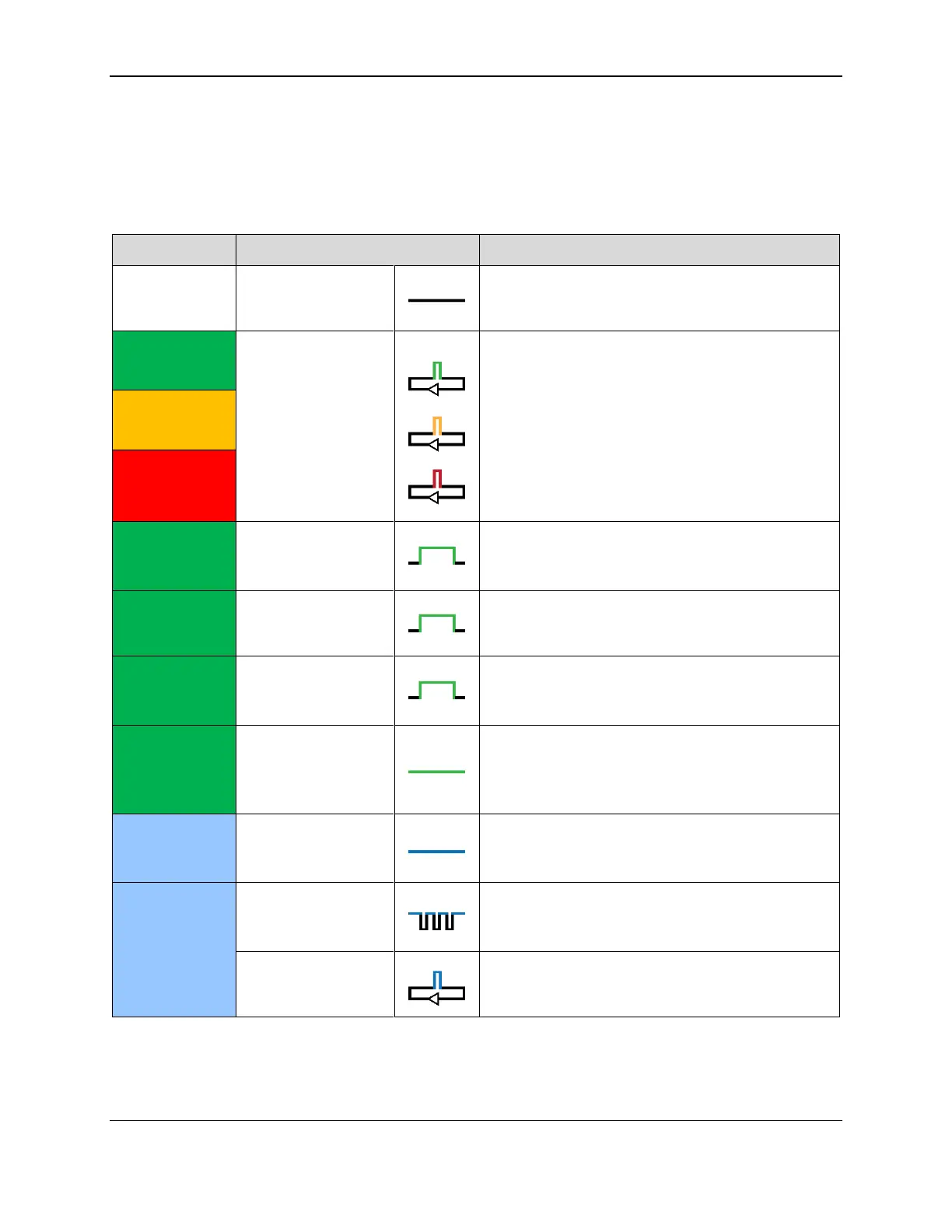
Table 3-1 shows how to interpret the colors and flashing patterns of the General Status LED.
Table 3-1 - tDynamo Status LED Meanings
The device is powered off, or the battery is
completely drained and needs to be recharged.
The device flashes the General Status LED every 5
seconds when it is powered on and is in Connected
mode, ready for the host to send it a command or
for a cardholder to swipe a magnetic stripe card.
The color indicates the battery charge level:
Green = Recharge if desired
Amber = Recharge soon
Red = Recharge immediately (device can not
process transactions)
LEDs 4, 3, 2, 1 Light
In Sequence
The device has read a contactless tap, and the
cardholder can safely remove the card or device
from the contactless landing zone.
LEDs 4, 3, 2, 1 Light
Simultaneously
The device has just been powered on and is testing
the four Status LEDs.
LEDs 4, 3, 2, 1 Light
In Combination
An operator has pressed the pushbutton briefly and
the device is reporting battery charge level. See
section 3.4.1 About Power.
The General Status LED (LED 4) is lit green when
the host has initiated an EMV transaction that
allows the cardholder to present a contactless card
or contactless device.
The General Status LED (LED 4) is lit blue when
the operator presses the pushbutton, to provide
feedback that the pushbutton is working correctly.
The operator has pressed the pushbutton for 2
seconds, and the device will transition to Pairing
Mode if the operator releases the pushbutton.
The device is in Pairing Mode, advertising, and
ready for a Bluetooth LE host to initiate pairing.



 To Next Page