EasyManua.ls Logo

Maico MA 33 - Page 73

Maico MA 33
88 pages
Print Icon
To Next Page IconTo Next Page
To Previous Page IconTo Previous Page
Loading...
Operation Manual MA 33
8100092 Rev. 9
71
19/08/2019
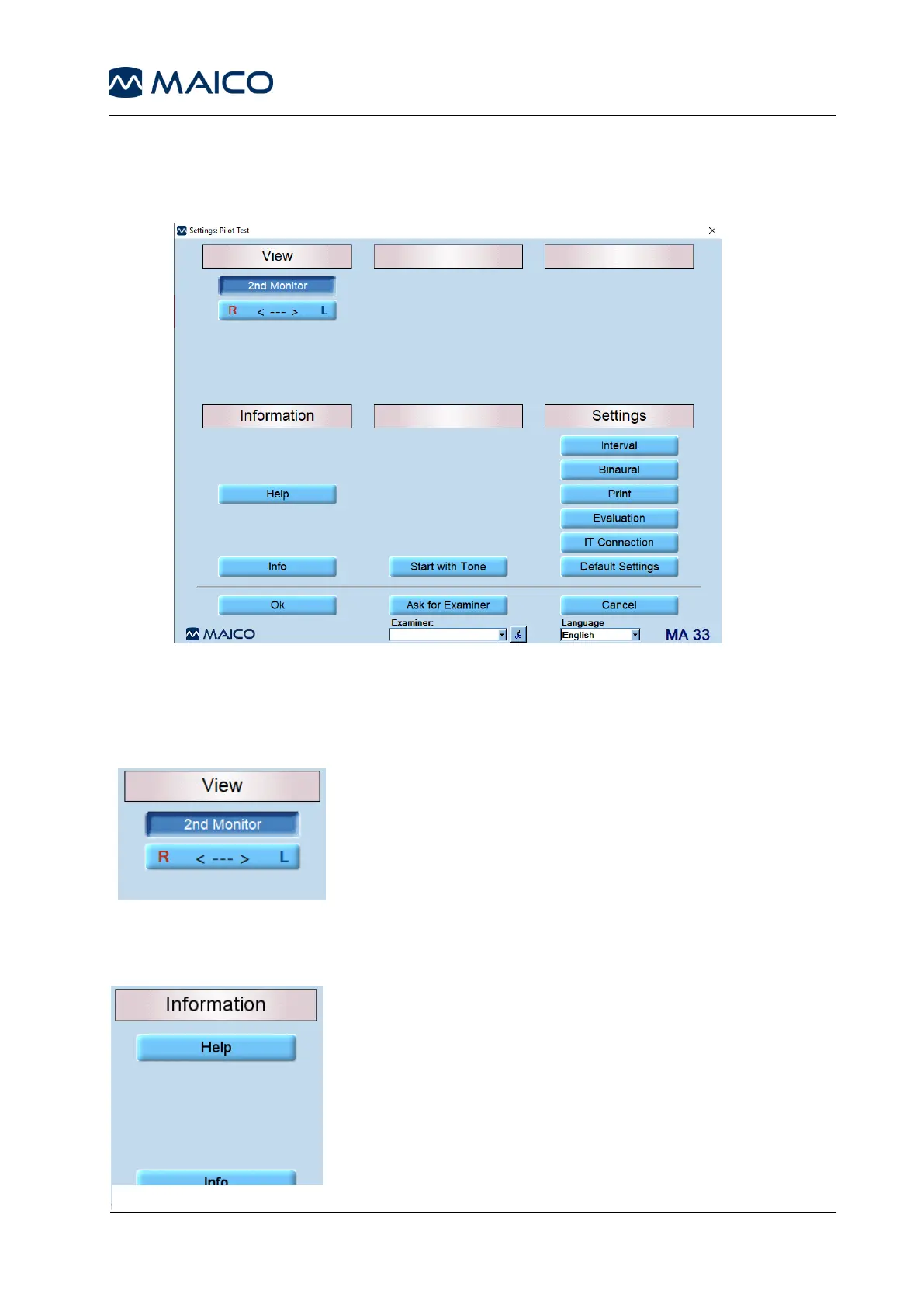
5.7.6 Settings Pilot Test
The Settings option allows different settings to be modified for the following: View,
Information, and Settings (Figure 111).
Figure 111
The settings can be changed by clicking on the different setting options. Click OK to apply
the new setting.
5.7.6.1 View
Figure 112
2nd Monitor: Activates the 2nd Monitor button on the screen
for touch screen operation (touch screen necessary).
R <---> L: Choose on which side of the screen the right and
left channel are to be displayed (Figure 112).
5.7.6.2 Information
Help: Opens the Operation manual.
Info: Shows information such as serial number and software
version (Figure 113).
Figure 113

Related product manuals