11 | P a g e
Code Templates
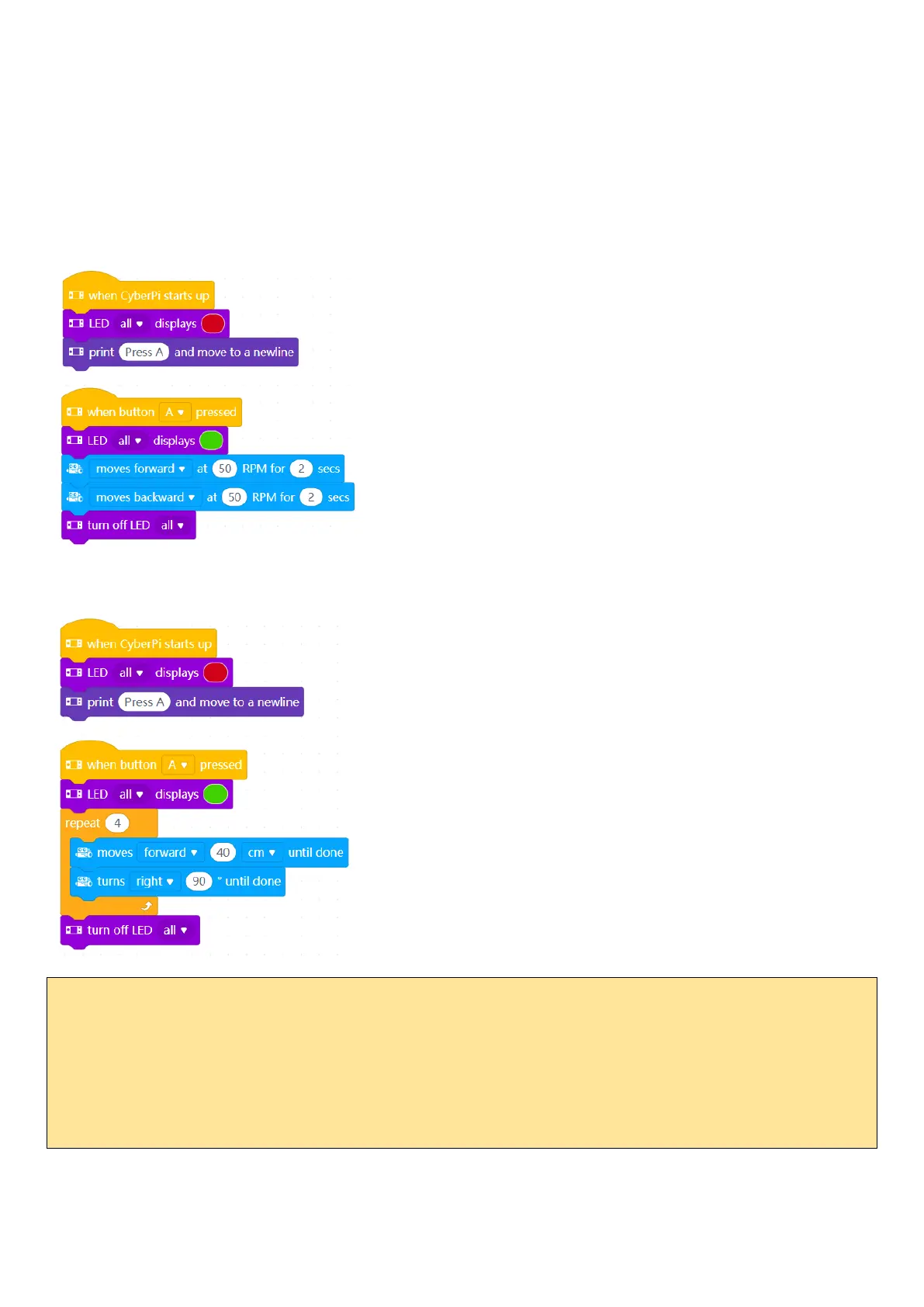
There are two basic code templates we use when running motors. In both cases, we use button A to turn on the
mBot2 to start the actions.
Separating code into sections makes it much easier to understand the code and make changes to it. Later, we will
add more sections as we require them.
1. Single Actions. Use this when the mBot2 actions should only occur once.
If we have actions that are repeated, we can use a for loop. For example, to move in a square:
CHALLENGES
1. Place one or more large objects on the floor. Navigate the mBot2 through and/or around them.
2. One of the RoboRAVE competitions is AMAZE-ing. It consists of a series of boards that make up a maze. You do
not know the shape of the maze until the competition. The person who keeps the robot on the boards and has
the fastest time wins.



 To Next Page