7 | P a g e
C. Our First Program – Hello
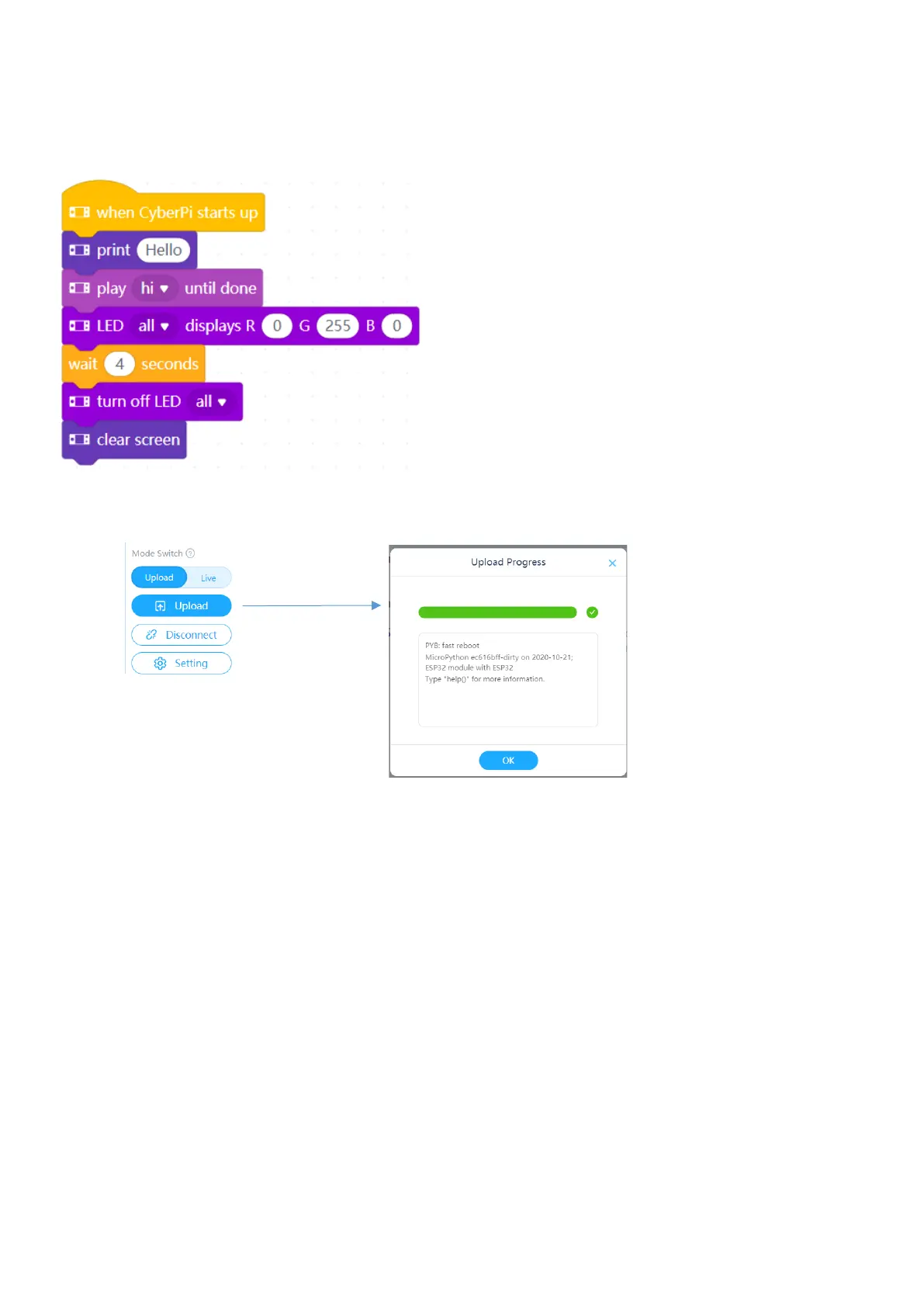
Our first program will write ‘hello’ on the console, say it on the audio speaker and turn all LED’s to green for 2
seconds.
Click the Upload button to send your code to the mBot2.
The code will start executing immediately it is uploaded.
Unsuccessful Upload
If the upload is unsuccessful check three things:
1. The mBot2 is turned on (the power switch on the left side).
2. The cable is plugged in and a connection established (see section B4).



 To Next Page