4 | P a g e
B. Introduction and Setup
Download and Install the Software
Download and install the mBlock Windows or Mac software from https://mblock.makeblock.com/en-us/download/
(The PC software seems to be more stable than the web version located at https://python.mblock.cc/ )
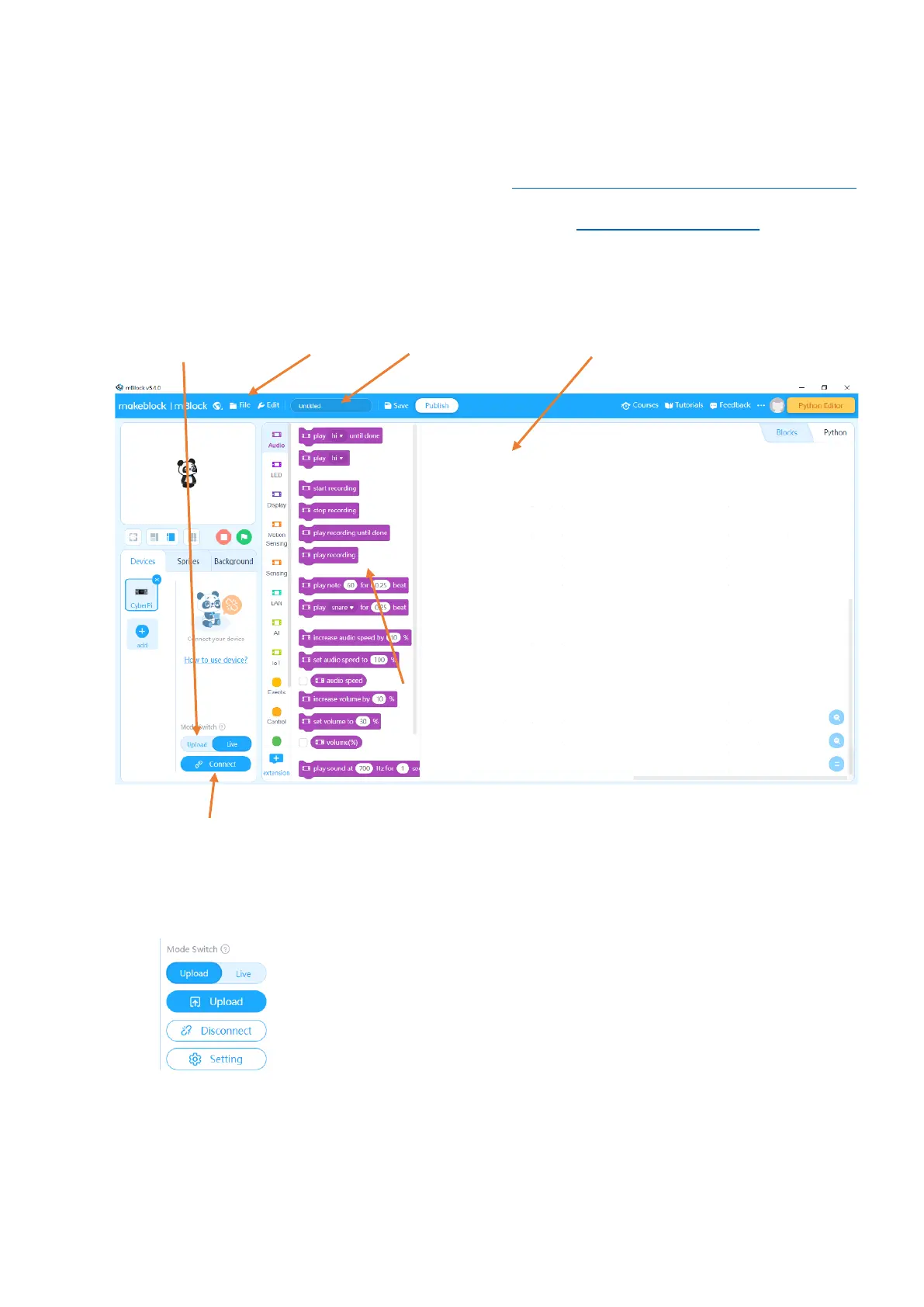
1. Run the MakeBlock software
Mode switch File menu Rename project Coding space
Connection button
When you Connect and change to Upload mode the Upload button appears, to upload code to the mBot2.
Click the Setting button to carry out a firmware update and set up a wi-fi
connection.



 To Next Page