5 | P a g e
2. INSTALL AND UPDATE BLOCK MODULES
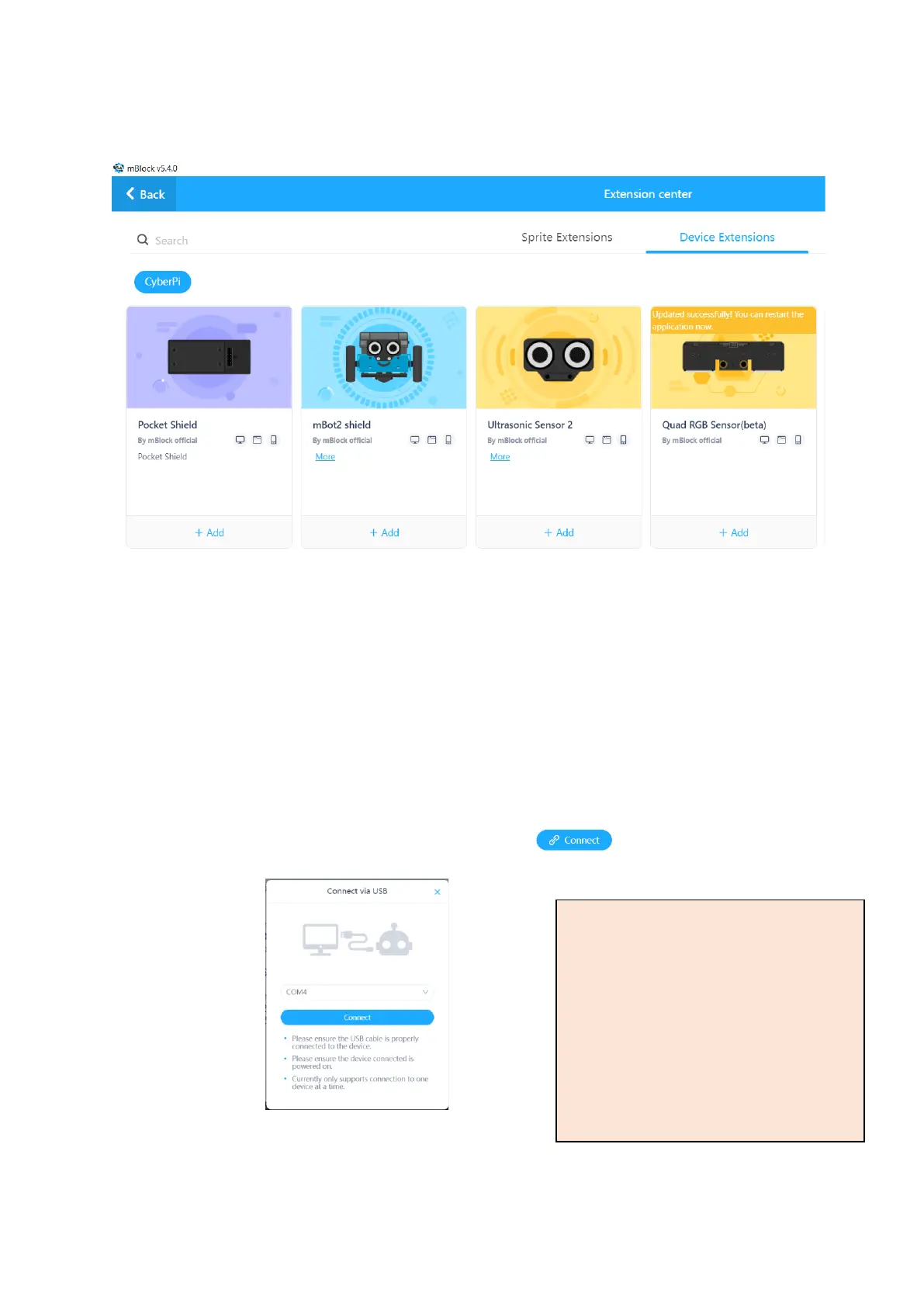
If the mBot2, Ultrasonic Sensor 2 or Quad RGB Sensor pictures have a plus or update symbol on them, click
on this symbol to add or update these blocks.
Click the Add buttons to add these block sets to your software.
3. TURN ON THE MBOT2 USING THE SWITCH ON THE SIDE
The lights on both the ultrasonic sensor and the line follower sensor should turn on. If they are don’t, the
wiring is incorrect or unplugged, and needs to be fixed.
4. Select Upload mode.
5. Plug the mBot2 into a USB port and click the Connect button .
Select your USB port from the list and click Connect.
Find Your Port
You can easily find your device by first
leaving your mBot unplugged. Click
Connect and look at the list of USB ports.
Close the connect window, then plug in
your mBot2. Click Connect again and
look for the port that has just been
added.



 To Next Page