3
MakerBot Replicator
MakerBot
3
MakerBot Replicator+
MakerBot
Step 2 - Remove Filament
Spool Drawer
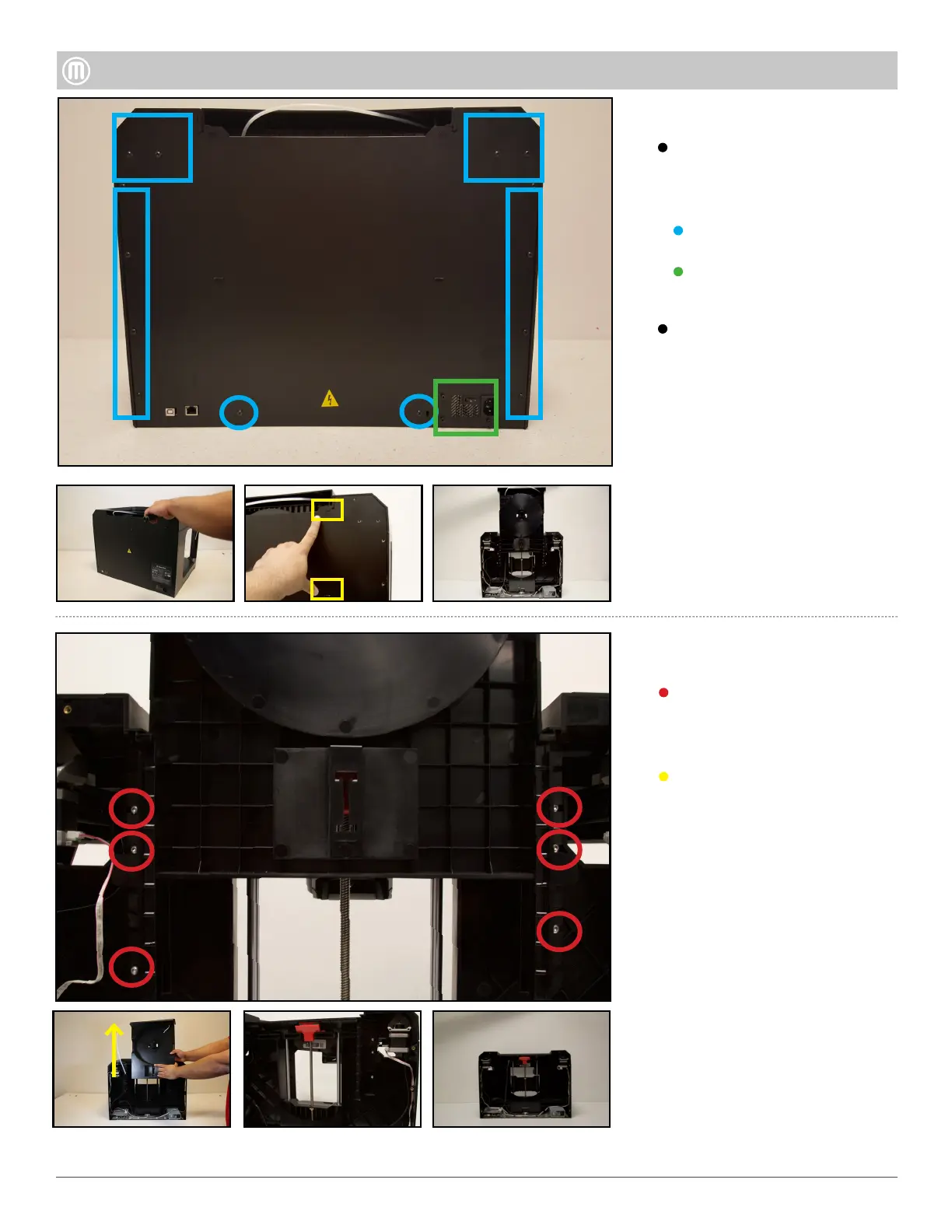
Remove the six (6) thread forming
screws that hold the Spool Drawer
Alignment Brackets to the Z-Case.
Pull the Filament Spool Drawer
upward to remove from the body
of the Replicator and set aside.
Step 1 - Remove the Back Panel
Six (16) Button Head bolts
Remove the following screws from
the outer edge of the Back Panel
using a T15 screw driver:
Gently pull back the Back Panel
o. Be mindful of the (4) four tabs
in the back that need to be
poped out.
Four (4) Socket Cap screws
surrounding Power Supply



 To Next Page