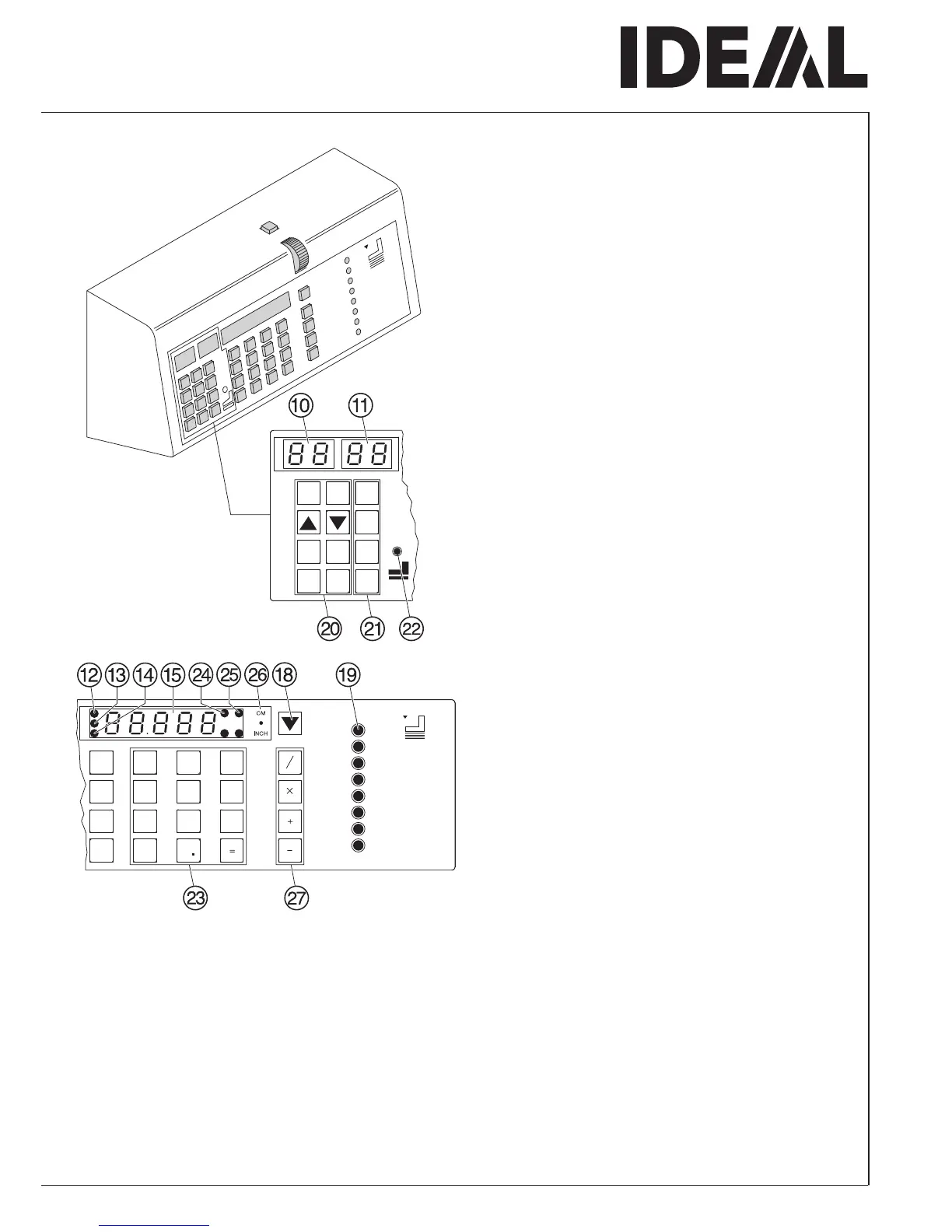
Programming
This control system enables you to store 99
programs with 99 programmable steps. One
step represents one measurement or max. 9
multiple cuts. After entering the program
numbers you are able to change between
several program steps with the button
b
and
j
.
Program on display
J
= program number.
Step on display
K
= program step.
The indicated program step can be overwritten
at any time. These programs remain stored
when the machine is off. Should you change to
another dimension unit all programmed
measurements are converted into the new unit
(cm or inch).
Operating elements
p
-Program number
R
-Program step
T
-Memory (multiple cut)
Q
-Memory (multiple cut with automatic
control after the cut))
b
-Program up
j
-Program down
Y
-Clear
Z
-Delete
a
-Insert
z
-Eject
c
-Clear Program
s
-Stop
S
-Start
i
-Display cm or inch
•
Operation
•



 To Next Page