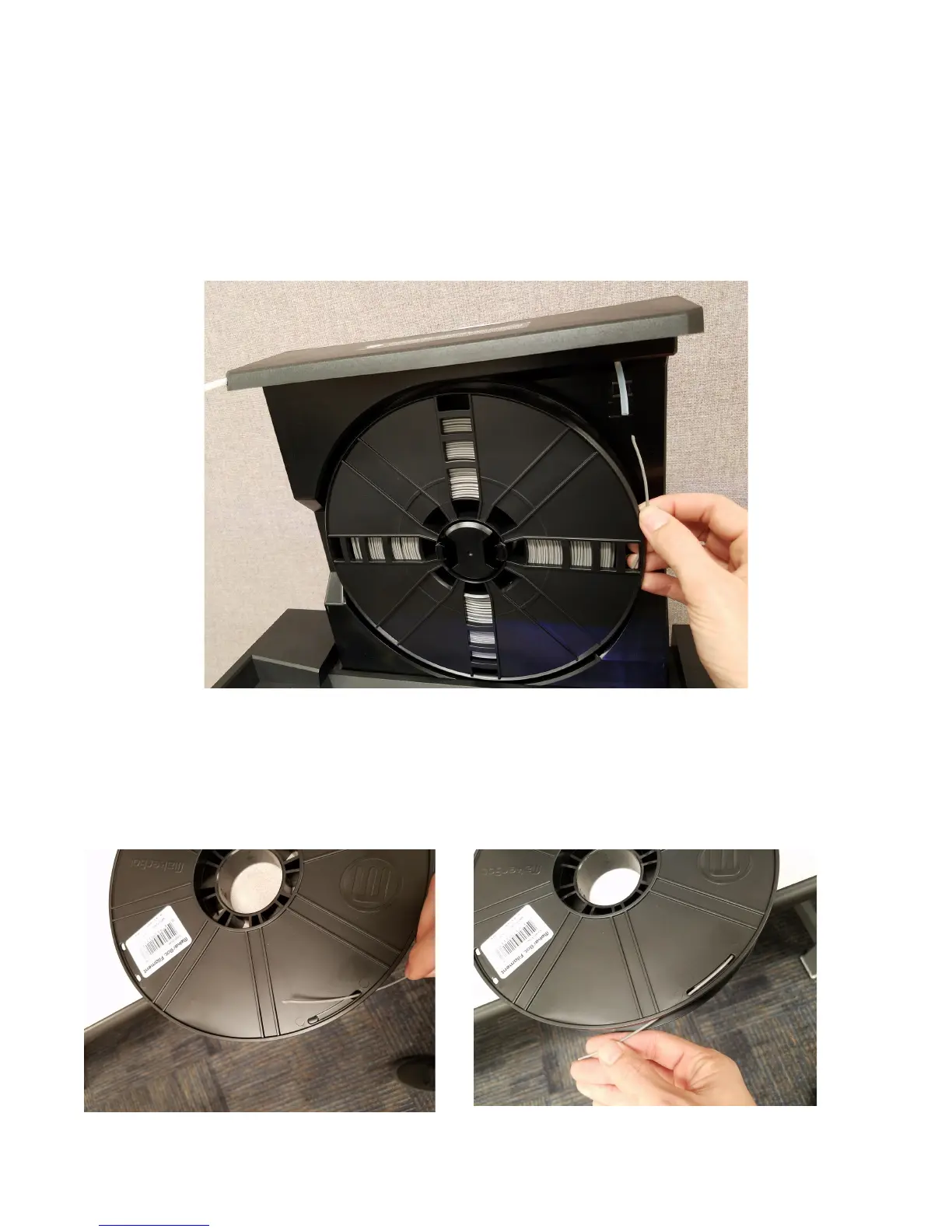
6. Now, unload the filament by rotation filament spool clockwise. Be sure
to grab ahold of the end of the filament (as seen below). While holding
onto the spool and the end of the filament, gently pull the spool towards
you to remove from the machine.
7. Now, place the end of the filament into one of the four sets of holes on
the outside of the filament to prevent unwinding. First use the closest
hole of the set and then the furthest as shown in the photo below.



 To Next Page