12
ENGLISH
BASIC OPERATIONS
STEP 5
Inserting the design card
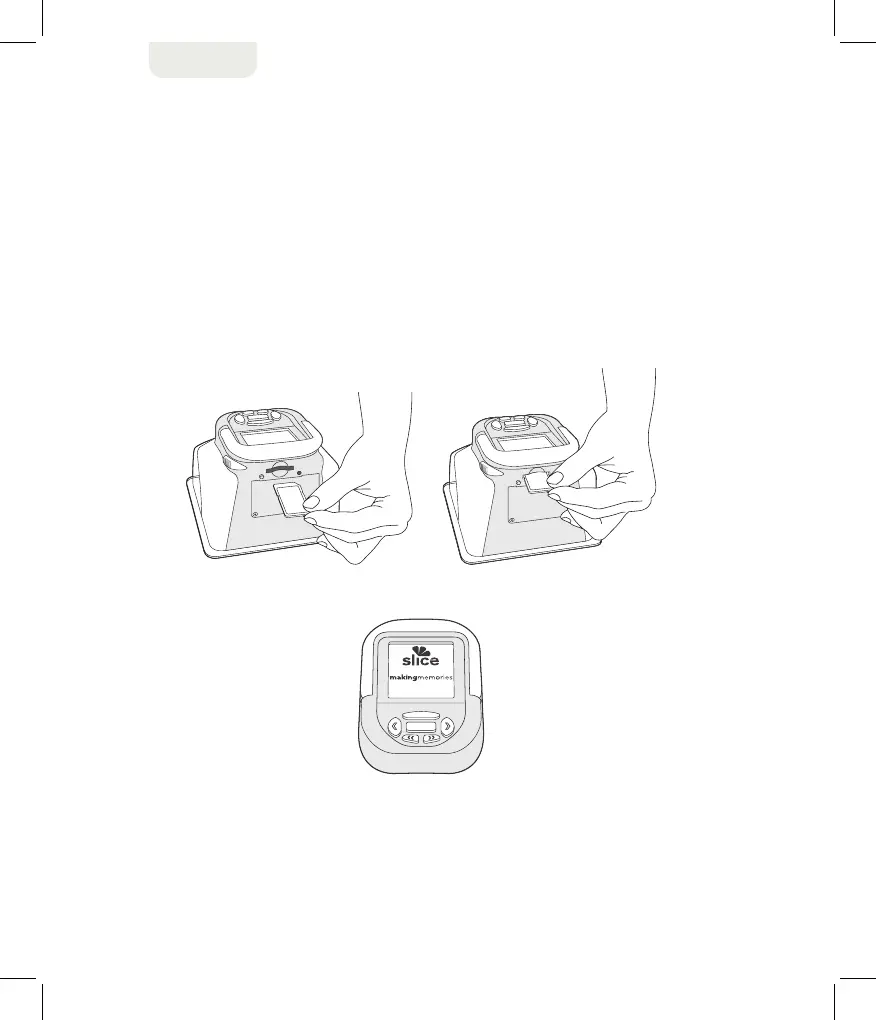
To insert the design card:
1. Insert the card with the label-side up into the back slot of the unit. The side of the card
with the notched corner should slide into the slot first, as shown below.
2. The card clicks when inserted properly. The menu screen also changes to display
the Slice™ logo, as shown below.
3. To remove the design card, push it in and allow it to pop out automatically.


 To Next Page