13
ENGLISH
BASIC OPERATIONS
STEP 6
Homing the blade (for initial use)
The Slice™ blade must be homed for initial use. To home the unit:
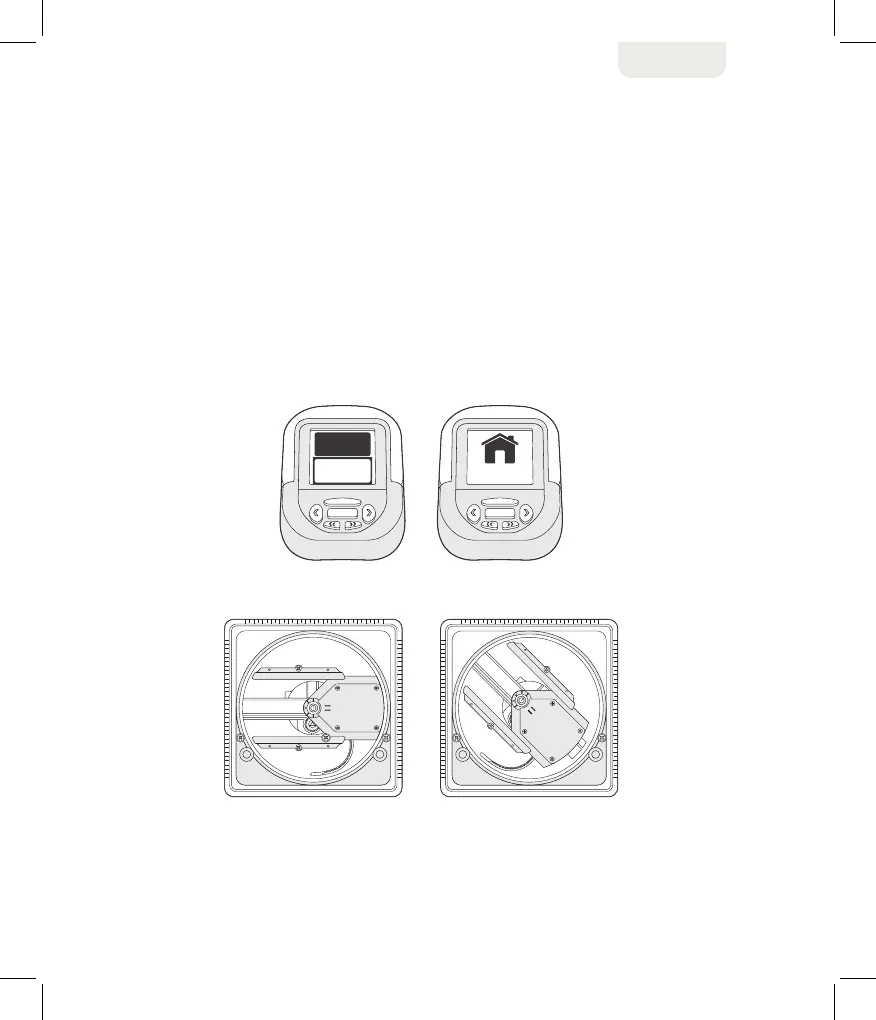
1. Press the MENU button. The menu screen appears with the Settings option highlighted,
as shown below.
2. Press the SELECT button. The screen asks you to press SELECT again to complete the
homing of the Slice™ blade. The homing procedure positions the cutting blade panel in the
correct starting position, as shown below.


 To Next Page