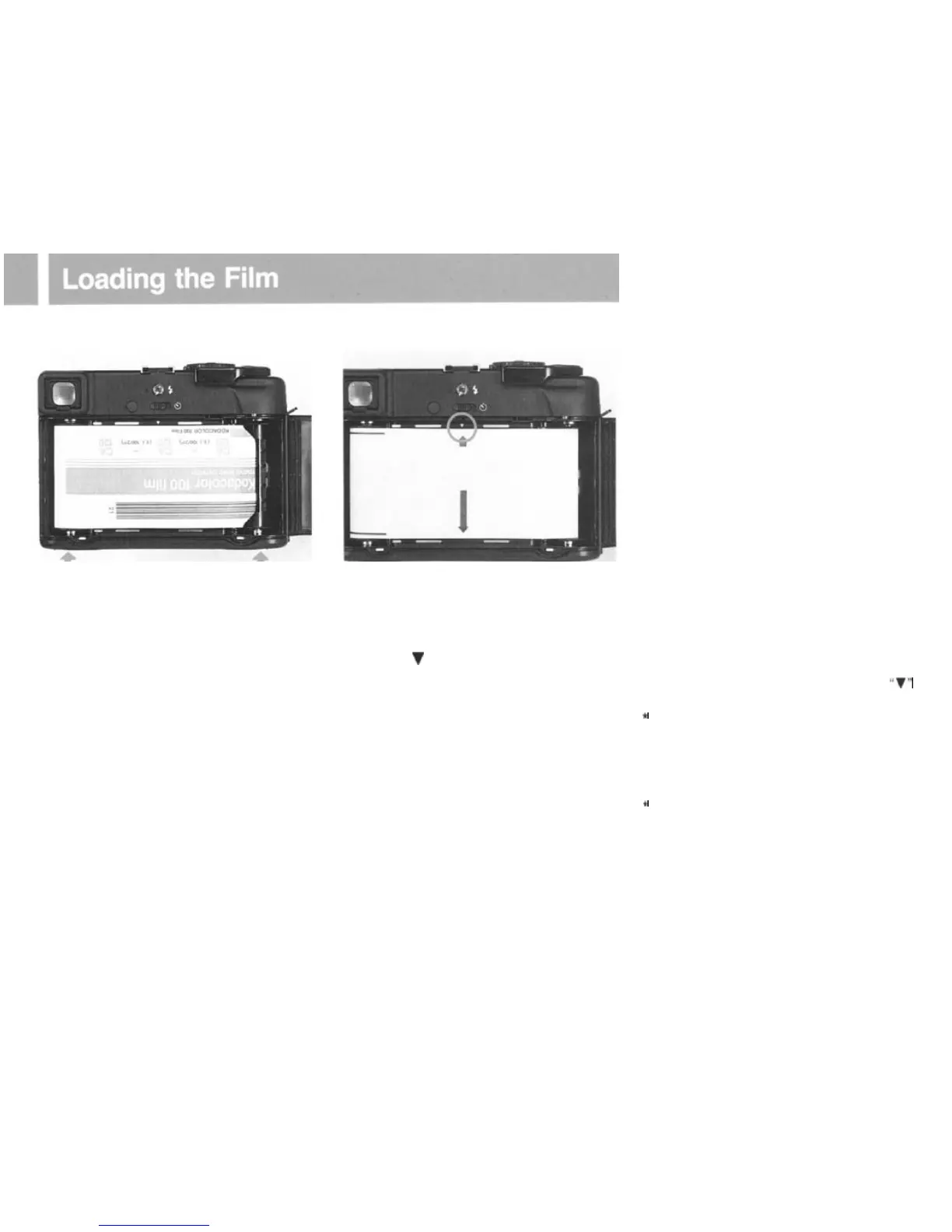
3. When the new
roll
has been inserted, be
sure to reset the lower
spool
stud by
pres-
sing it in. (Also, be sure to reset the take-up
spool stud in a similar manner.)
4.
Pull out the backing paper, and insert the
tip into the slot on the take-up
spool
as
pic-
tured.
5. Wind the
film
advance lever until the
small arrow (the starting indicator on the
backing paper) aligns with the film starting
indicator
(
V
) on the camera body. Then
close the back cover.
6 . Wind the film advance until it stops and
“1” appears in the exposure counter
window.
l
Make sure backing paper advances evenly be-
tween the spool flanges and does
not
begin
to
slant. If it advances unevenly, remove the backing
paper from the take-up spool and refeed, starting
again.
l If the film is not properly aligned with the
“V”
indicator, the film may be improperly loaded.
e
When any other numeral than
"S"
appears in
the exposure counter window, it is an indication
that the
film
is loaded.
So
do not open!
* Do not excessively pull on the backing
paper.
and do not load/unload the film in direct sunlight:
bright light may
fog
the film.
t
Tightly
wind
the backing paper around the spool
a couple of times. If this is not done, light may
enter from the spool flanges
when
the film is
unloaded.
17



 To Next Page