23DVBT024PRO - ENG
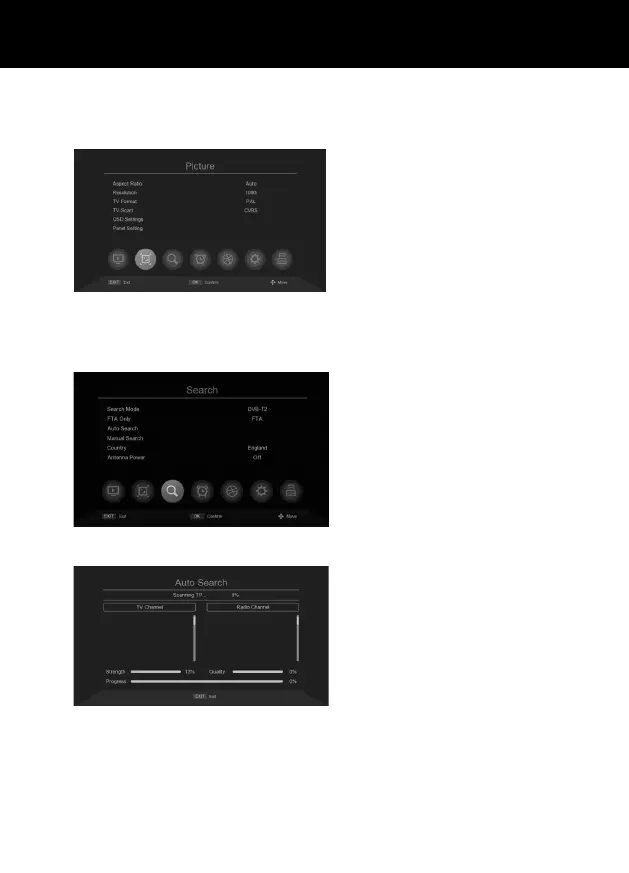
PICTURE
Press MENU button, and press “>” the Right cursor on Remoter:
SEARCH
Press MENU button, and press “>” the Right cursor on Remoter:
Radio format: Auto/16:9/4:3.
Resolution: 1080i/1080P/720P...
TV format: NTSC/PAL.
OSD Setting: To adjust Transparency/Bright-
ness/Chroma/Contrast.
Panel Settings: To adjust the brightness/
LED display.
Auto search: Auto search and create chan-
nel list, it will replace the existing channel
list.
• Select Auto Search, then press the OK
button.
• Press EXIT to cancel the search.



 To Next Page