26 DVBT024PRO - ENG
RECORDING SCHEDULE
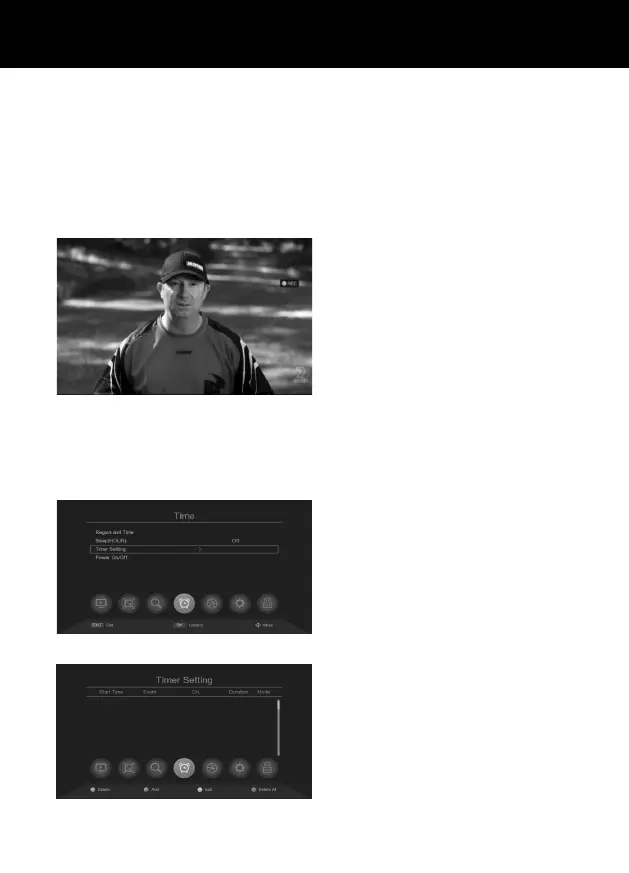
Press MENU button, and press “>” the Right cursor on Remoter to select “Time” Menu as below“, then
to choose Timer setting”, and press OK.
You will see below menu.
Press [ GREEN ] the “Audio” button on Remo-
ter to schedule recording, then press “exit”
button, then, press “OK” to conrm.
RECORDING
Recording and Timeshift require acompatible storage device to be connected to the device.
• The USB device must support USB 2.0 speeds for proper recording.
• USB device must use NTFS/FAT/FAT32 le system.
• USB Max capacity 128GB
• Hard Disk support max 2T.
Start recording
Press „RECORD” on the remote control, the
record icon will appear on the screen.
Stop recording
Press STOP on the remote control, the system
will ask you to conrm to stop recording,
then press OK to stop recording or press EXIT
to continue recording. Recording les can be
found in „PVR Media”.



 To Next Page