25DVBT024PRO - ENG
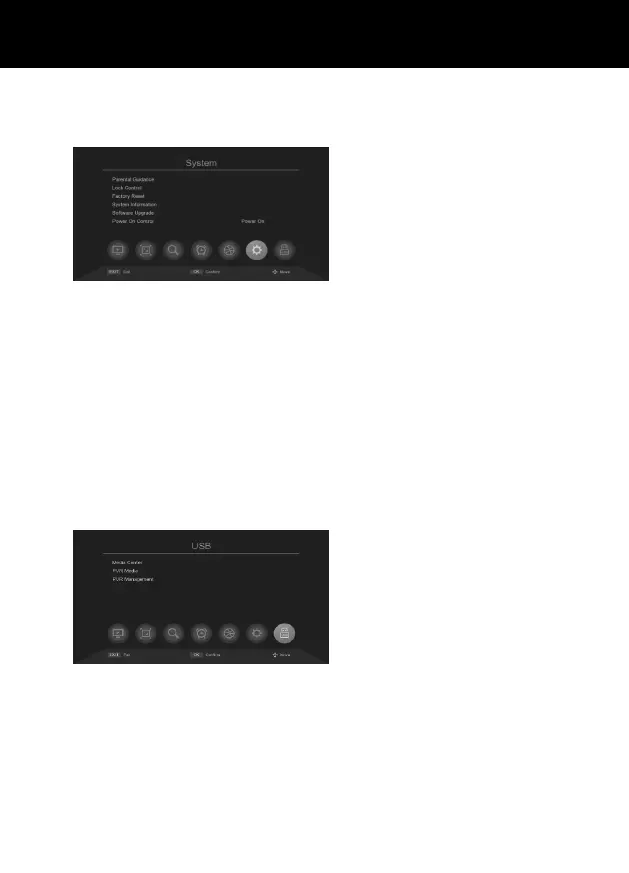
SYSTEM SETTINGS
Press MENU button, and press “>” the Right cursor on Remoter:
Parental Guidance: This option is password
protected „000000”. Set the age that can’t
watch the show.
Lock control: Set or change apassword. This
option is password protected; the default
password is 000000.
* Note the password and keep it in asafe
place, the password cannot be reset or
retrieved.
Factory Reset : Restore all system options
to factory defaults. All channel lists, favo-
rites and presets will be lost. This option is
password protected „000000”.
System information: View the hardware ver-
sion and software version information.
Software Upgrade: can upgrade the latest
software via USB Sticker.
Power On Control: To set receiver mode
when power on again.
USB MEDIA CENTER
Press MENU button, and press “>” the Right cursor on Remoter:
Media Center: Play media les (in-device le,
Video, Music or Photo) on the connected sto-
rage device.
*A compatible USB device must be con-
nected to the USB port. If no USB device is
connected, the device will report „Not Find
Any USB Device”.
*USB devices must use NTFS/FAT/FAT32
le systems.
PVR Media: To play the recording le in the
storage device.
PVR Congure: To set timeshift and record.
*Recorded TV Programms will be saved
in USB Sticker or Hard Disc in the Format
of TS.



 To Next Page