USER’S MANUAL
35
2. Insert the Micro SD card and turn on the DV, then press the Wi-Fi button
to enable it. Now you can see the Wi-Fi icon on the LCD.
3. Enable Wi-Fi on smartphone or tablet and search for wireless AP sig-
nal MM336, then connect it to DV, until the system displays “Connected
successfully”.
Note:
The first time connecting to DV, you need to enter password
“1234567890”.
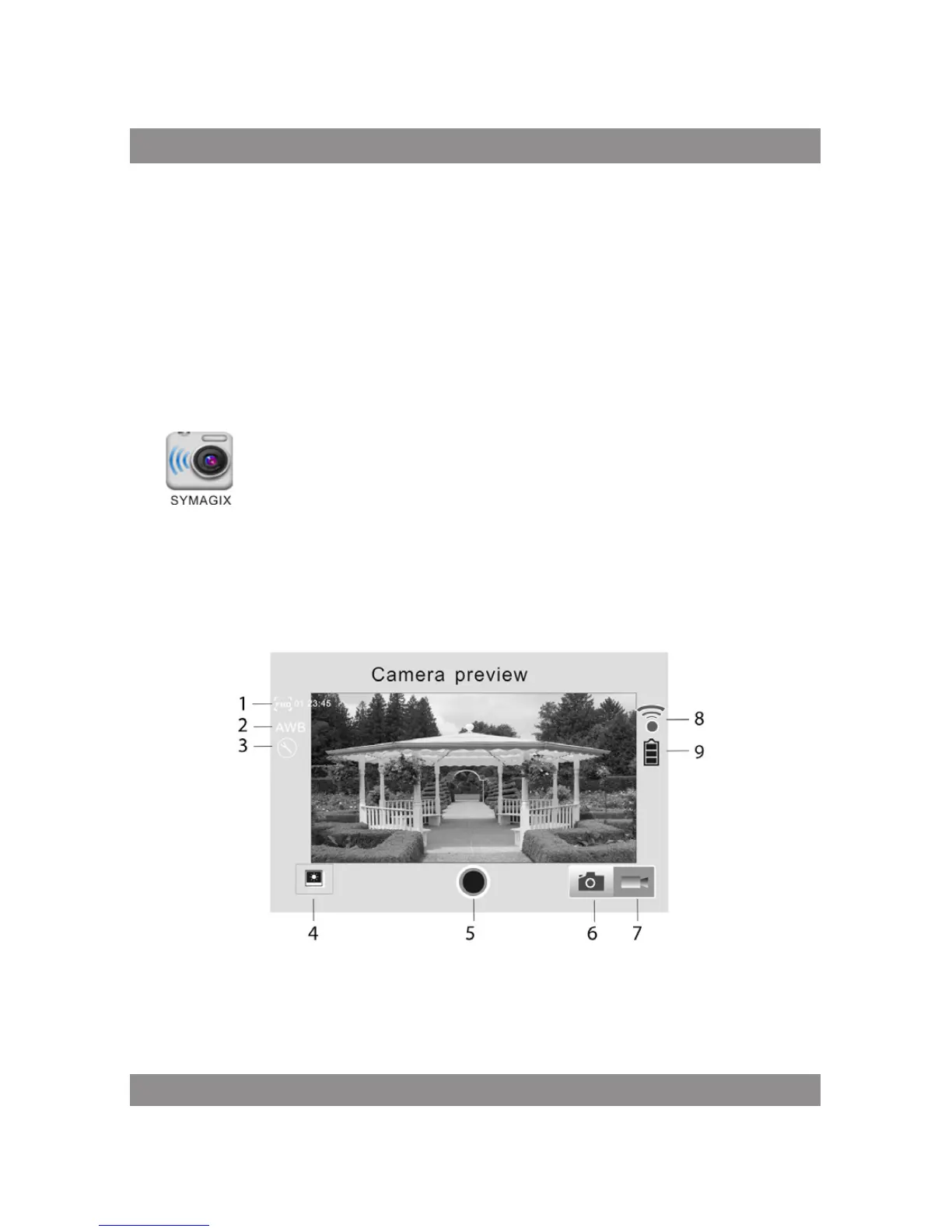
4. Click the icon
in the App list of the Android phone or tablet to open it. Now
you can preview the image sent by the DV on the phone or tablet and start
some operating. The operation interface on terminal is shown in the fol-
lowing figure.
1. Video resolution
2. White balance
3. Setup (enter setup menu)



 To Next Page