USER’S MANUAL
37
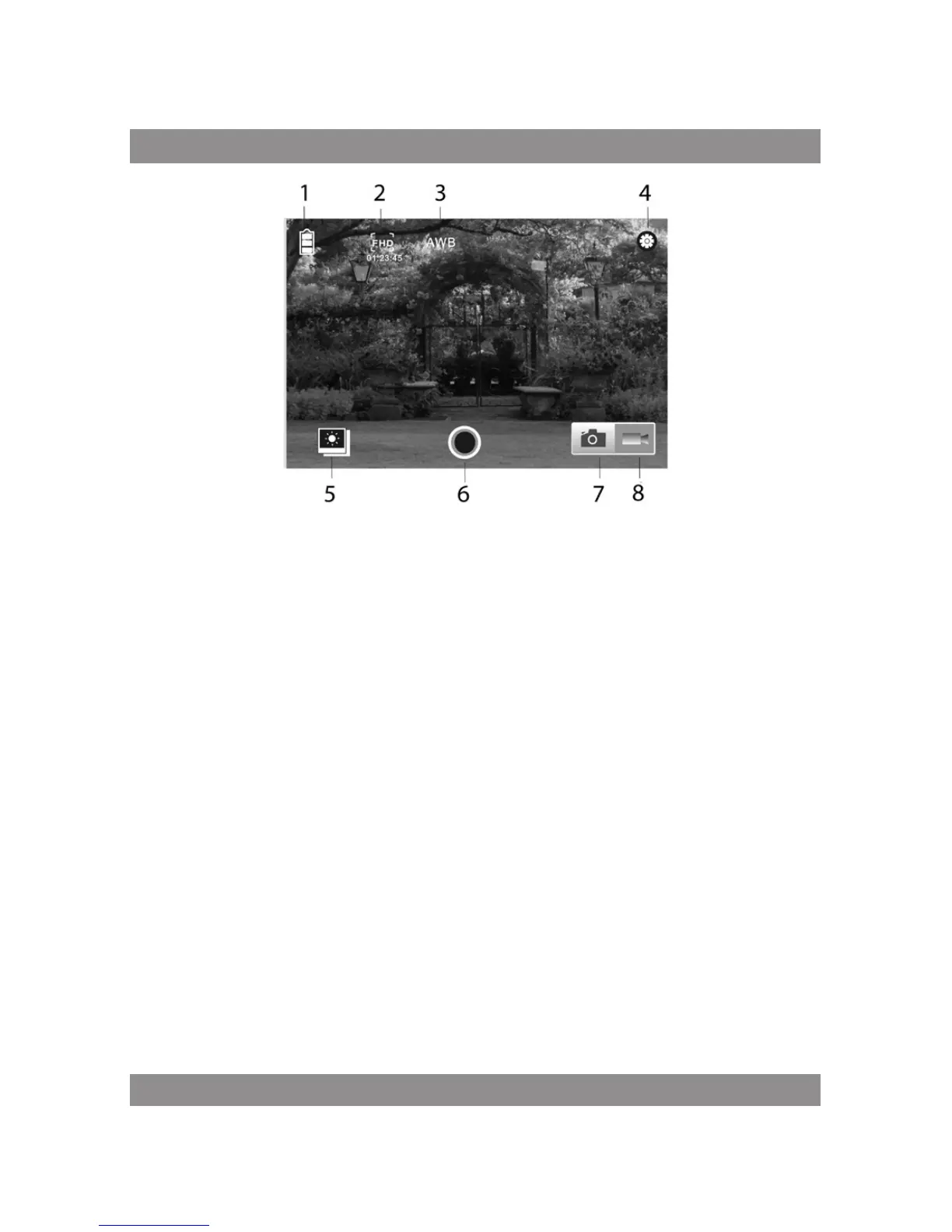
1. DV battery icon
2. Video resolution
3. White balance
4. Setup (enter setup menu)
5. Enter Playback mode
6. Shutter button
7. Photo mode
8. Video mode
Note:
1. A Micro SD card must be inserted if you need to take a photo, record a
video, or download files on the terminal;
2. The Wi-Fi indicator will remain on when the terminal is connected
to DV.
Waterproof Case
Before sealing the waterproof case, keep the camera housing’s rubber seal
clean, a single hair or grain of sand can cause a leak. You can test by closing
the case without inserting the camera. Submerse the case completely in



 To Next Page