Installation manual I Manusa
D01230EN-v4
112. Commissioning
2.4 HMI interface
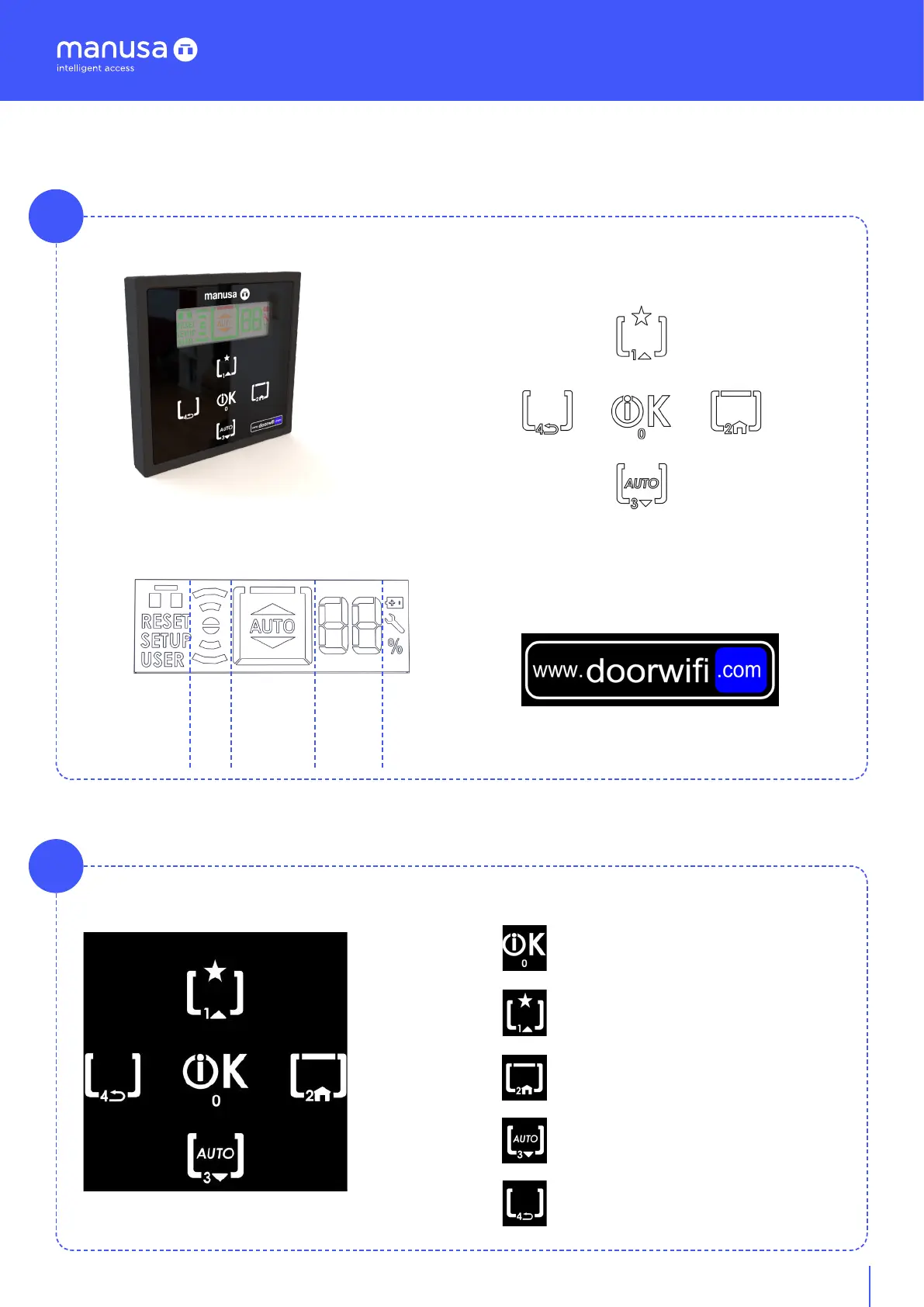
2.4.1 Interface elements
A
1. Screen
Menu, status, mode, and auxiliary icons.
Menú
Signal
Mode
Icons
2. Keypad
Navigation keypad and direct access to modes.
3. www.doorwifi.com
Illuminated wifi signal.
2.4.2 Navigation
A
The navigation keyboard is the control system that allows access to the dierent menus.
0. Button “OK”
1. Navigation button “UP”
2. Button “HOME”
3. Navigation button“DOWN”
4. Button “BACK”
Alphanumeric
display


 To Next Page