Installation manual I Manusa
D01230EN-v4
233. Maintenance
3. Maintenance
Maintenance of the Manusa sensors can only be carried out by authorized technical personnel. The mainte-
nance tasks reserved to the user are exclusively those of order maintenance and cleaning in the door area.
The tasks of installation, maintenance, adjustment and repair of the sensors are reserved to technical personnel
authorized by Manusa.
We recommend cleaning whenever necessary - and at least once a
year - with a slightly damp cloth.
Do NOT use aggressive cleaning products.
Perform proper waste management at the end of the sensor’s life.
Manusa is not responsible for sensors that have been manipulated by personnel outside Manusa.
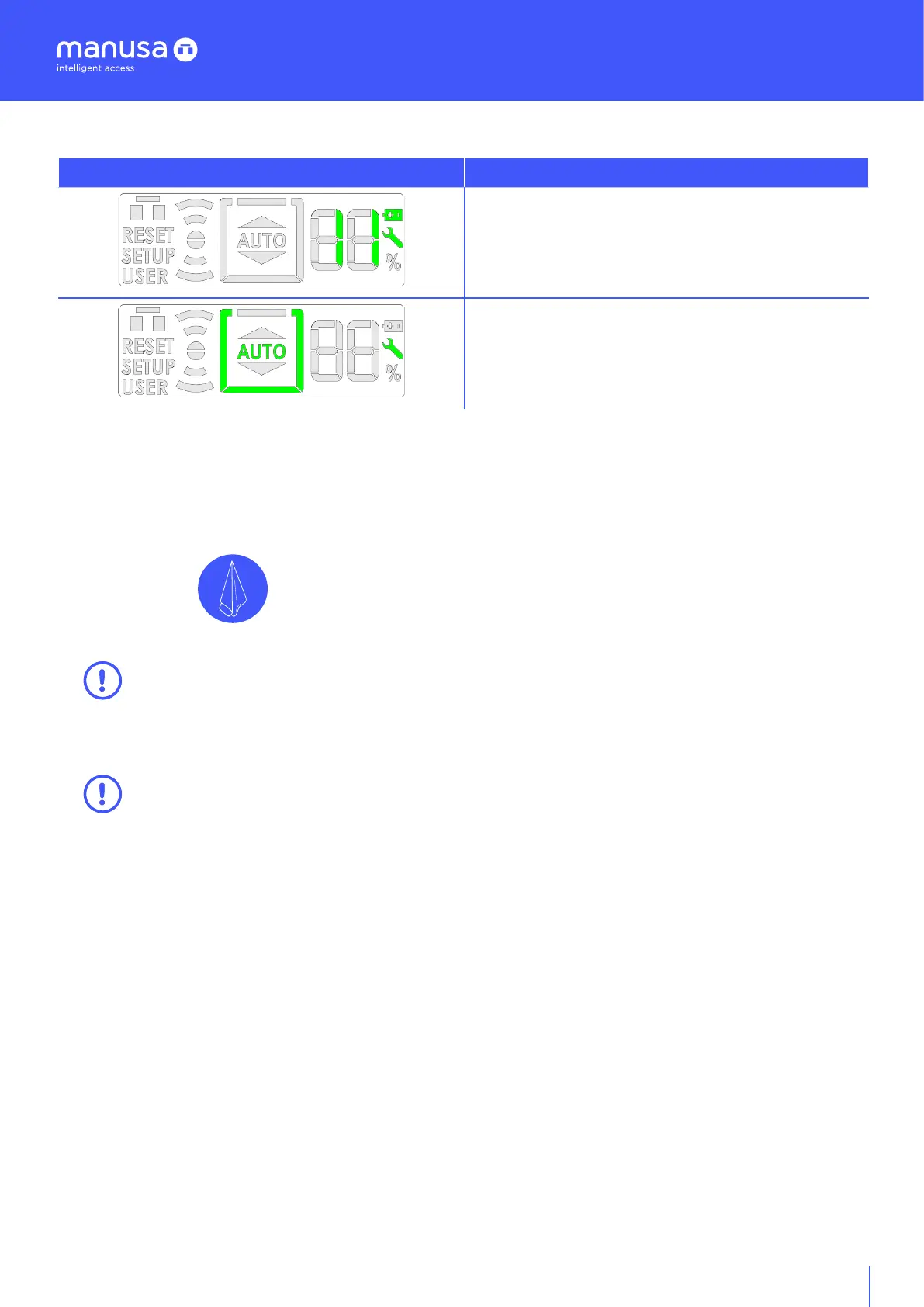
Warning Function
The battery icon lights up with error 11.
The key icon illuminates whenever a warning message
appears.
The key icon illuminates when the door requires
preventive maintenance.
2.7 Warning icons


 To Next Page