Installation manual I Manusa
D01230EN-v4
122. Commissioning
A
2.5.2 Locking/unlocking the keypad
A
2.5 Menus
2.5.1 Menus
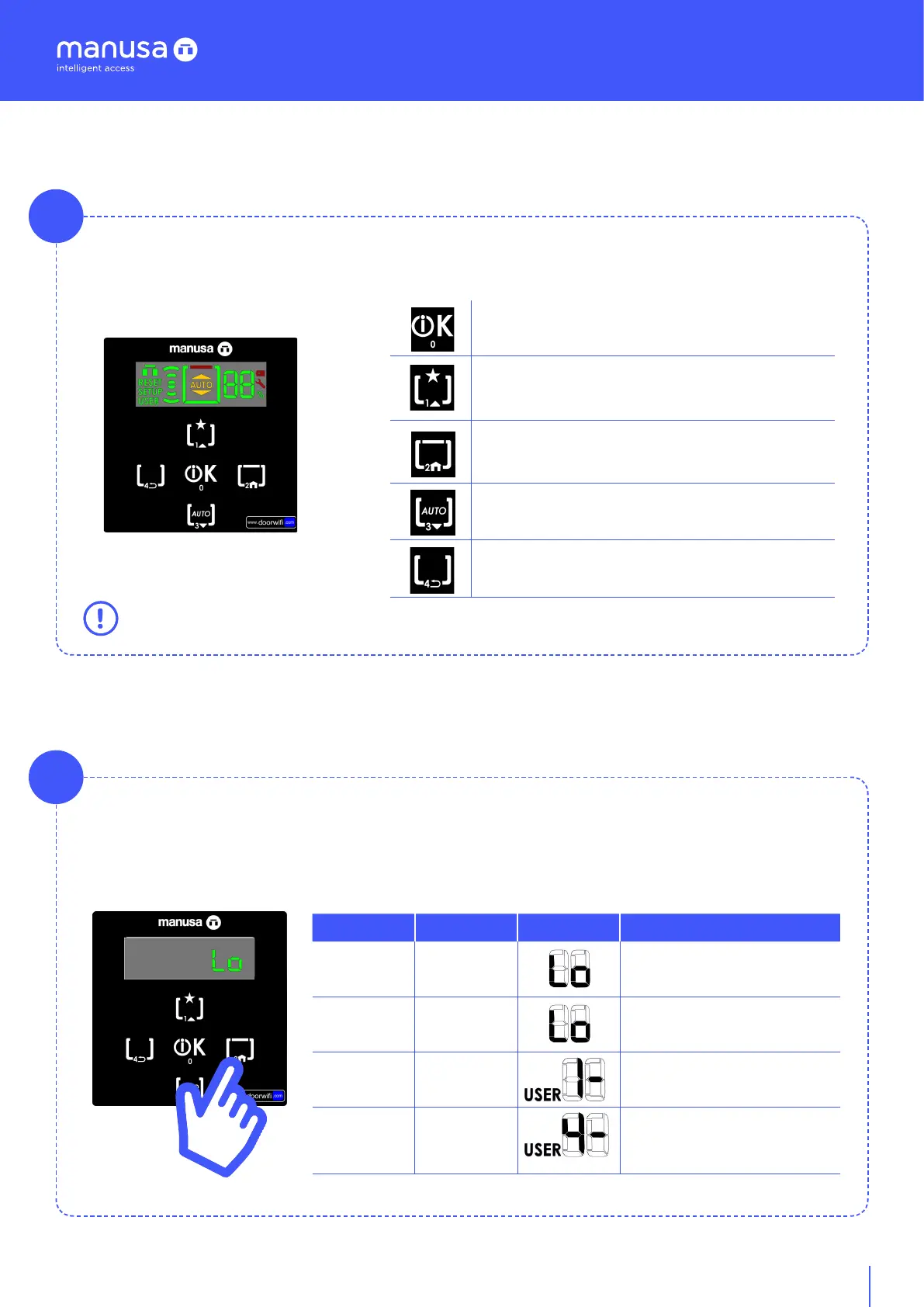
One click: menu “OK”.
3 s: Access to menu (requires code. Default 9999).
One click: Activates Exit only mode /Pushbutton mode, menu
“UP”.
3 s: Switch between reduction opening and maximum opening.
One click: Activates closed mode, menu “HOME”.
3 s: Lock/unlock keypad (requires code. Default 0000)
One click: Activates auto mode, menu “DOWN”.
3 s: Access to e-SAT functions.
One click: Activates open mode, menu “BACK”.
[T4]
[T0]
[T1]
[T2]
[T3]
The user menu has five keys for the operation of its functions. Depending on how they are pushed, they can
have one function or another:
The long-press buttons that require a code, make acces tp the administrator menus, e-SAT.
To lock the keypad, press the key [T2] for 3 seconds. To unlock it, long-press [T2] and enter the PIN (can be
configured by the administrator).
Menu
Keypad Screen Function
User
[T2]
For 3 sec
Locking of keypad
........
Any
Keypad inactive
(disappears aer a few seconds)
........
[T2]
For 3 sec
Unlock
Enter PIN
Default: [0 0 0 0]
........
[T0] - [T1] [T2]
- [T3] [T4]
Entry of sequence
Position n [1 - 4]
Key x [0 - 4]
Automatic acceptance
[n] - [x]


 To Next Page