Installation manual I Manusa
D01230EN-v4
192. Commissioning
Code
Function
Keypad
201
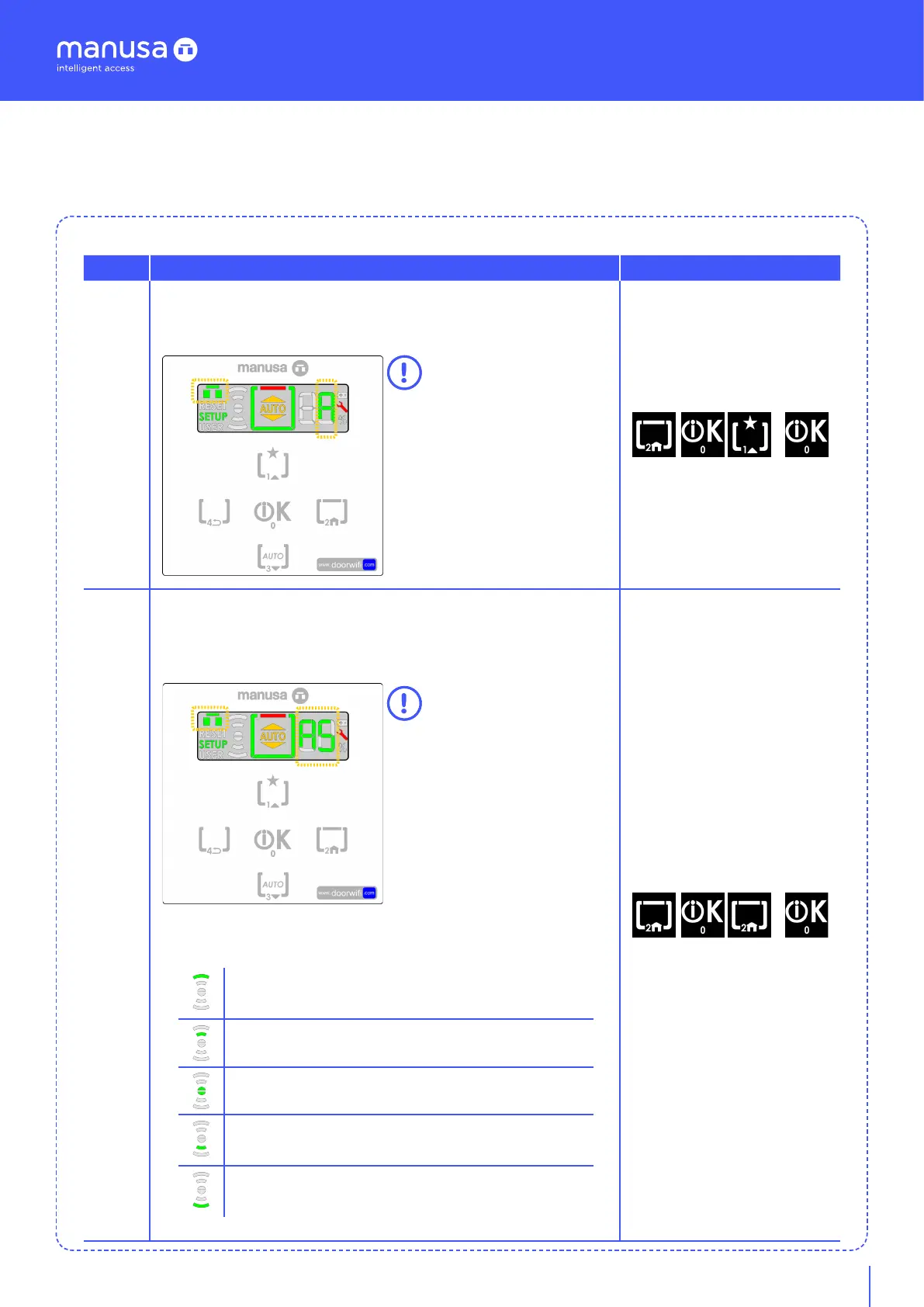
Self-adjustament: Once the sequence 201 has been validated,
the self-adjustment menu appears on the screen. Aer a few
seconds, the self-adjustment starts, and the marked icons flash
When the self-adjustment
has finished, the icons stop flas-
hing. To exit the e-SAT menu,
press the key [4]
+
202
Safety self-adjustment: Once the sequence 202 has been valida-
ted, the self-adjustment menu appears on the screen. A password
is required and is validated with the key [T0]. Aer a few seconds,
the safety self-adjustment starts and the marked icons flash.
When the self-adjustment
has finished, the icons stop
flashing. To exit the e-SAT menu,
press the key [2].
Aer a certain time, the
program switch automatically
exits the menu.
The safety self-adjustment enables the visualization of the status
of the radars and photocells:
+
Radar Ext.: You can check whether the exterior radar is working
by moving objects or people towards the clear width: The indica-
tor lights up or goes out.
Photocell Ext.: A correct visualization should indicate that there
are active photocells both internally and externally.
Door
Photocell Int.: A correct visualization should indicate that there
are active photocells both internally and externally.
Radar Int.: You can check whether the interior radar is working by
moving objects or people towards the clear width: The indicator
lights up or goes out.


 To Next Page