1600/1800 Manual
Basic operation
Blank
Push the blank cuvette into the light path.
Press the key
【
ZERO
】
for blanking
Note:1
、
、、
、
If the reference solution is too thick, the energy will be low.
2
、
.Blanking is automatic after a wavelength change.
DO NOT OPEN SAMPLE COMPARTMENT LID DURING BLANKING.
Set Wavelength (Example: set wavelength in “Basic mode”)
Press
【
GOTO
λ
λλ
λ
】
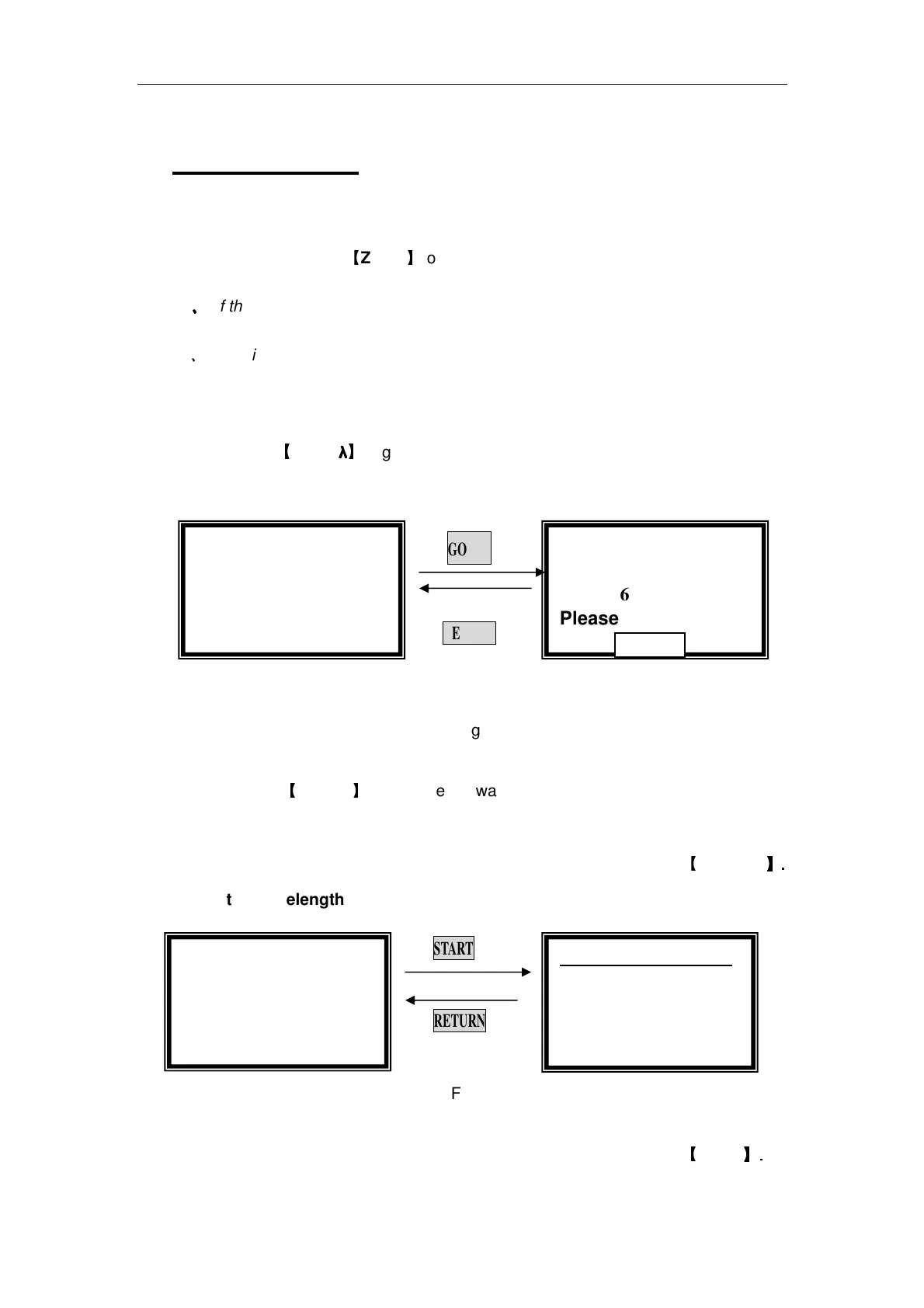
(Fig 4).
GOTO
λ
λλ
λ
RETURN
Fig 4
Use numeric keypad to input wavelength (e.g. 500nm).
Press
【
ENTER
】
to change the wavelength, and then blank; After blanking,
the screen displays as the left one of Fig 5.
Note:1. If you don’t want to change the wavelength, you can press
【
RETURN
】
】】
】.
..
.
2. the wavelength range is 190-1100, other figure is invalid.
START
RETURN
Fig. 5
Measurement (Example: set wavelength in “Basic mode”)
Push the blank cuvette into the light path. Then pr
ess
【
ZERO
】
】】
】.
..
.
Basic Mode:
::
:
WL=546.0nm
Please Input New
Basic Mode:
::
:
0.000 Abs
546.0 nm
Basic Mode:
::
:
0.000 Abs
500.0 nm
500.0nm 0.000Abs
No. WL Abs
1 500.0 0 .000



 To Next Page