88
Maptek Scanner Operator Manual - XR3
Acquire functions - continued
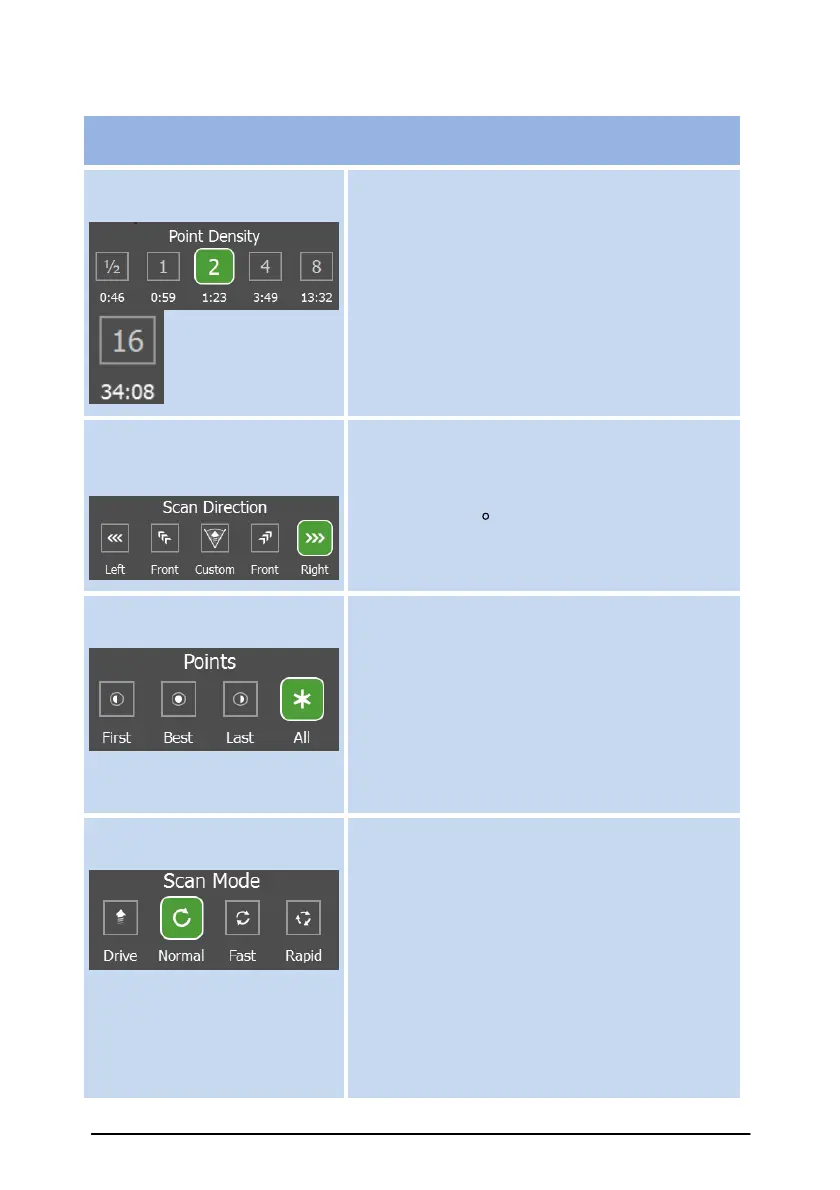
Resolution buttons allow the choice of
different point density settings for the
scanner beam. The associated scan times
are also shown. Higher numbers give higher
resolution and longer scans.
Scan Direction (in Drive
mode only)
The scan direction refers to the orientation
of the scanner on a vehicle used in the
Drive mode. The options available include
Left, Right, 45
º
Left and Right, as well as
setting a custom angle.
Scan point selection provides the user
with a choice of which return point is used
by the range finder when multiple reflections
occur on a single scan line. The options are
first point, last point, best or all. Best
uses an intelligent algorithm to pick the
point. All will return first, best AND last
points.
Scan Mode
Drive option is only available
when the scanner is mounted
on a Drive System installed on
a vehicle.
Rapid scan speed (200 kHz) option
acquires data in approximately half the time
compared with the Fast scan speed (100
kHz). Normal scan speed reduces the
laser firing rate to half that again (50 kHz).
However, the faster scan speeds result in a
shorter maximum range. For longer range
scans, use a slower speed.
Drive mode option is used for conducting
scans from a moving (or driving) vehicle.



 To Next Page