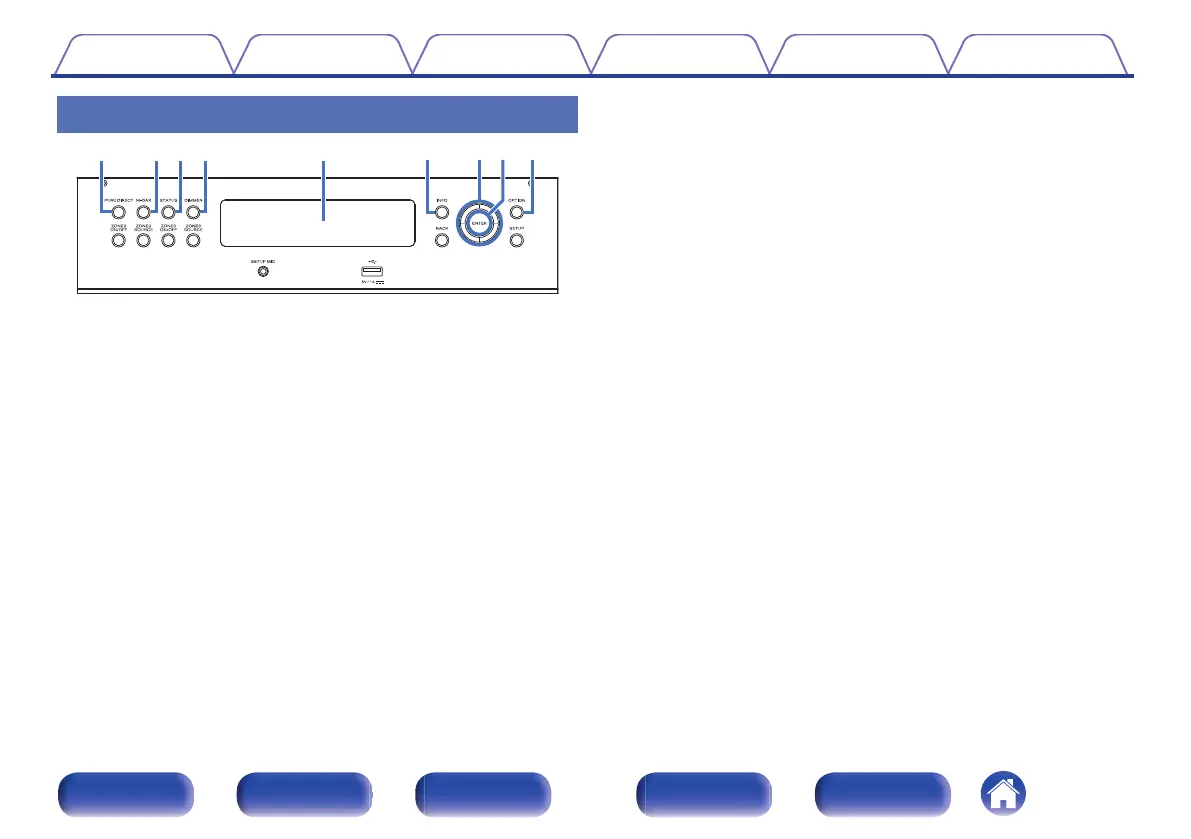
With the door open
A
PURE DIRECT button
This switches the sound mode between Direct, Pure Direct and Auto.
(v p. 139 – 140)
B
M-DAX button
This enables the M-DAX mode. (v p. 181)
C
STATUS button
Each press of this switches the status information that is shown on the
display.
D
DIMMER button
Each press of this switches the brightness of the display. (v p. 258)
E
Sub display
This displays various pieces of information. (v p. 26)
F
Information button (INFO)
This displays the status information on the TV screen. (v p. 262)
G
Cursor buttons
These select items.
H
ENTER button
This determines the selection.
I
OPTION button
This displays the option menu on the TV screen.
Contents Connections Playback Settings Tips Appendix
22
Front panel Display Rear panel Remote Index



 To Next Page