ABOUT REPLACE THE MICROPROCESSOR WITH A NEW ONE
When replaced of the U-PRO (Microprocessor) or the Flash ROM, conrm contents of the following.
PWB Name Ref. No. Description
After
replaced
Remark
CD IC302
TMPM330FYFG
C
SOFTWARE:Main
After replaced
A
: Mask ROM (With software). No need write-in of software to the microprocessor.
B
: Flash ROM (With software). Usually, no need write-in of software. But, when the software was updated, you should
be write-in of the new software to the microprocessor or ash ROM. Please check the software version.
C
: Empty Flash ROM (Without software). You should be write-in of the software to the microprocessor or ash ROM.
Refer to
"
Update procedure
"
or
"
writing procedure
"
, when you should be write-in the software.
D
: Flash ROM (With software). But you should write to the latest version of each region.
VERSION UPGRADE PROCEDURE OF FIRMWARE
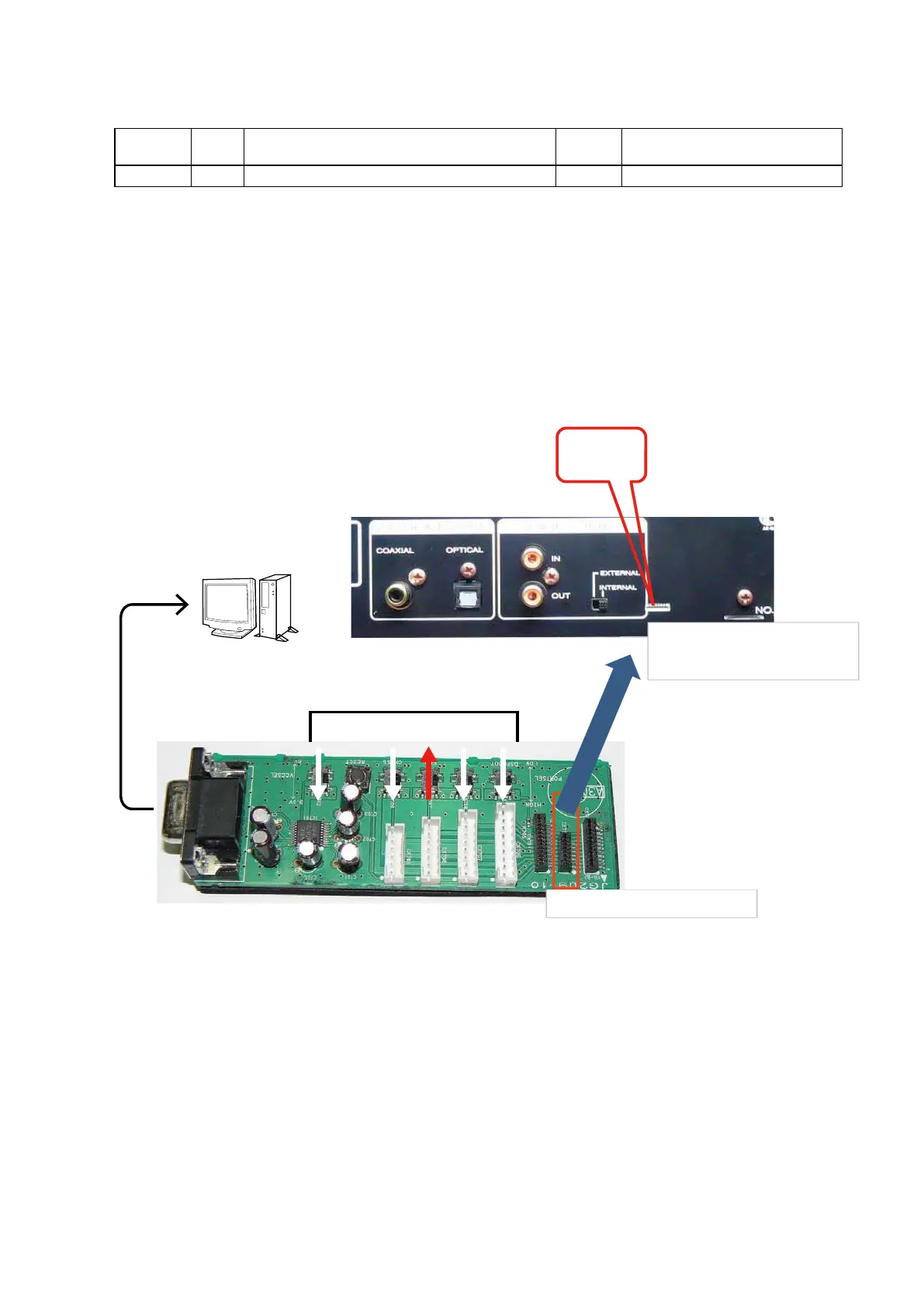
Connect SPK-581 as forrows.
Initial Version No.of main μ-com.
Ver 14031401
b
When update Firmware, please conrm a last version in SDI.
PC
①Connect windows PC with RS-232C cable. (straight cable.)
②Switch to the direction of the arrow.
(CN301)
For Main
← This side is contacts of FFC.
↑
Up side is contacts of FFC.
7P FFC (Straight)
27



 To Next Page