1. Update for IC302(TMPM330FYFG)
(1) Connection of SPK-581, PC and the unit.
See
"
Connect SPK-581 (27 Page)
"
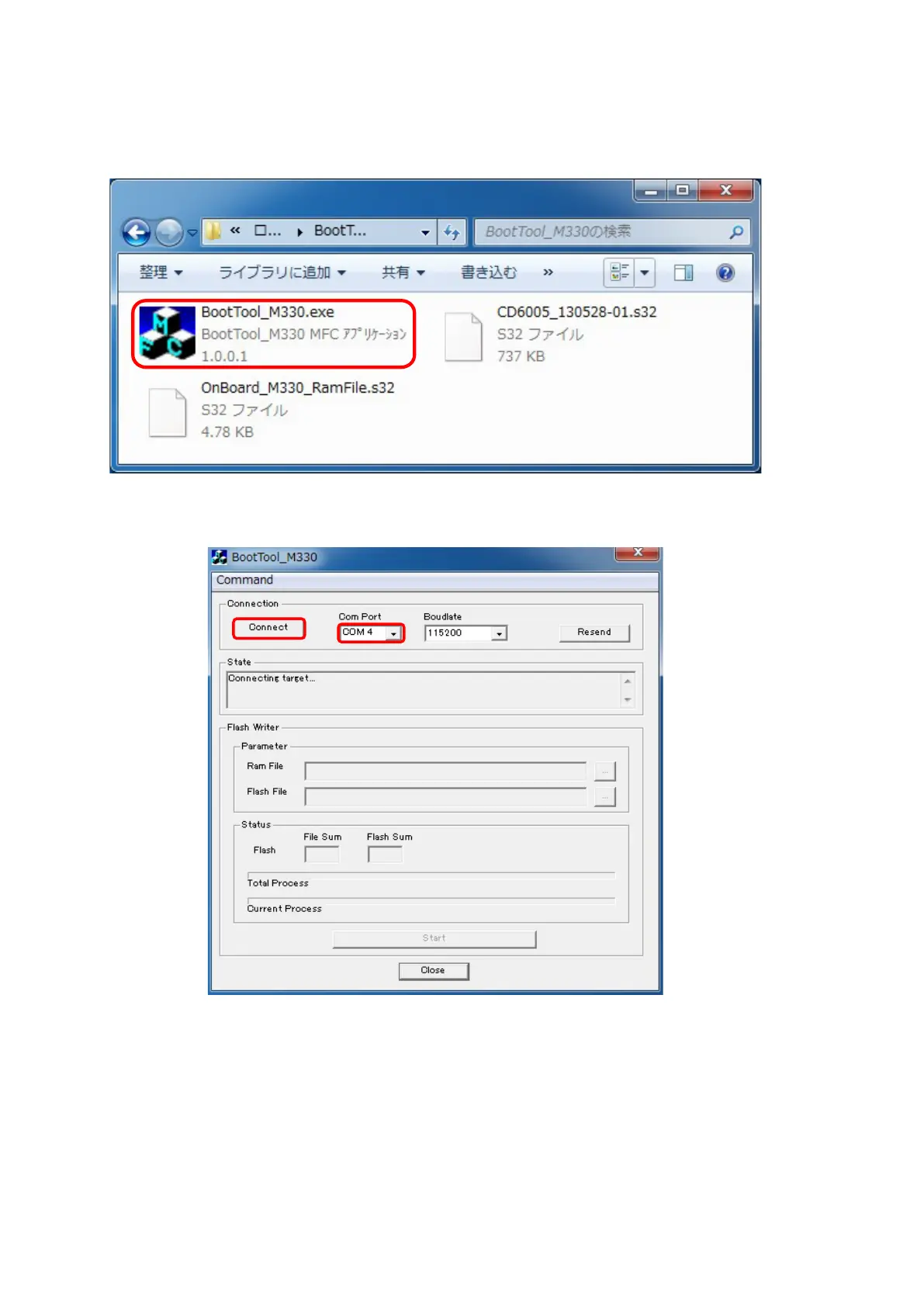
(2) Double click BootTool_M330, and launch the Boot Tool_M330.
(3) Choose the Serial port number in the COM
z
Port.
Inserting the AC plug to turn the power on.
Click Connect button.
28



 To Next Page