11
ENGLISH
PLAYING A PREVIOUS OR SUBSEQUENT TRACK
(TRACK SKIP)
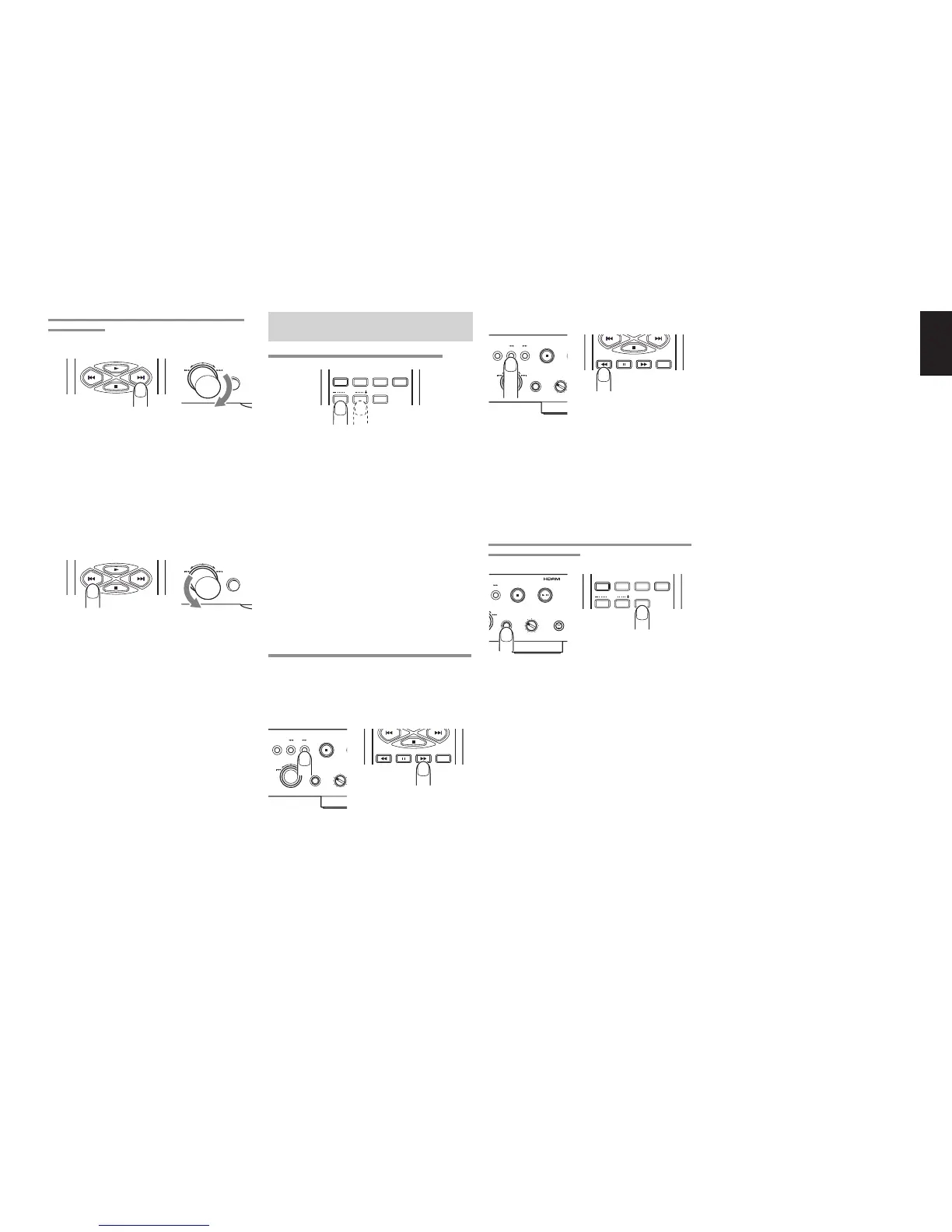
Advancing to a subsequent track
QUICK REPLAY
EASY JOG
Press the ¢ button on the remote control unit for
the number of times equivalent to the number of
tracks through which play is to be advanced.
Play can also be advanced to the tracks ahead by
turning EASY JOG on the player clockwise. When
EASY JOG is no longer turned in the stop mode, the
selected track is played after one second elapses.
Returning to the start of the track now playing or a
previous track
QUICK REPLAY
EASY JOG
When the 4 button on the remote control unit is
pressed, play returns to the start of the track now
playing. Play returns to the previous track which is
equivalent to the number of times the button was
pressed.
In the same way, play can also be returned to the
start of the track now playing by turning EASY JOG
dial on the player counterclockwise. If it is turned
further, play will return to the previous track which is
equivalent to the amount by which the dial was
turned.
When EASY JOG is no longer turned in the stop
mode, the selected track is played after one second
elapses.
Note:
* If a disc recorded with MP3 files also contains some
data files which are not MP3 files, the track before or
after the number of the selected track may be played.
PLAYING A SPECIFIC PART OF A SPECIFIC
TRACK
USING THE INDEX FUNCTION (INDEX SKIP)
TEXT
SCROLL/
RECALL
MENU ENTER
INDEX
Q. REPLAY
An index search can be performed during the play of
a track whose index has been recorded.
This function is useful for starting play at a specific
location of a long track. It returns play to a previous
index which is equivalent to the number of times the
INDEX- button on the remote control unit was
pressed; alternatively, it advances play to a
subsequent index which is equivalent to the number
of times the INDEX+ button on the remote control
unit was pressed.
If the index skip function is operated for a CD with no
indexes recorded, the “No Index” message appears
on the main display, and play returns to the start of
the track now playing.
Note:
* The index skip function cannot be used for discs recorded
with MP3 files.
SEARCHING A SPECIFIC PART OF A TRACK (SEARCH)
While listening to a track being played, it is possible
to search a specific part of that track by a forward or
backward search.
Forward searching through the track now playing
TIME
P
+
STOP
EASY JOG
-
DISPLAY
LEVEL
QUICK REPLAY
The search (backward search) mode is established
by holding down the 1 button on the player or
remote control unit.
During MP3 file play, play returns to the album title
which is equivalent to the number of times the button
has been pressed. Holding down the button initiates
a backward search. (Returns during backward
searches are not constant.)
PLAYING THE LAST FEW SECONDS AGAIN DURING
PLAY (QUICK REPLAY)
TEXT
SCROLL/
RECALL
MENU ENTER
INDEX
Q. REPLAY
PLAY/PAUSE
+
STOP
-
PHONESLEVEL
QUICK REPLAY
/
When the QUICK REPLAY button on the player or
Q.REPLAY button on the remote control unit is
pressed during play, play will be returned by the
number of seconds set (factory setting for quick
replay time: 10 seconds), and the same section will
be played again. With a disc containing MP3 files, it
will take some moments for replay to begin.
For details on how to set the quick replay time. (See
page 19.)


 To Next Page