6
ENGLISH
NAMES AND
FUNCTIONS
FRONT PANEL
DISPLAY
OFF
PLAY/PAUSE
+
OPEN/CLOSE
STOP
EASY JOG
-
PHONES
DISPLAY
LEVELQUICK REPLAY
POWER ON/OFF
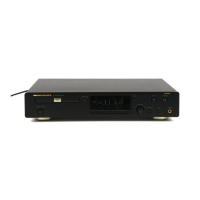
CD PLAYER CD7300
1
23456789
0
/
TIMER
DISC
TEXT
12 34 56 78 910111213141516 17181920
TTL
TRK INDX
TTL
TIME
MP3
RNDM
PROG A
—
B
RPT
1
S.PLAY
z x n Ú1 Ú2 Ú5 Ú6c v m
Ú4Ú3Ú0.,b
zz
zz
z
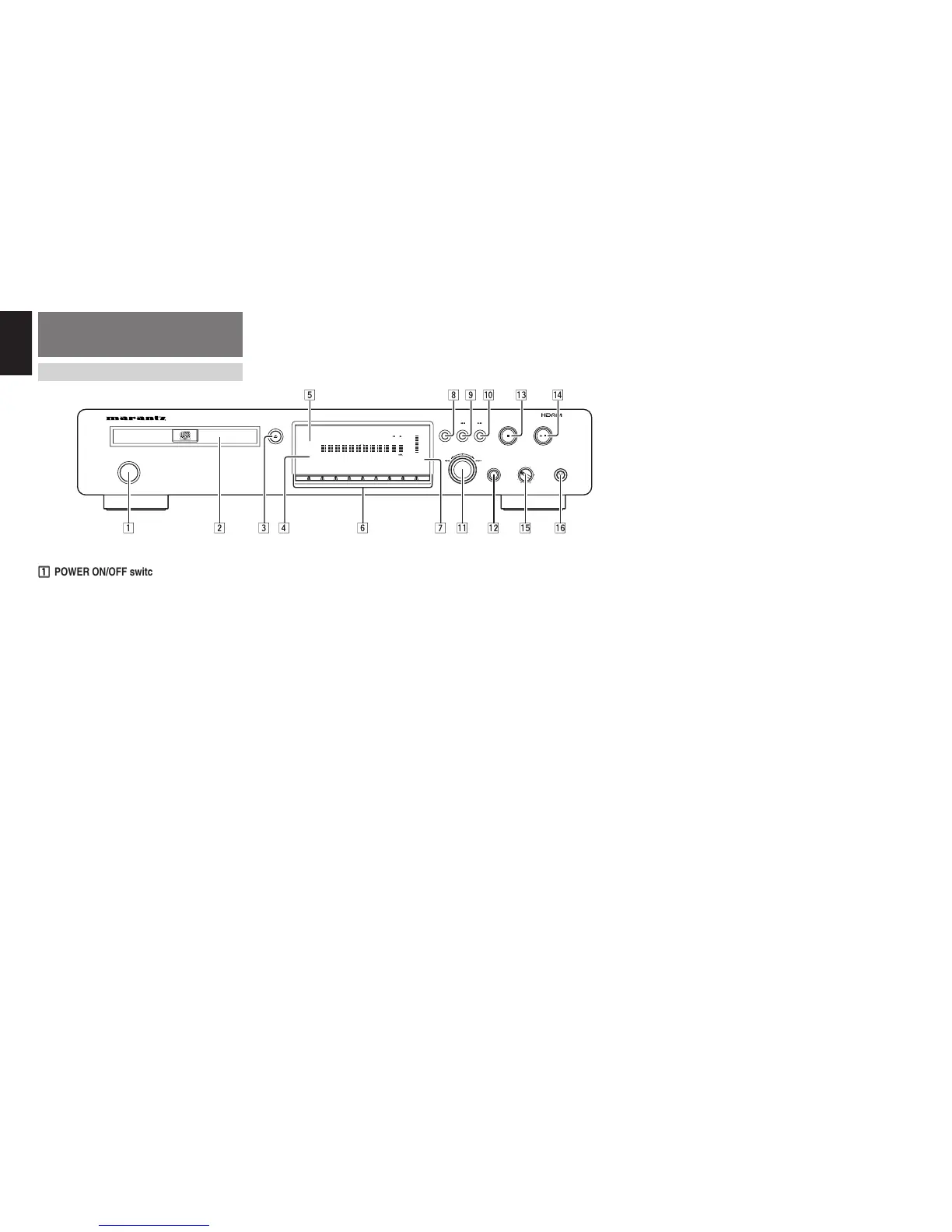
POWER ON/OFF switch
This is used to turn the player’s power ON and OFF.
When it is pressed, the display lights and the power
is turned on; when it is pressed again, the power is
turned off.
xx
xx
x
Disc tray
This is where the CD to be played is placed.
cc
cc
c
OPEN/CLOSE
0
button
This is used to open and close the disc tray. When it
is pressed, the disc tray opens; when it is pressed
again, it closes.
vv
vv
v
Remote sensor
This senses the infrared control signals sent from
the remote control unit.
bb
bb
b
DISPLAY OFF indicator
This lights in the DISPLAY OFF mode (when the
display is off).
nn
nn
n
Numeric buttons (0 to 9)
These are used to specify the numbers of the tracks
to be played.
mm
mm
m
Display
This shows the settings, play status, text information,
etc.
,,
,,
,
DISPLAY button
This is used to turn off the display (DISPLAY OFF
mode).
When it is pressed, the display is turned off; when it
is pressed again, the display comes on.
..
..
. 1
(search backward) button
This is used to search backward during play.
It also serves as the album selector button when
playing discs with MP3 files recorded on them.
⁄0⁄0
⁄0⁄0
⁄0 ¡
(search forward) button
This is used to search forward during play.
It also serves as the album selector button when
playing discs with MP3 files recorded on them.
⁄1⁄1
⁄1⁄1
⁄1
EASY JOG/push enter button
Preceding or subsequent tracks can be searched
(tracks can be skipped) by turning the jog dial
clockwise or counterclockwise. In addition, the play
functions (play modes) can be set using the jog dial.
⁄2⁄2
⁄2⁄2
⁄2
QUICK REPLAY button
This is used to search backward from the current
play position for the time equivalent to the setting
and resume play.
⁄3⁄3
⁄3⁄3
⁄3
STOP
7
button
This is used to stop play.
⁄4⁄4
⁄4⁄4
⁄4
PLAY/PAUSE
6
button
This is used to start play or temporarily suspend play.
⁄5⁄5
⁄5⁄5
⁄5
PHONES LEVEL control
This is used to adjust the headphones volume level.
The level increases when it is turned clockwise.
⁄6⁄6
⁄6⁄6
⁄6
PHONES jack
The headphones are connected to this jack. Use
headphones that come with a standard plug.


 To Next Page