8
6. FACTORY / SERVICE MODE
A. FACTORY MODE
To reset all settings to default status, follow the procedure
below.
1. Connect mains cord to the unit while pressing MENU and
POWER ON/STANDBY button. (MENU and POWER
ON/STANDBY button are pushed 3 seconds or more.)
2. Data Initial OK is displayed on FLD.
3. The unit becomes the setup of default automatically.
B. SERVICE MODE
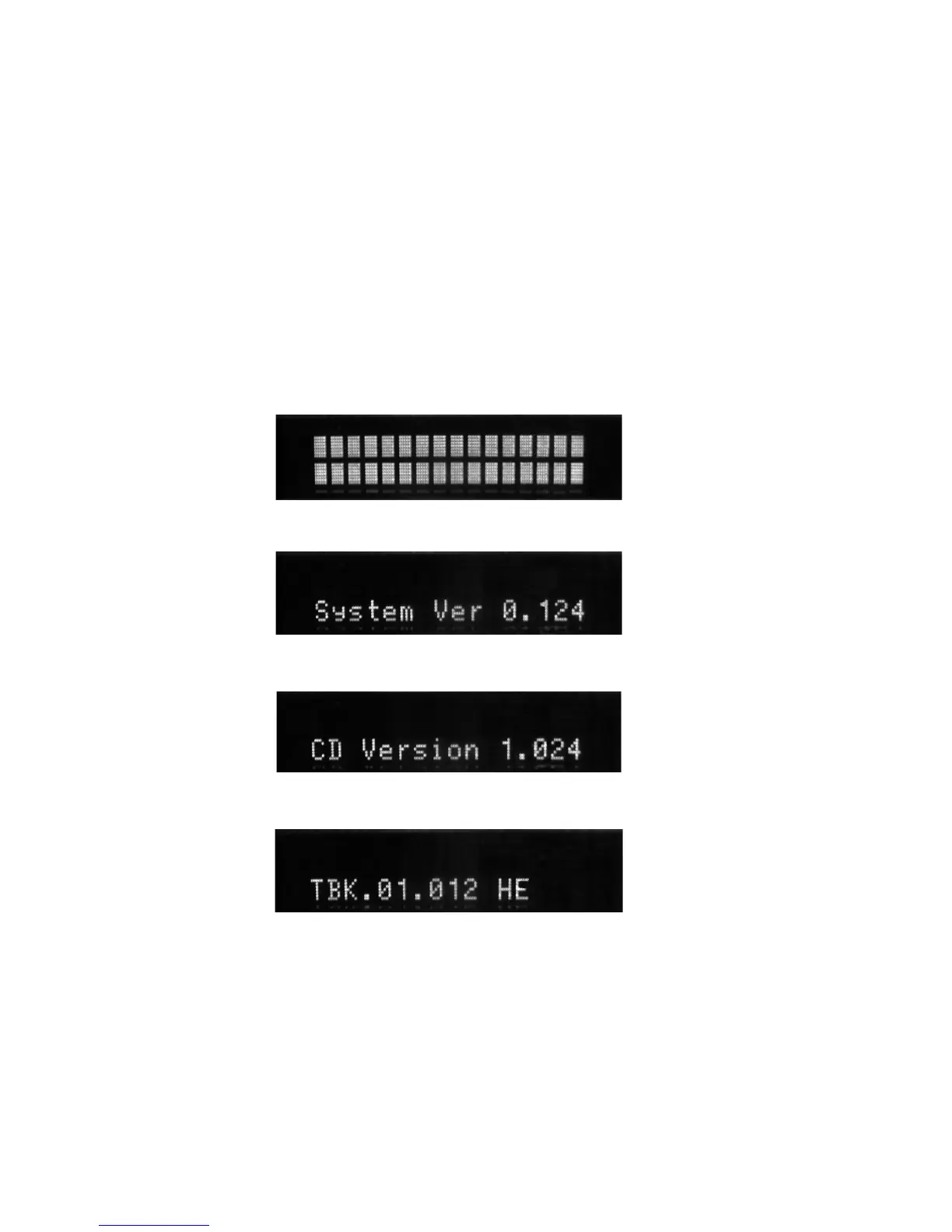
Micro-Processor Version check
1. Power is STANDBY mode.
2. Press STOP
→
INPUT
→
STOP
→
INPUT
→
DIRECT
buttons within about 1 second.
3. All Segments of FLD will be light ON.
4. Turn Easy JOG Knob clockwise or counter clockwise.
System µ-P version is displayed on FLD.
5. Turn Easy JOG Knob clockwise or counter clockwise.
CD µ-P version is displayed on FLD.
6. Turn Easy JOG Knob clockwise or counter clockwise.
DAB µ-P version is displayed on FLD.
7. Turn off power to quit Service mode.
6. FACTORY / SERVICE モード
A. FACTORY モード
1. MENU ボタンと POWER ON/STANDBY ボタンを押しな
がら電源コードを接続します。
約3秒以上ボタンを押しま
す。
2. Data Initial OK が表示されます。
3. 自動的に出荷時の設定になります。
B. SERVICE モード
Microprocessor (CPU) VERSION 確認
1. 電源は STANDBY モードにします。
2. フロントパネルの STOP
→
INPUT
→
STOP
→
INPUT
→
DIRECT ボタンを約 1 秒以内に押します。
3. FLD が全点灯します。
4. Easy JOG ツマミを回転されるとシステムマイコンの
バージョンが表示されます。
5. Easy JOG ツマミを回転されると CD マイコンのバー
ジョンが表示されます。
6. Easy JOG ツマミを回転されると DAB マイコンのバー
ジョンが表示されます。
7. 電源を切るとサービスモードが解除されます。















 To Next Page