6
4. TAKING THE DISC OUT OF EMERGENCY
1. Remove 9 screws on the top cover and remove the top cover.
2. Remove 2 screws (LEFT x 1 / RIGHT x 1) on the front panel.
3. Remove 3 screws from bottom of the front panel.
4. Disconnect all the wires from PWB of front panel and remove
the front panel.
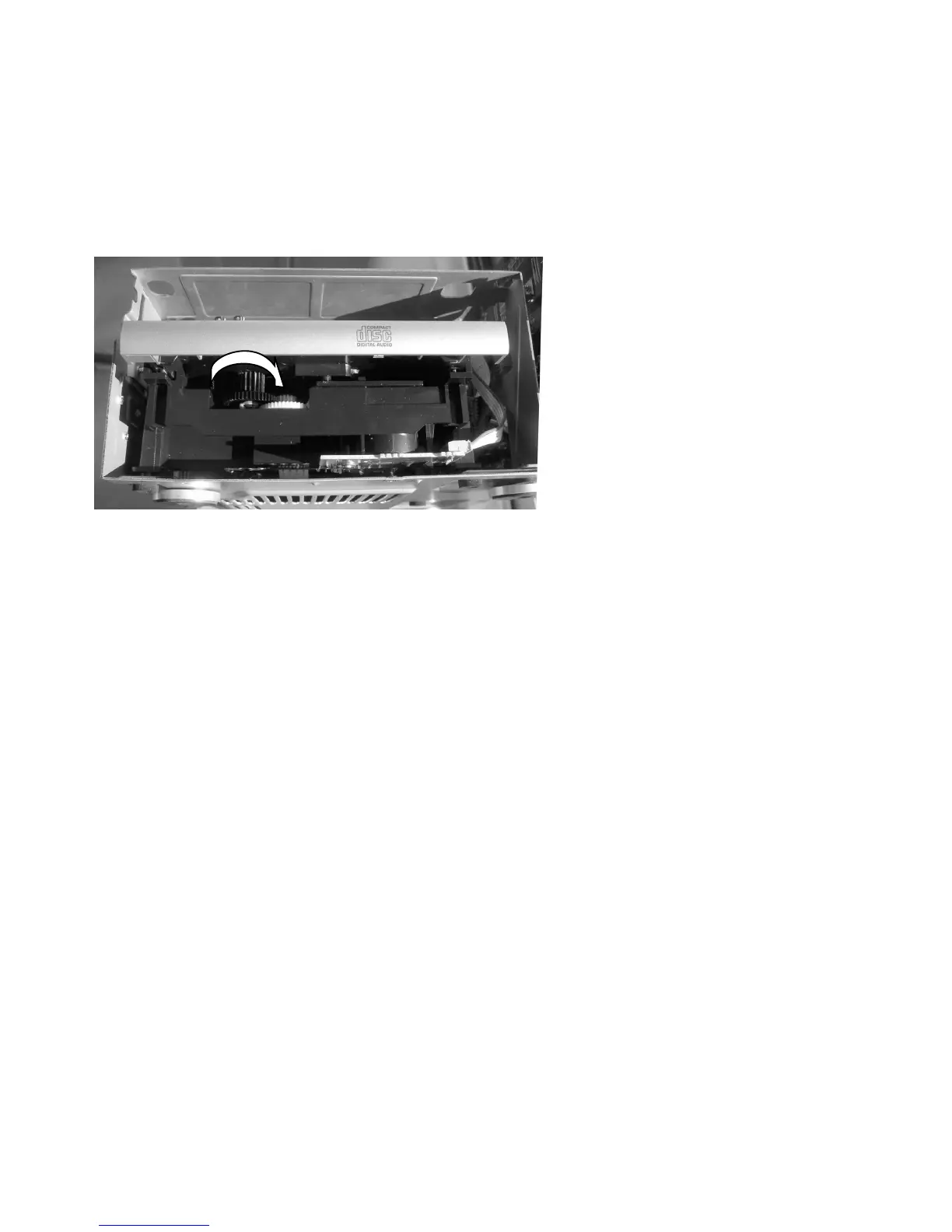
5. Turn the gear (black) to the direction shown with your finger
and disc tray will opened.
6. Now you can remove the disc.















 To Next Page