10
Panel Microprocessor Update Procedure
1. DOWNLOADS OF THE SOFTWARE
Download the software for update of the PANEL
microprocessor.
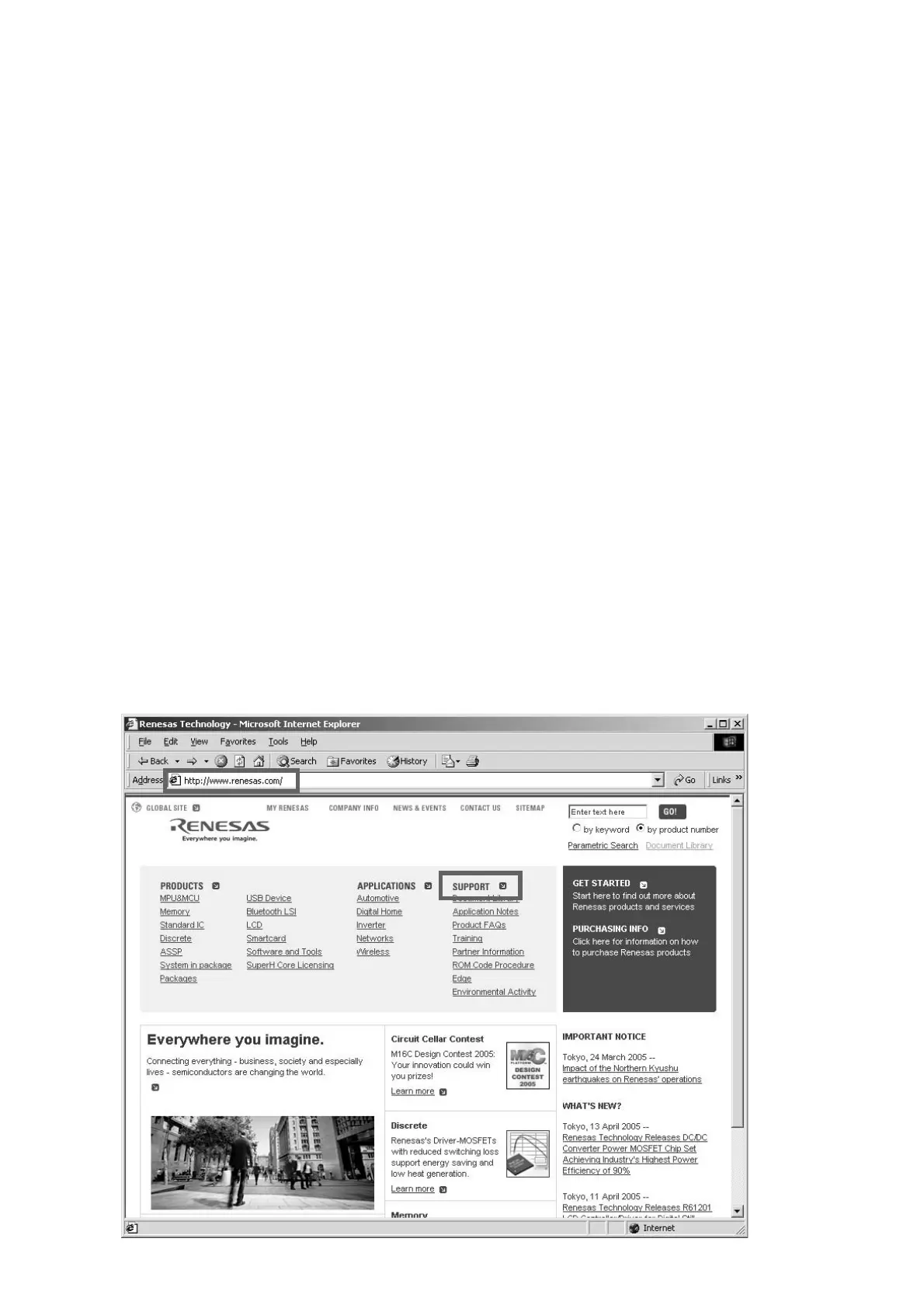
Launch up the browser. Type http://www.renesas.com/ into
an address. And press Enter.
(When site of Renesas is modified, please search "Flash
Development Toolkit", or type http://download.renesas.com/e
ng/mpumcu/index.html into an address.)
Click the SUPORT on the site of Renesas.
書き込み手順
1. DOWNLOADS OF THE SOFTWARE
PANEL
マイコンのアップデート用ソフトウェアをダウンロー
ドします。
Browser を起動し、Address へ http://www.renesas.com/ と入
力し、
Enter を押します。
(Renasas
のサイトが変更になった場合は、
Flash Development
Toolkit
を検索するか、
Address
へ
http://download.renesas.
com/eng/mpumcu/index.html
を入力してください。
)
Renesas
のホームページが開きますので、ここから
SUPPORT
をクリックします。
6. UPDATE PANEL MICROPROCESSOR
PROCEDURE
Necessary Equipment
• Windows PC (OS: Windows2000 or WindowsXP) with
Serial Port
• RS-232C Cable straight type (9 Pin female - 9 Pin
female)
• Update Tool: FDTsetup.EXE(FDT3.0) or
fdtv30300.exe(FDT3.3)
• Update data (CSIDE_vxxx.mot)
NOTE: File name will change according to release date.
Update of PANEL Microprocessor can be updated by
FDT3.0 or FDT3.3.
Supposing you already installed FDT3.0 or FDT3.3, move
on to the Writing software setup procedure.
If you do not have FDT, move on to the Download and
install updating software for Microprocessor.
6. PANEL MICROPROCESSOR の書き換え方法
必要機器
• Windows PC Serial Port 付き (OS: Windows2000 または
WindowsXP)
• RS-232C
ストレートケーブル (9Pin メス− 9Pin メス )
•
書き込み用アプリケーションツール (FDTsetup.EXE
(FDT3.0)
または fdtv30300.exe(FDT3.3))
•
書き込み用データ (CSIDE_vxxx.mot)
NOTE: xx
は改版番号です。
パネルマイコンのアップデートは
FDT3.0 でも FDT3.3 でも
アップデートすることが出来ます。
既に
FDT3.0 または FDT3.3 をインストールしてある場合は書
き込みソフトウェアの設定に進んでください。
もし、
FDT を持っていない時は、アップデートソフトウェアの
ダウンロードとインストール手順に進んでください。



 To Next Page