37
8. WRITE-IN ID DATA FOR DVD AUDIO
PROCEDURE
A case writing is needs
Writing is needed when Q103 (PM01) was replaced.
Necessary Equipment
Windows PC (With Serial Port)
RS-232C Cable straight type (9 Pin female - 9 Pin female)
Writing software (CPPMset.exe)
ID data and ID number
Remark: Only one ID data and ID number are assigned to
the serial number of DVD Player., Beforehand,
please ask cus tom er center "ID data" and" ID
number" corresponding to the serial number of
DVD Play er.
Writing time
The writing of ID data for DVD AUDIO takes about 2
sec onds.
Writing procedure
1. Put the "CPPM" folder into anywhere on your PC’s hard
disc.
2. Move ID data suitable for the serial number ordered in
ad vance to the "DeviceKey" folder in a "CPPM" folder.
Remark: Please set only to one ID data put on a
"DeviceKey" folder. If two or more ID data is
placed, writ ing may not be made correctly.
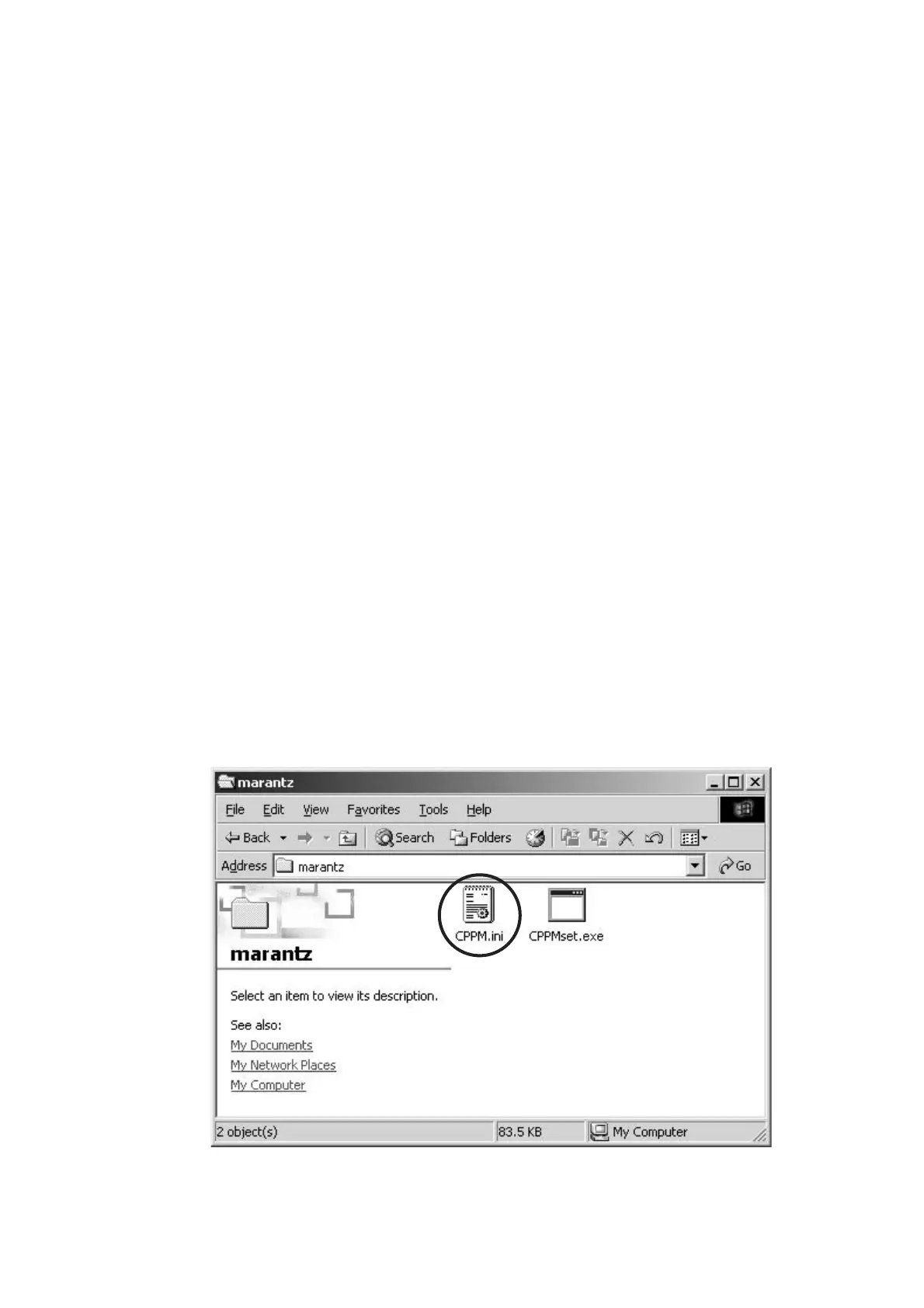
3. Open the "CPPM.ini" in a "CPPM\marantz" folder by text
editors, such as Note pad.
8. DVD AUDIO 用 ID データの書き込み方法
書き込みが必要なとき
Q103(PM01) を交換したときに書き込みが必要になります。
必要機器
Windows PC (Serial Port 付き)
RC-232C ケーブル (9pin メス− 9Pin メス ストレートタイプ )
書き込みソフト (CPPMset.exe)
ID
データと ID ナンバー
注意
: ID データと ID ナンバーは DVD Player のシリアルナン
バーに対して
1 つ割り当てられています。書き込みを行
う際は
DVD Player のシリアルナンバーに対応した ID
データと ID ナンバーを事前にカスタマーセンターより取
り寄せてください。
書き込み時間
この
DVD AUDIO 用 ID データの書き込み時にかかる時間はお
よそ
2 秒です。
書き込み手順
1. Windows PC の任意のフォルダに CPPM フォルダをコ
ピーします。
2. 事前に取り寄せたシリアルナンバーに合った ID データを
CPPM フォルダ内の DeviceKey フォルダに移動します。
注意: DeviceKey フォルダに置く ID データは 1 つだけ
にしてください。複数の
ID データを置くと正しく
書き込みが出来ない場合があります。
3. CPPM\marantz フォルダ内にある CPPM.ini を Note pad
などのテキストエディタで開きます。



 To Next Page