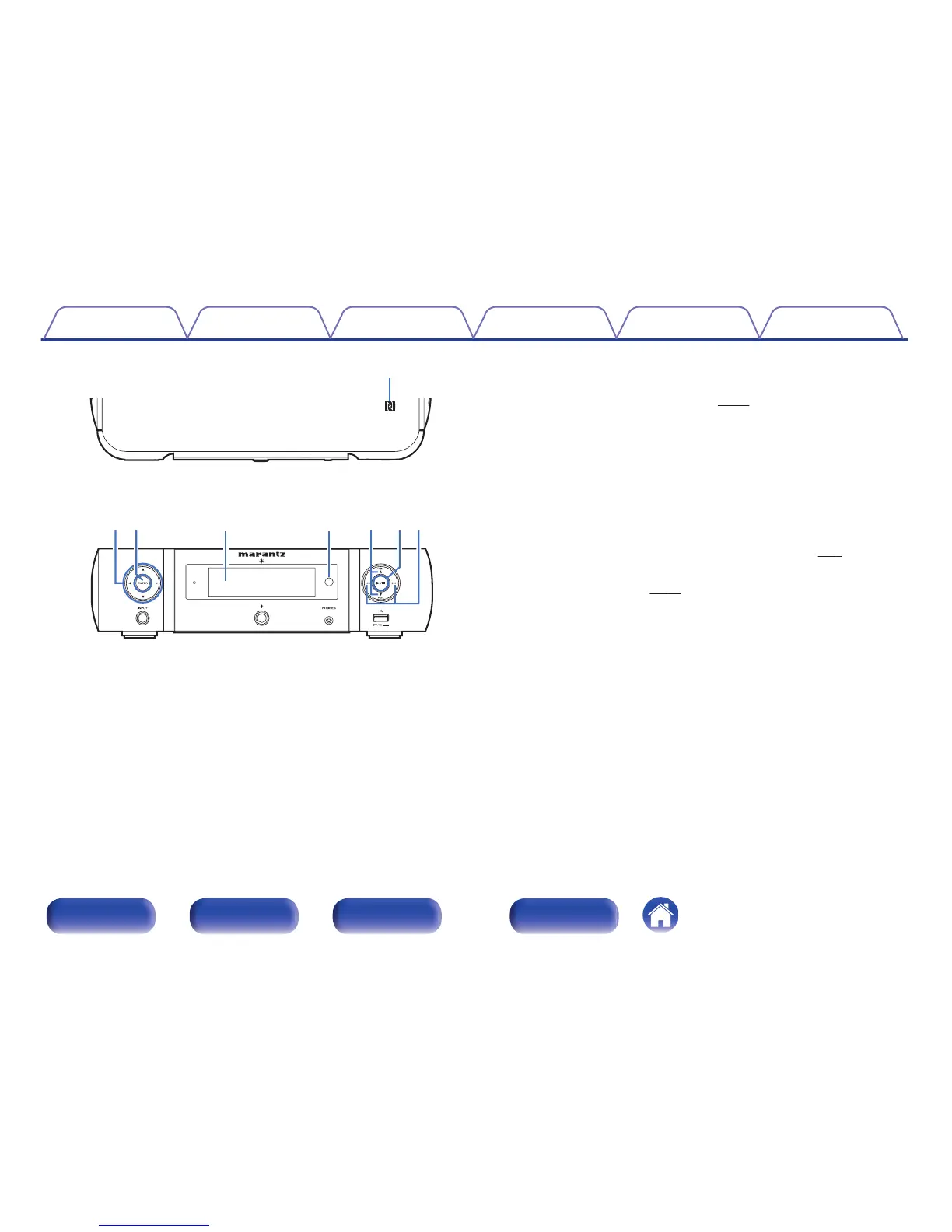
A
N mark (Q)
Touch this mark with a Bluetooth device that includes the NFC function
when pairing (registering) with it. (v
p. 51)
B
Cursor buttons (uio p)
These select items.
C
ENTER button
This determines the selection.
D
Display
Various information is displayed here.
E
Remote control sensor
This receives signals from the remote control unit. (v
p. 7)
F
VOLUME up/down buttons (VOLUME df)
Adjusts the volume. (v p. 30)
G
Play/pause button (1/3)
H
Reverse-skip / Forward-skip buttons (8, 9)
Contents
Connections Playback Settings Tips Appendix
10
Front/Top
panel
Rear panel
Remote control
unit
Index



 To Next Page