G
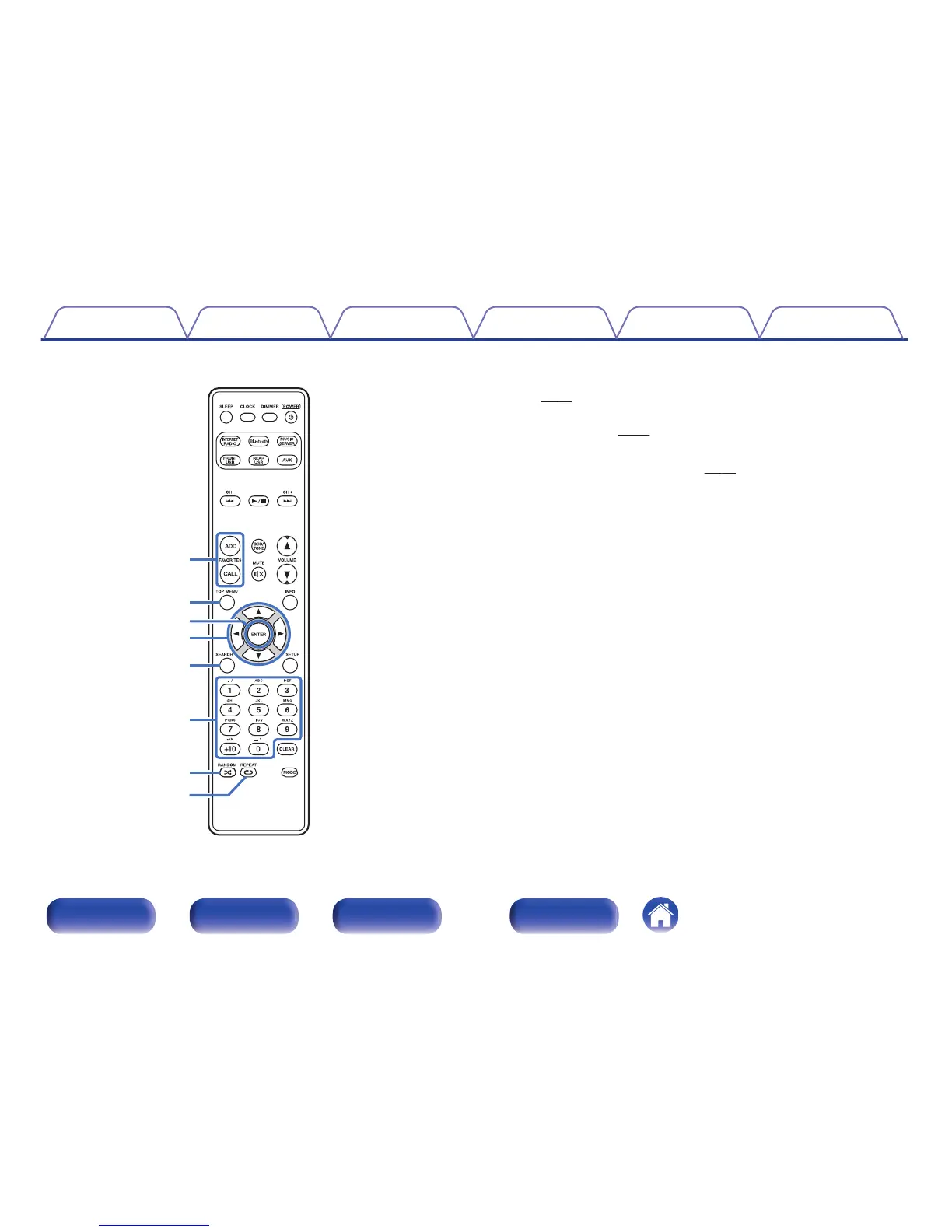
FAVORITES ADD / CALL buttons
0
To add radio stations or files to the favorite list, press ADD button.
(v
p. 40)
0
To call up a radio station or file registered in the favorite list, press
CALL button. (v
p. 40)
H
TOP MENU button
To back to the top of the menu. (v
p. 74)
I
ENTER button
This determines the selection.
J
Cursor buttons (uio p)
These select items.
K
SEARCH button
This displays the search menu.
L
Number buttons (0 – 9, +10)
These enter letters or numbers into the unit.
M
RANDOM button (P)
Switches the random playback.
N
REPEAT button (L)
Switches to the repeat playback.



 To Next Page