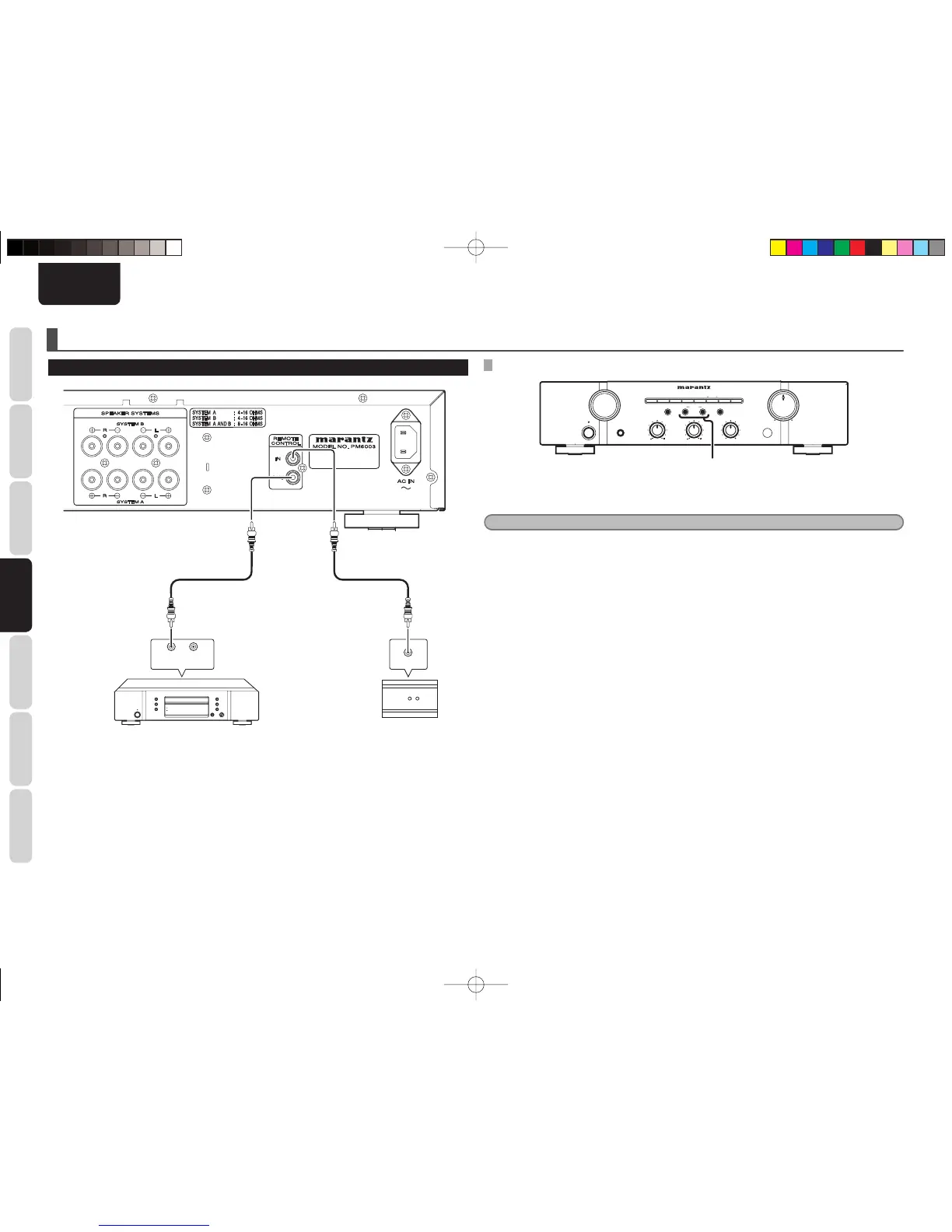
SPEAKERS A/B button
1. Press and hold the SPEAKER B button on the front panel more than 5 seconds.
2. Front remote sensor is disabled and MUTE indicator blink 3 times.
Note
• Be sure to set remote sensor enable when external infrared sensors or similar devises are not connected.
• Otherwise the unit will be unable to receive remote control commands.
3. To restore the original setting, press and hold SPEAKER A button on the front panel more than
5 seconds.
4. Front remote sensor is enabled and RECORDER 2 indicator blink 3 times.
q
You can control other Marantz products through this
unit with the remote controller by connecting the
REMOTE CONTROL terminals on each unit.
The signal transmitted from the remote controller
is received by the remote sensor on this unit. Then
the signal is sent to the connected device through
this terminal. Therefore you need to aim the remote
signal only to the unit.
Set the REMOTE CONTROL SWITCH on the back of
other units (not the PM6003) to “EXT”.(EXTERNAL)
to use this feature.
w
Whenever external infrared sensors or similar
devices are connected to Remote Control IN of
the unit, be sure to always disable operation of the
infrared sensor on the unit by using the following
procedure.
PM6003N01EngNew.indd10PM6003N01EngNew.indd10 09.4.203:57:55PM09.4.203:57:55PM



 To Next Page