16
H8FW2505
SR3001_yymmdd.mot
SR3001_yymmdd.mot
H8FW2505
H8FW2505
H8FW2505
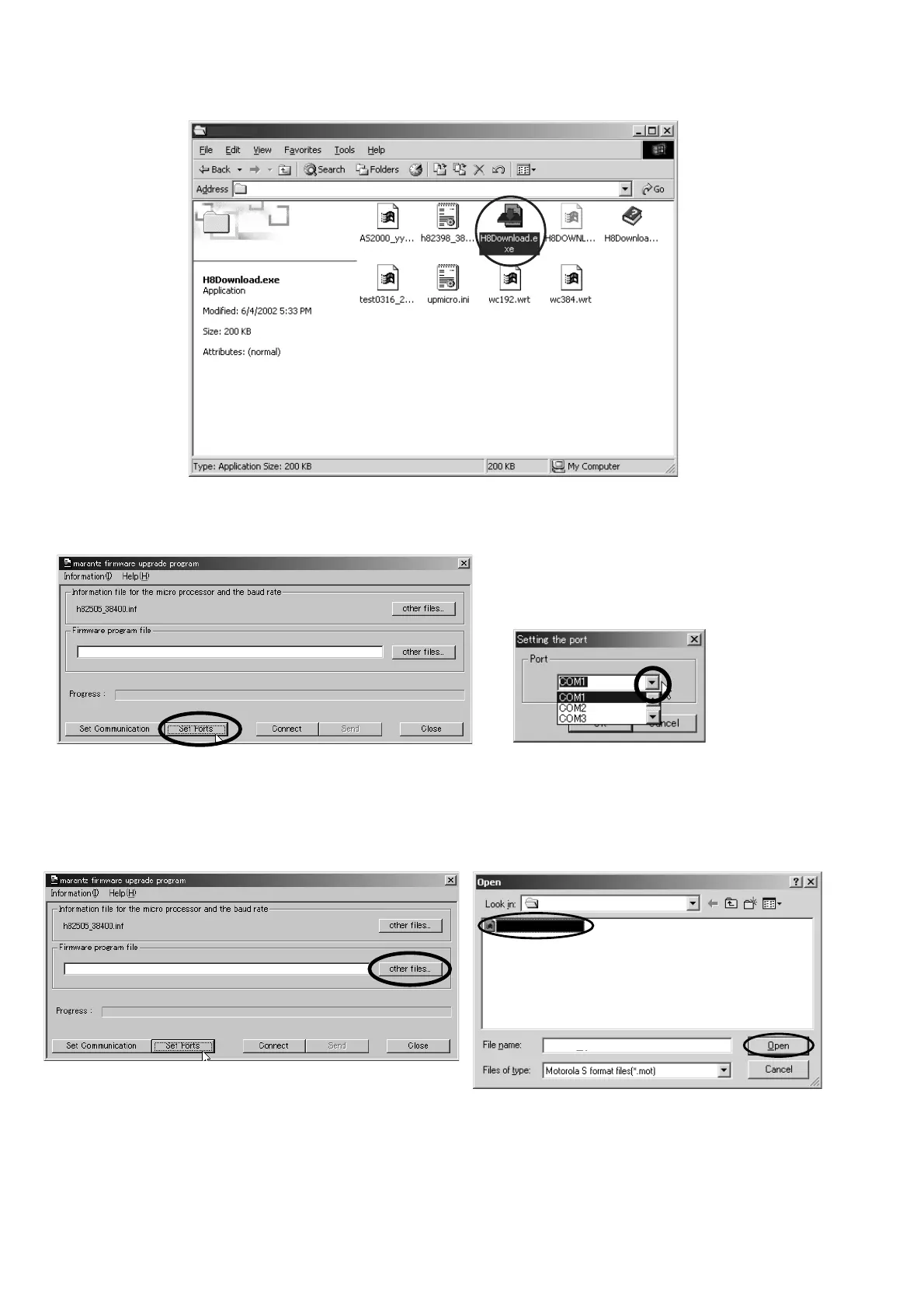
4. Launch "H8Download.exe" on PC.
5. Click Set Ports, and select the COM Port No.
6. Click other files... button in the dialog box to specify the
file (SR3001_yymmdd.mot) to be uploading. yymmdd in
file name is release date of software.
4. PC から "H8Download.exe" をダブルクリックして起動し
ます。
5. Set Ports をクリックし、COM ポート番号を選択します。
6. other files…をクリックして、アップデートファイル
(SR3001_yymmdd.mot) を選択し開きます。


 To Next Page