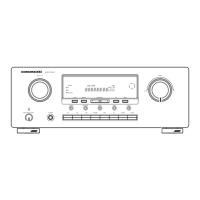
q
POWER switch and STANDBY indicator
Press the button to turn the power ON, and press
again to turn it OFF. If the POWER switch is in the ON
position, the power of this unit can be turned ON/OFF
by pressing the POWER button on the remote control
unit.
When this unit is in the standby mode with the
POWER switch set to the ON position, pressing the
ENTER button also allows to turn the power on.
The STANDBY indicator lights up when this unit is
the standby mode (power OFF) by the remote control
unit.
w
7.1CH INPUT button
Press this button to select the output of an external
multichannel player.
e
INPUT SELECTOR knob (AUDIO/ VIDEO)
This knob is used to select the input sources.
The video function selector, such as TV, DVD, VCR1
and DSS, selects video and audio simultaneously.
Audio function sources such as CD, TAPE, CDR/
MD, and TUNER may be selected in conjunction
with a Video source.
Notes:
•
The surround mode is automatically switched to
AUTO when the pure direct function is turned on.
• Additionally, Speaker Configurations are fixed
automatically as follows.
Front SPKR = Large, Center SPKR = Large,
Surround SPKR = Large, Sub woofer = On
•
This function is unavailable when the surround
speaker B system is activated. While this
function
is
activated, this
function will be canceled if
the S.
SPEAKER B button is pressed.
i
SIMPLE SETUP button
Press this button to enter the simple setup mode.
You can setup the speaker conditions (speaker
sizes, number of speakers, speaker delay times)
quickly by pressing the cursor buttons.
o
DISPLAY button
When this button is pressed, the FL display mode
is changed as Surround Mode → Auto-display Off
→ Display Off → Input Function and the display off
indicator(DISP) lights up in condition of DISPLAY
OFF.
!0
MEMORY button
Press this button to enter the tuner preset memory
numbers or station names. (See page 30)
!1
CLEAR button
Press this button to cancel the station-memory setting
mode or preset scan tuning. (See page 31)
!2
VOLUME control knob
Adjusts the overall sound level. Turning the control
clockwise increases the sound level.
!3
ATT (Attenuate) button
If the selected analog audio input signal is greater
than the capable level of internal processing, the
PEAK indicator will illuminate. If this happens, you
should press the ATT button. “ATT” is displayed
when this function is activated.
The signal-input level is reduced by about half.
Attenuation will not work with the output signal of
“REC OUT” (TAPE, CD-R/MD, VCR1 and VCR2
output). This function is memorized for each input
function.
!4
MUTE button
Press this button to mute the output to the speakers.
Press it again to return to the previous volume level.
!5
T-MODE button
Press this button to select the auto stereo mode or
mono mode when the FM band is selected.
The “AUTO” indicator lights in the auto stereo mode.
(See page 30)
!6
BAND button
Press this button to switch between FM and AM in
the TUNER mode.
!7
EXIT button
This button is used to exit from the SETUP MAIN
MENU.
!8
Cursor ( , , , ) / ENTER button
Use these buttons when operating the SETUP MAIN
MENU and TUNER function.
!9
MENU button
This button is used to enter the SETUP MAIN MANU.
@0
HT-EQ button
Used to turn on or off HT(Home Theater)-EQ mode.
This mode compensates for the audio portion of a
movie sounding “bright”. When this button is
pressed, “EQ” indicator lights up.
@1
AUTO (Auto surround) button
Press this button to select the AUTO mode from the
surround modes. When this mode is selected, the
receiver determines the surround mode corresponding
to a digital input signal automatically.
SR4600NDFU01ENG12 05.5.20, 6:06 PMPage 4 AdobePageMaker6.5J/PPC


 To Next Page