3-2.4. Clearing the Protection History
There are two ways to clear the protection history.
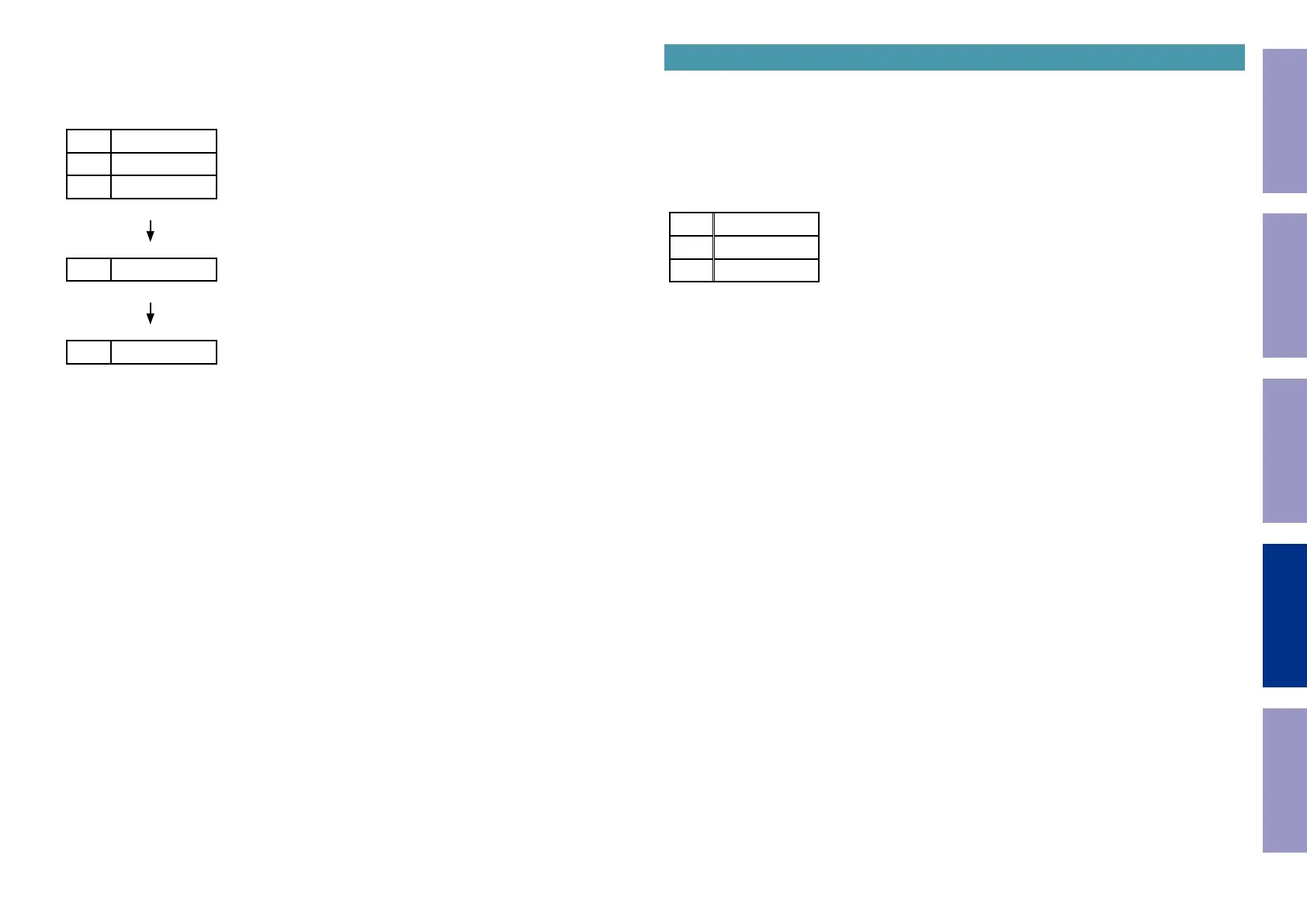
(1) Activate Protection History Display Mode. Press the "
STATUS
" button to display the protection
history. Press and hold the "
DIMMER
" button for 3 seconds.
L1
PROTECT
L2
HISTORY
L3
:DC
Press and hold the "
DIMMER
" button for 3 seconds.
L3
CLEAR
The above message is displayed and the protection history is cleared.
L3
:NO
(2) Initialize this unit. (See "Initializing this Unit")
b
Use the method in 3-2.4. (1) if you do not want to erase your settings from this unit.
Warning Displays by POWER LED
If the power is turned Off while a protection is being detected, the POWER LED ashes in red to warn
you depending on the protection status as follows.
(1) ASO/DC protection: Flashes at 0.5-second intervals (0.25 seconds lit, 0.25 seconds unlit)
(2) THERMAL (A/B/E) protection: Flashes at 2-second intervals (1 seconds lit, 1 seconds unlit)
(3) CURRENT protection: Flashes at 4-second intervals (2 seconds lit, 2 seconds unlit)
3-3. 232C Standby Clear Mode
3-3.1. Actions
Switches from 232C standby mode to normal standby mode.
3-3.2. Starting up
While holding down buttons "
ZONE2 SOURCE
" and "
STATUS
" simultaneously, press the power button
to turn on the power.
Select the "
3RS232C RESET
" using the "
TUNER PRESET CH+/-
" button, then press the "
STATUS
"
button then to conrm.
L1
3RS232C
L2
RESET
L3
Before Servicing
This Unit
Electrical Mechanical Repair Information Updating
137




 To Next Page