FIRMWARE UPDATE PROCEDURE
1. Items necessary for update
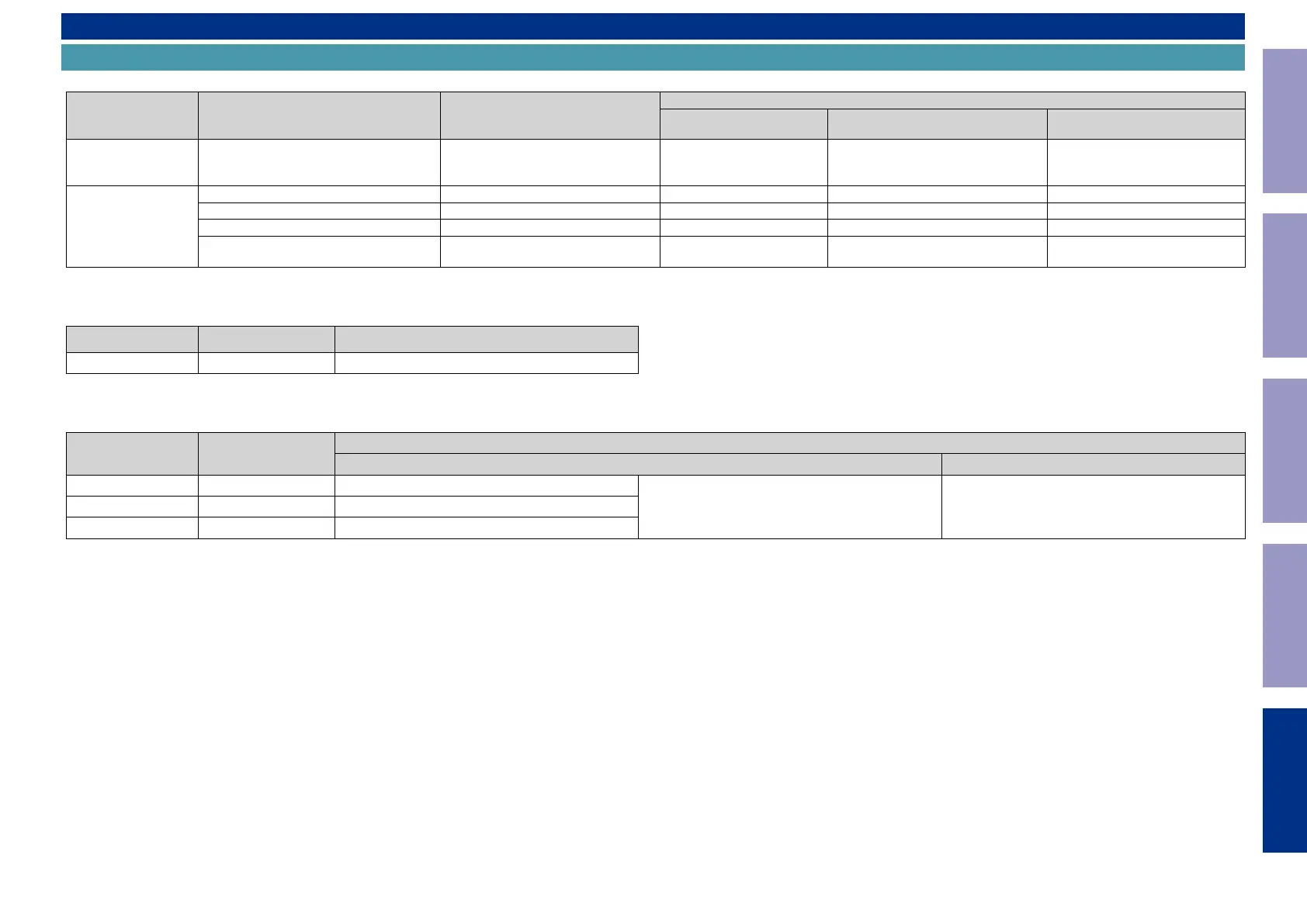
Items necessary for update are as follows.
Update Type Needed Part for Update Requirement
Offered / not Offered
Standard Service Equipment
Not offered by D&M
Purchase from D&M Article code Download from SDI
Via USB
USB ash drive (USB 2.0 : Min 1GB)
• We recommend a USB memory device
that has an LED installed.
Formatting FAT16 or FAT 32 X - "Table 1" or "Table 2"
Via OTA
Internet Connection by Broadband Circuit - X - -
Modem - X - -
Router - X - -
Ethernet cable
(CAT-5 or greater is recommended)
- X - -
Table 1
Update download le when the DIGITAL PCB or network module is replaced
Model Name Model Area Download from SDI
SR5013 ALL avr_40.prod.update.factory.xxxx.zip
Table 2
Update download le when the rmware is updated (Two les, "HW component" and "LEGO component")
Model Name Model Area
Download from SDI
For HW component For LEGO component
SR5013 U North America (U) Product ID : 100100670100
DPMS_SR5013ALL_LEGO_xxxx.zip heos_40.prod_x.xxx.xx.zipSR5013 N Europe (N) Product ID : 100100670200
SR5013 K China (K) Product ID : 100100670500
Before Servicing
This Unit
Electrical Mechanical Repair Information Updating
168




 To Next Page