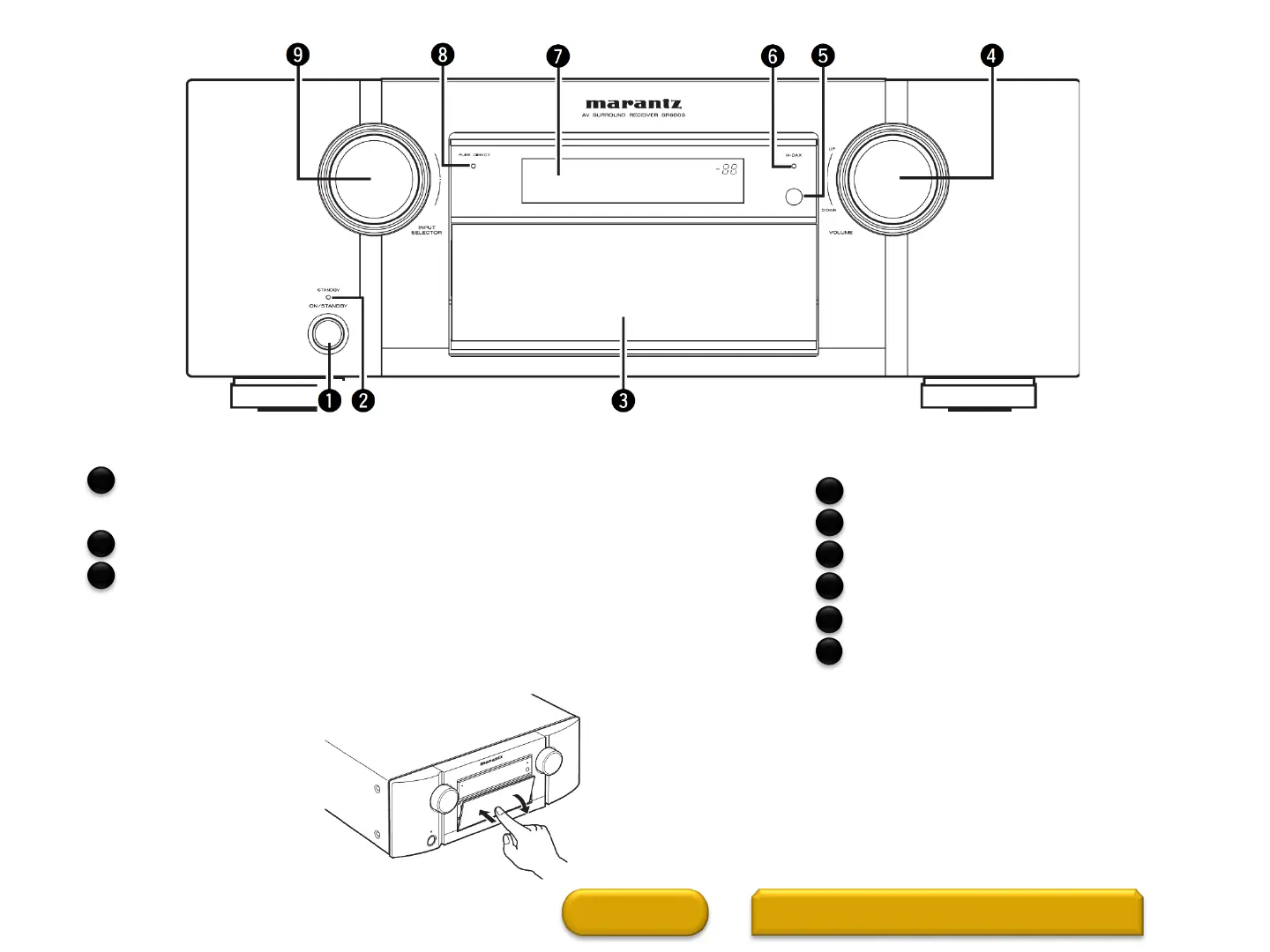
Front Panel (1 of 2
Power operation button (ON/STANDBY)
Turns power to this unit on and off (standby).
Power indicator
Door
When you are using buttons and/or terminals behind the door, press the
bottom of the door to open it. When not using buttons and/or
terminals behind the door, close it. Be careful not to catch your fingers
when closing the door.
HOME
FRONT PANEL WITH DOOR OPEN
2
VOLUME control knob
Remote control sensor
M-DAX indicator
Display
PURE DIRECT indicator
INPUT SELECTOR knob······
4
5
6
7
1
2
3
8
9



 To Next Page