K
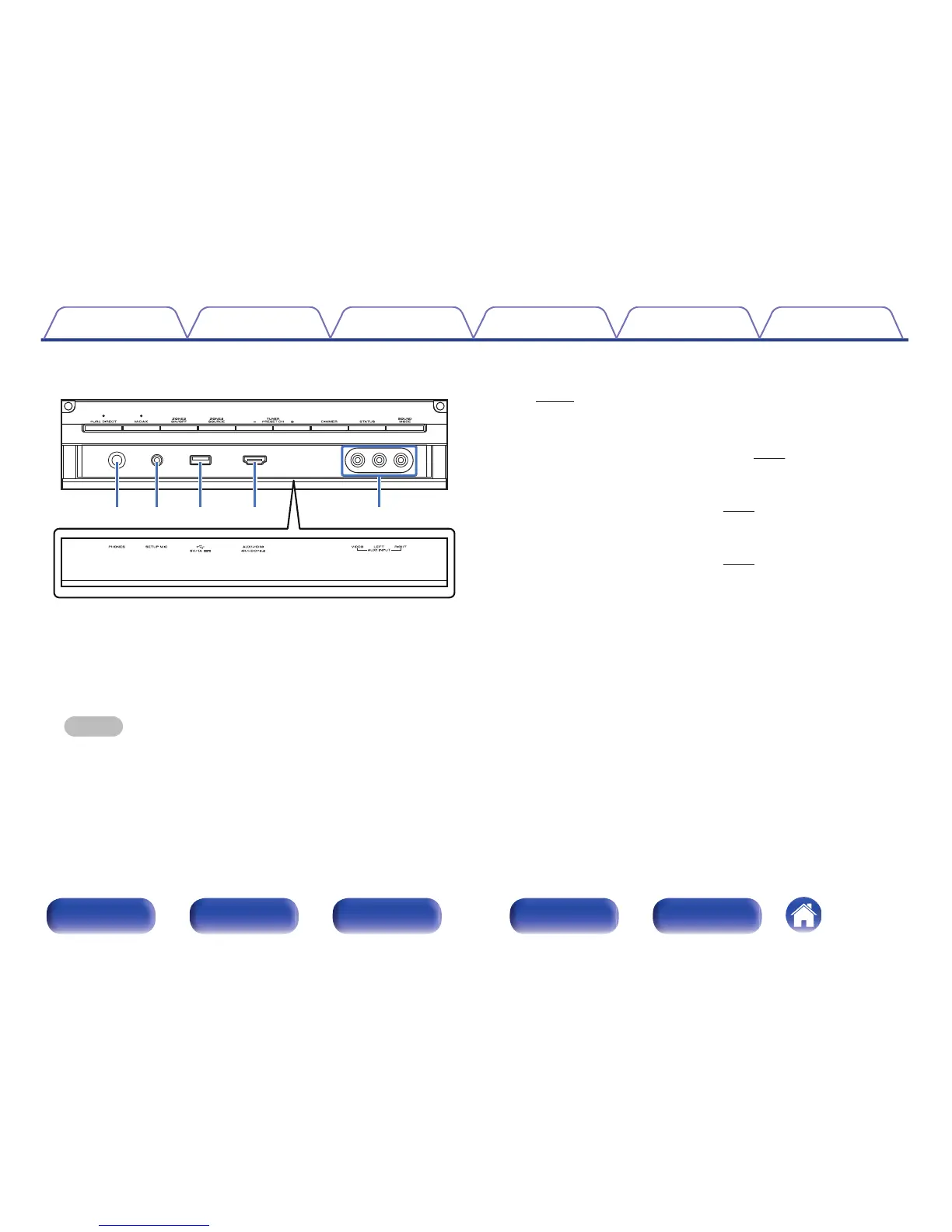
Headphones jack (PHONES)
This is used to connect headphones.
When the headphones are plugged into this jack, audio will no longer
be output from the connected speakers or from the PRE OUT
connectors.
NOTE
0
To prevent hearing loss, do not raise the volume level excessively when using
headphones.
L
SETUP MIC jack
This is used to connect the supplied Sound calibration microphone.
(v p. 208)
M
USB port (T)
This is used to connect USB storages (such as USB memory devices)
and the USB cable supplied with iPod. (v p. 71)
N
AUX1-HDMI connector
This is used to connect HDMI output compatible devices such as video
camcorders and game consoles. (v p. 68)
O
AUX1 INPUT connectors
Used to connect analog output compatible devices such as video
camcorders and game consoles. (v
p. 68)
Contents Connections Playback Settings Tips Appendix
17
Front panel Display Rear panel Remote Index



 To Next Page